换一换
换一换 


If you encounter any bugs or issues, reporting them to our Discord server will be the best way to get the support you need. Join our Discord server How to Access the BETA? v3.1 Beta does NOT require a DLC to use. Please visit the link below to switch to the beta branch. BETA 1.46 Release Notes: APP: Redesigned startup screen and updated app icon Added Help Center Page (WIP) for DSX assistance Improved input system and combo press detection/activate actions. reworked physical -> virtual device input chain for a smoother experience and to prep for the remake of the input system in DSX v3.2 that supports a lot more options and customizations. Added initial Razer Wolverine v2 Pro controller support (PS5 Mode, Dongle/USB). Supports Touchpad, Player LED, and Motion. Updated Virtual Device Selection in Navigation Menu Improved Access Controller Compatibility Fixed bug in device manager where multiple devices were showing up with the same MAC address, and improved device disconnection logic. Added more UI warning labels for features not supported depending on the connected device Updated the Mod System page with support for Tomb Raider: Game of the Year Edition by @Jexar20. Updated mod links by @elementfuture with support for Assetto Corsa EVO. Fixed launcher permission issues when dealing with having DSX running as admin or it can't quit DSX. Input System: Fixed Button Mapping Toggle sometimes not working correctly if multiple bindings are set. DSX Console Companion App: Upgraded DSX.Console to handle JSON format and outputting results to a specified file path. Adaptive Triggers Page: Fixed Multiple Position Feedback bug with regions 2 & 3 using incorrect values Controller Mapping Page: Deadzones for Sticks/Triggers gain real-time visualizers of the controller and adjusted input. Improved Input Extended section selection to go to the right spot in the list. Added stick sections in Input Extended Added Activate Steam Big Picture Mode Shortcut in the Actions system. Updated Touchpad Icons Added ZQSD mode for Motion-to-Keyboard and Stick-to-Keyboard Added custom mode for Motion-to-Keyboard and Stick-to-Keyboard Added custom mode for Motion-to-Buttons and Stick-to-Buttons DS Edge Page: Exciting news! DSX can now fully modify your DualSense Edge on-board profiles via BT connection. UI improvements throughout the internal profile system. Profiles now show the time stamp above its name of when they were last modified regardless of platform if configured correctly. Implemented Disable Profile Switching (NEW) - If enabled, DSX will block profile switching with FN + (Action Buttons). These settings aren't saved internally on the controller; they only apply while DSX is running. Eventually this page will no longer exist, and on-board profile management will be moved to My Controller Page in future updates to simplify things.Button Assignments Section: Circle and Cross button assignments can now be fully disabled. Touchpad finger touch movements can now be toggled on or off. Left and Right Sticks can now be toggled on or off. You can now toggle swap Left and Right sticks input.Stick Sensitivity/Deadzone Section: Improved curve selection, and improved graph showing curves Implemented Custom curve - manually adjust the curve by setting individual response points to create a personalized input feel. NOTE: Editing this profile in the PS5 console or the official PS Accessories app will revert any custom curve settings back to their defaults. Implemented Deadzone 0-30% (official PS5 settings), however DSX takes it to the next level letting you go up to 100%. NOTE: Editing this profile in the PS5 console or the official PS Accessories app, any deadzone setting above 30% will revert to its default value. You can now preview Stick Adjustments to compare controller input and adjusted input along with deadzone radius.Trigger Deadzone Section: You can now see trigger input in real-time to see controller and adjusted input. You can now apply the same settings for both L2 and R2.Vibration/Trigger Effect Intensity Section (NEW): Implemented Vibration Intensity with these options: turning it off, setting it to weak, medium, and Strong (Standard). Implemented Trigger Effect Intensity with these options: turning them off, setting it to weak, medium, and Strong (Standard). My Controller Page: The device Information section gains an updated UI, with more info like what features of the connected device DSX supports. DSX now supports a profile slot system where you can assign 4 different slots from profiles you created, and be able to activate them with keyboard shortcuts. You can also cycle between the 4 slots with a keyboard shortcut. Beta 1.46 Hot Fixes: Fixed Turbo/Toggle actions not activating for solo buttons, Implemented Individual Player LEDs for legacy DualSense controllers and DS Edge, Fixed issue with DSX.Steam causing a crash if ACH.json file was empty or corrupt, Fixed Device Status shortcut action showing connection type in battery info section Your thoughts help us make DSX even better—if you’ve got a minute, a quick Steam review would mean a lot.
DSX v3.1 BETA 1.46版本已发布。查看新增内容!

导读
DSX v3.1 BETA 1.46版本已发布,无需DLC即可使用。该版本对APP、输入系统、DSX Console Companion App等多模块进行优化,含启动界面重设计、新增Help Center页面、优化输入系统、新增雷蛇手柄支持、完善DS Edge手柄板载配置修改功能等,还修复了诸多bug,同时更新了模组系统支持。

评论
共0条评论

“特殊顾客”赢得第三次社区投票
感谢所有参与最新社区投票的玩家! 【特殊顾客】以142287票获胜。司机以125314票位居第二,警察改进以117677票紧随其后,位列第三。 - 摩托车手 -…
2026-04-26 04:250赞 · 0评论

开发日志 | 模组系统全面更新与补偿方案
Dear Metas, The mod system is a core progression mechanic in Once Human, constit…
2025-12-12 11:220赞 · 0评论
DSX v3.1 BETA 1.45版本已发布。查看新增内容!
BETA 1.45 更新内容: APP: 1. 更新了所有语言文件,新增英式英语。 2. 修复了DSX启动器因关闭速度不够快而弹出的问题。 3. 修复了每次按下…
2025-04-18 10:100赞 · 0评论
无人公园的狂野内存有多大 《UNYIELDER》内存需求说明
UNYIELDER游戏对内存的最低需求为4GB,存储空间需要2780MB,推荐我们预留多一些内存空间,以便游戏能够更加流畅且高质量的运行。 UNYIELDER内…
2025-10-15 13:050赞 · 0评论
试玩版将开放至正式发布日,支持手柄操作,包含成就系统及更多内容
一些不错的更新: 1. 试玩版 - 试玩版将持续开放至发售日(8月15日),甚至可能提前一些时间! 2. 手柄支持 - 现已全面支持。Xbox、PS4、PS5手…
2025-04-10 12:300赞 · 0评论
泰坦陨落2现在入坑合适吗 泰坦陨落2终极版值得买吗 泰坦陨落2手柄支持怎么样
《泰坦陨落2》现在入坑合适吗?从《GVG》和《解限机》过来的玩家,想问问大佬们现在入坑时机如何,以及终极版值不值得买? 还有就是游戏对手柄的支持怎么样,操作手感…
2026-06-01 20:330赞 · 1评论
手柄支持对大家来说有多重要……
我现在正处于最后阶段,但控制器支持的问题快把我搞疯了。有些功能上控制器能正常工作,但在其他功能上却会完全崩溃。我或许能解决控制器支持的问题,但这可能需要更长时间…
2025-04-18 22:110赞 · 0评论
1.1版本更新现已在测试服推出!
Hi Pioneers! Today it’s the release of our first content update since leaving ea…
2025-04-01 13:020赞 · 0评论
深海迷航 2025补丁
我们今天很高兴为《深海迷航》发布一个新补丁! 得益于《深海迷航》移动版的出色开发成果,我们得以将这些优化移植到游戏的其他版本中。 此次更新将在全球范围内推出,可…
2026-02-13 09:002赞 · 0评论
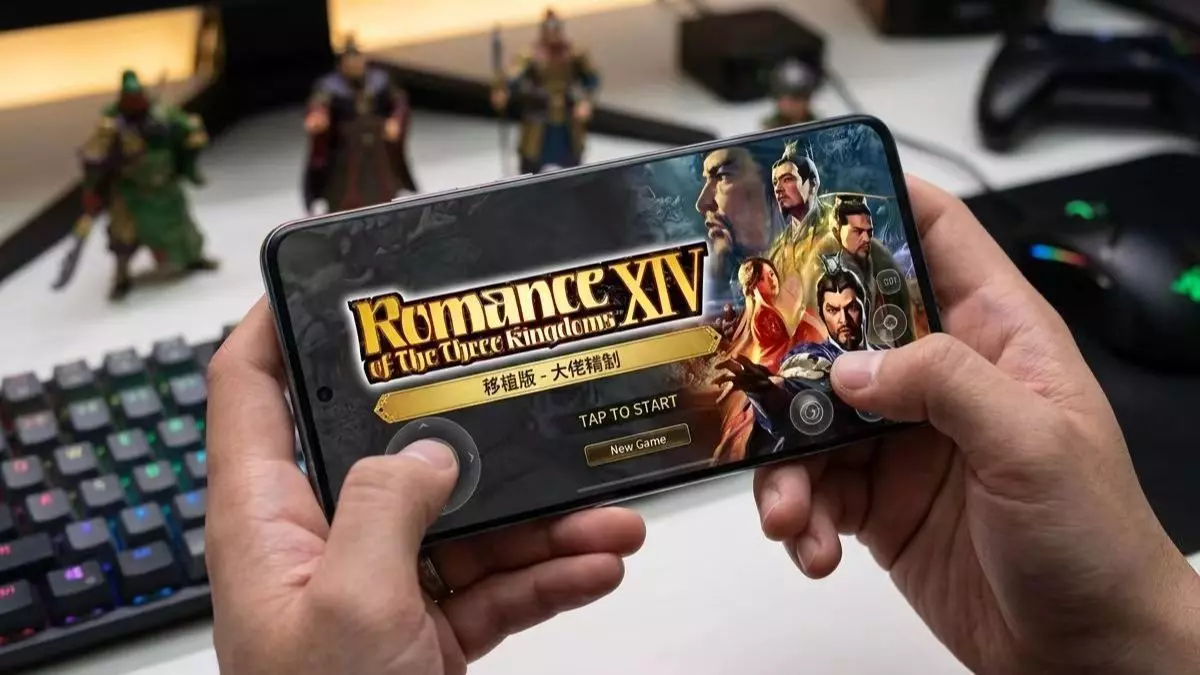
三国 全网首发!手机版《三国志14》移植成功!3人团队呕心沥血一个月,原生代码部分重写,支持手柄,骁龙870处理器演示!
2026-05-07 16:380赞 · 0评论
暂无更多
最新更新
- v3.1.7版本已发布,来看看有哪些新内容! — 如果您遇到任何漏洞或问题,向我们的Discord服务器报告将是获得所需支持的最佳方式。v3.1.《DSX》更新内容 1. 新功能 - Steam云备份与恢复——…
- DSX 设置 [翻译] — DSX 程序初始设置指南 DSX 设置步骤: 1. 打开 Steam,点击左上角的【Steam】选项,依次进入【设置】-【控制器】-【PlayStation 控…
- 如何在Steam上切换分支 — 如何在Steam客户端中切换测试版分支。 无需密码进入分支 第1部分 打开你的Steam库 右键点击【DSX】 点击属性
- DSX/设置 — DSX使用指南:Steam(左上角)>设置>控制器>PlayStation控制器支持(选择“在不支持的游戏中启用”)。 在库中创建动态集合,勾选集合设置中的“D…
- DSX 中文全成就指南+软件使用技巧 — DSE加上这个软件真的挺爽的 软件现在版本(BETA1.45)共33个成就,还是很好获得的,除了几个计算按键数量的成就,不过慢慢玩应该也能解锁 这个软件还是很有…
- 所有35项Steam游戏成绩 — 一篇指南教你如何获取全部成就 简介
- 如何让Turbo(某种功能)正常工作(某种程度上)V3 — 我有一个SCUF Reflex PS5手柄。目前我只确认它在《战锤40K:暗潮》和《死亡岛2》中可以使用,其他游戏还未测试。 在“原生模式”下,如果你进入“控制…
- 无法与服务器通信或如何解决此问题 — 本指南将为你说明如何解决此问题。 背景 你决定为DSX购买付费更新。购买并更新后,进入时却出现了这样的情况。
- v3.1.6版本已发布,查看新增内容! — v3.1.6 更新说明: 1. 全面更新了虚拟手柄驱动程序的处理方式,包括 DSX 启动时、设置过程中以及设置页面内的安装、健康状态和服务管理。在设置页面中,你…