换一换
换一换 




大家好! 我的帧率一直不超过30。 现在我按照以下设置调整后,帧率能达到90-110。 设置内容将部分说明。 希望本指南对大家有帮助。 【请勿访问诈骗网站】 步骤1

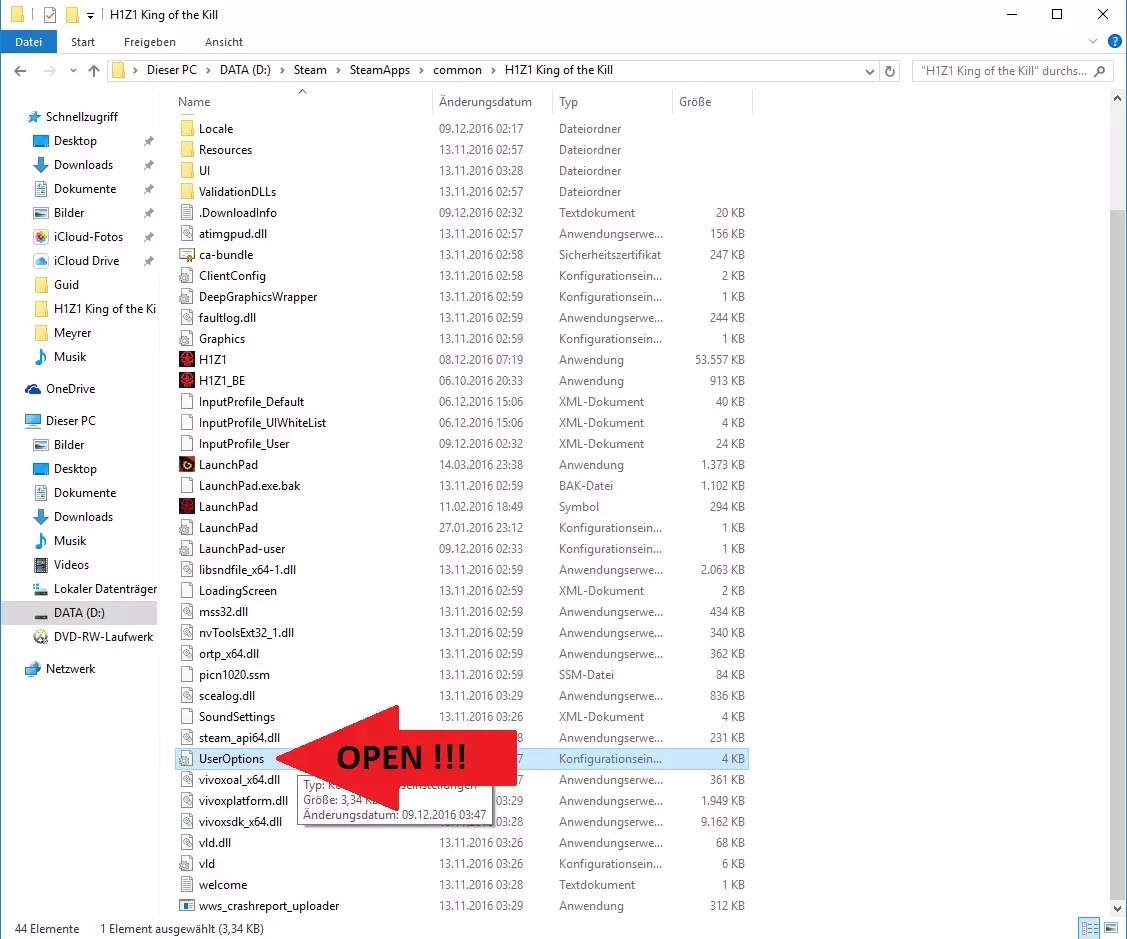
1. 打开Steam库 2. 进入《H1Z1:杀戮之王》的设置 3. 点击本地文件 4. 点击浏览本地文件...
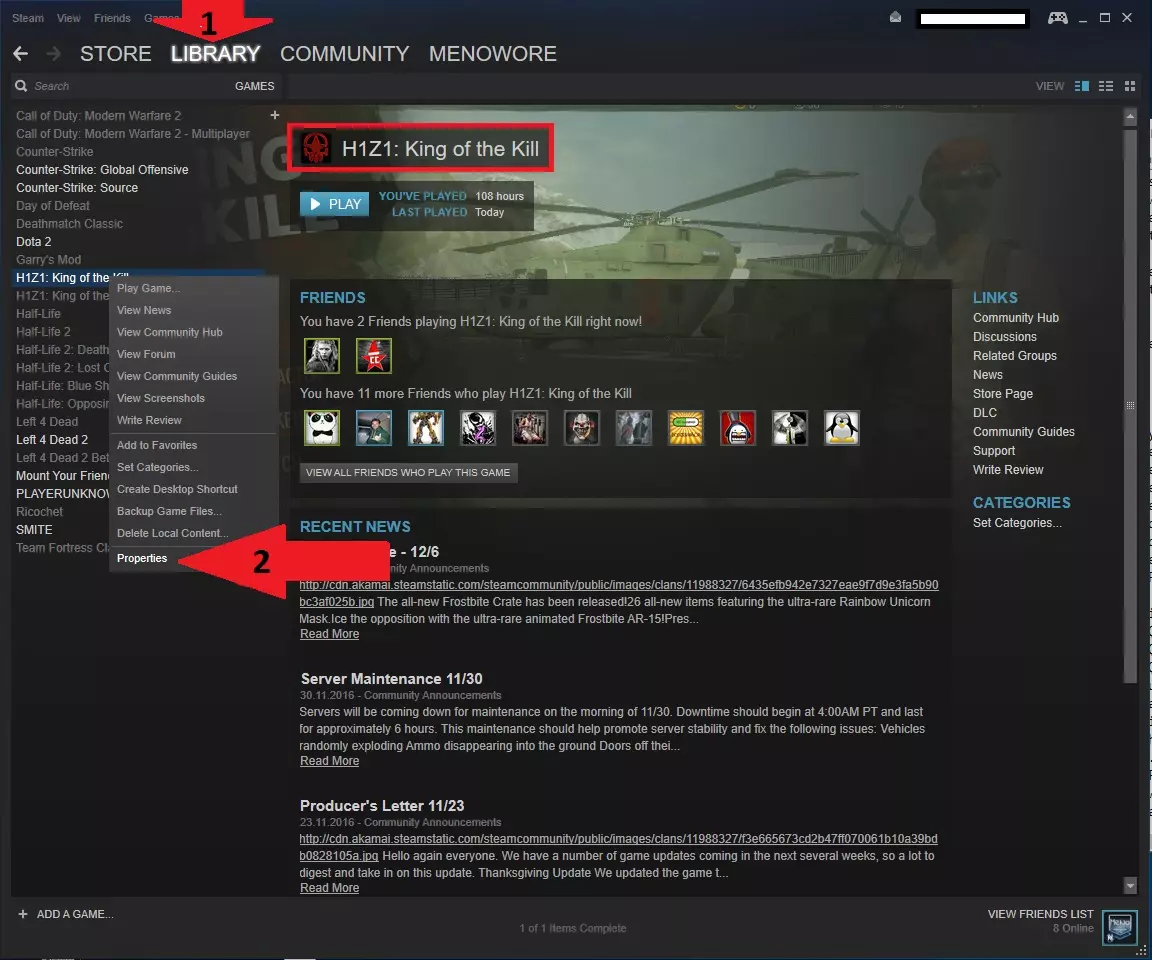
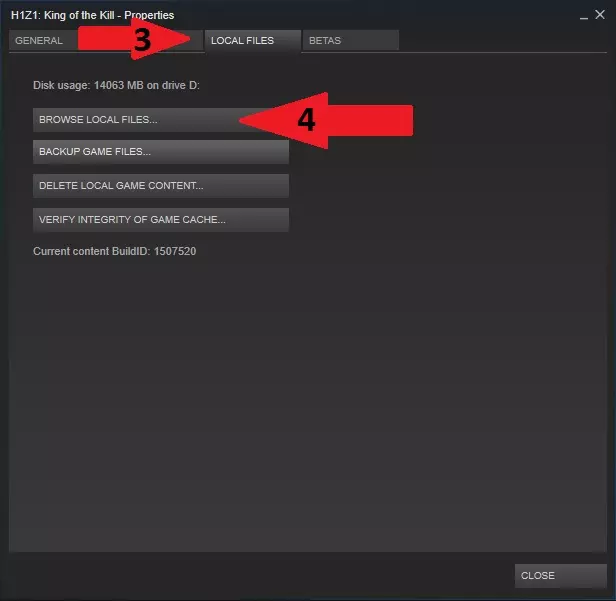
步骤2 打开用户选项文件。
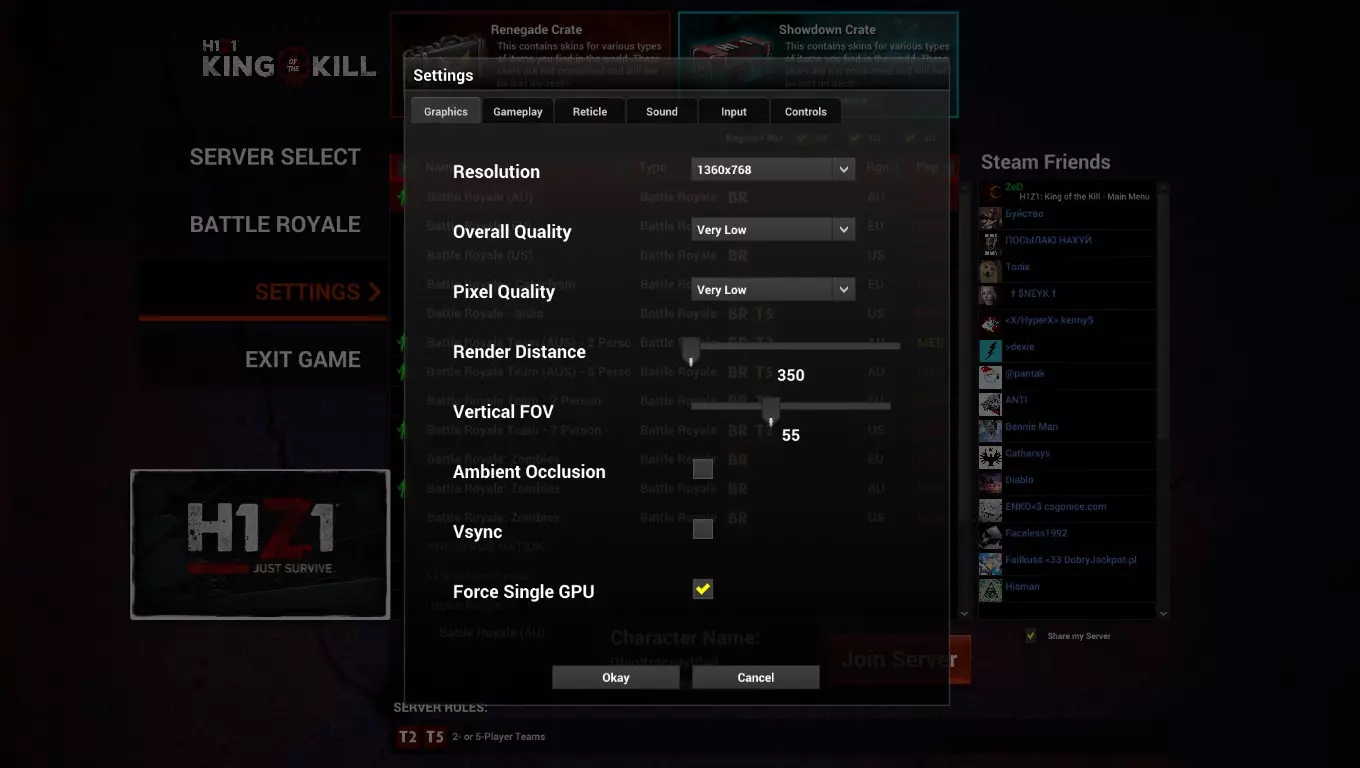
Step 3 Changes the settings as follows: (You can also copy it) _________________________________________________________ --------------------------------------------------------- [Display] FullscreenRefresh=0 Maximized=1 FullscreenWidth=1600 FullscreenHeight=900 WindowedWidth=1366 WindowedHeight=768 FullscreenMode=WindowedFullscreen HDPixelPlus=1.000000 (Overall amount of pixels allowed) 1.1 is Ultra. 0.8 is Low-Med. 0.9 is Medium. 1.0 is High. Can go as low as .5 and make it look like 1999. [Rendering] EffectsQuality=2 (This allows you to see bullet positioning and explosion distance at max without losing FPS) 0-3 OverallQuality=-1 TextureQuality=2 (3 is Low and 0 is Ultra) "Backwards" ShadowQuality=0 (Shadows Off) 0-3 FloraQuality=0 (Grass Gone, Terrain Low quality) 0-3 RenderDistance=2200.000000 (Allows u to see Ground at drop) UseDepthOfField=0.000000 Gamma=0.320000 (Adjusts Brightness, every monitor will be diff.) MaximumFPS=900 (Allows you to load faster) Putting to 60 is stupid. That's what Vsync is for. This is for loading, not your monitor display. UseLod0a=1 (Changes shape of objects at a distance) 1=on>FPS Smoothing=0 (Smoothing will drop FPS but stabilize it) SpeedTreeLOD=0 ModelQuality=2 (Visual appeal to players and everything on them) 0-3 FogShadowsEnable=0 (On=1 gives different look to Fog/Gas) AO=0 (Ambient Occlusion is another lighting effect, 0=Off>FPS) InteriorLighting=0 VerticalFOV=60 (Brings camera closer to you character lower it is) HoizontalFOV=60 (Lower will give you a few FPS) -It's Hard to adjust when you're used to the default 70. VSync=0 (Stabilizes FPS if you have a 144Hz Monitor) If you have Vsync On=1 without a 144Hz Monitor, you will take 5x longer to load in game. FOV=67 (67 Is a good balance to see inside of windows from distanced buildings and gives you a couple fps from 70.) LightingQuality=0 (Allows lighting effects or not) 0=Off 2=Ultra ParticleLOD=2 Must have this at 2-3 to see Max Bullet drop explosion distance and other noises/visual effects that are important for accurate gameplay. If put at 3, sometimes the effects impair your gameplay. 2 is the perfect balance. 0-1 will improve FPS but you won't see bullets or explosions and makes it hard to play. MotionBlur=0 (Allows a slight blur to smooth/balance/stabilize FPS) Keep it off for higher FPS - Turn on if you have Screen tearing when moving. Also you must add MotionBlur=0 It is not there. [Controls] CameraAutoAdjustment=1 ClickToMove=0 ClickToMoveRightButton=0 RailCamera=1 [Sound] Master=1.000000 SoundEffects=1.000000 UI=0.340000 Dialog=1.000000 MusicMaster=0.040000 MusicAmbient=1.000000 MusicEncounter=1.000000 MuteAll=0 (If you change this from 1. to 0. The no sound Bug at the start will be fixed) [VideoStreamer] Resolution=1 Fps=30 Kbps=0 MicRecordVolume=0.000000 SpeakerRecordVolume=1.000000 Username= [AutoRefuse] FriendInvitation=0 DuelInvitation=0 GuildInvitation=0 HideUi=1 TradeRequest=0 HousingInvitation=0 GroupInvitation=0 [General] GamepadInvertLook=0 AutoDetectPerformanceSettings=2 ScopedMouseSensitivity=0.080000 MouseSensitivity=0.120000 (Non aiming free look speed VehicleMouseSensitivity=0.110000 ADSMouseSensitivity=0.100000 (Iron-sight Aiming) HideNames=0 HideLocations=0 HideBannerBroadcasts=0 InvertVerticalLook=0 FirstPerson=0 ReduceInputLag=0 MouseSmoothing=5 (Can turn this up if you feel a delay in your mouse movements) -Increments of 5 up to 40 I believe. ReduceInputLag=0 (Closes the gap between when you click fire, and it actually fires) Turn on if you see a delay) -It is rare to need this on. [VoiceChat] EchoEnabled=1 EchoVolume=0.500000 ProximityEnabled=1 ProximityVolume=0.500000 GroupEnabled=1 GroupVolume=0.500000 RaidEnabled=1 RaidVolume=0.500000 GuildEnabled=1 GuildVolume=0.500000 RadioEnabled=1 RadioVolume=0.500000 CBEnabled=1 CBVolume=0.500000 CustomEnabled=1 CustomVolume=0.500000 InputDevice=Default System Device OutputDevice=Kopfhörer (SteelSeries Siberia v3 Prism) [Voice] ReceiveVolume=65.000000 MicrophoneVolume=50.000000 Ducking=1.000000 Enable=0 DisableProximityChatInTheBoxOfDestiny=0 [UI] reticleClassicMode=1 FirstTimeEventEnabled=0 reticle_frame=6 reticle_tint=16711680 reticleShowCOF=0 ClientVersionDisplayEnabled=0 _________________________________________________________ ---------------------------------------------------------
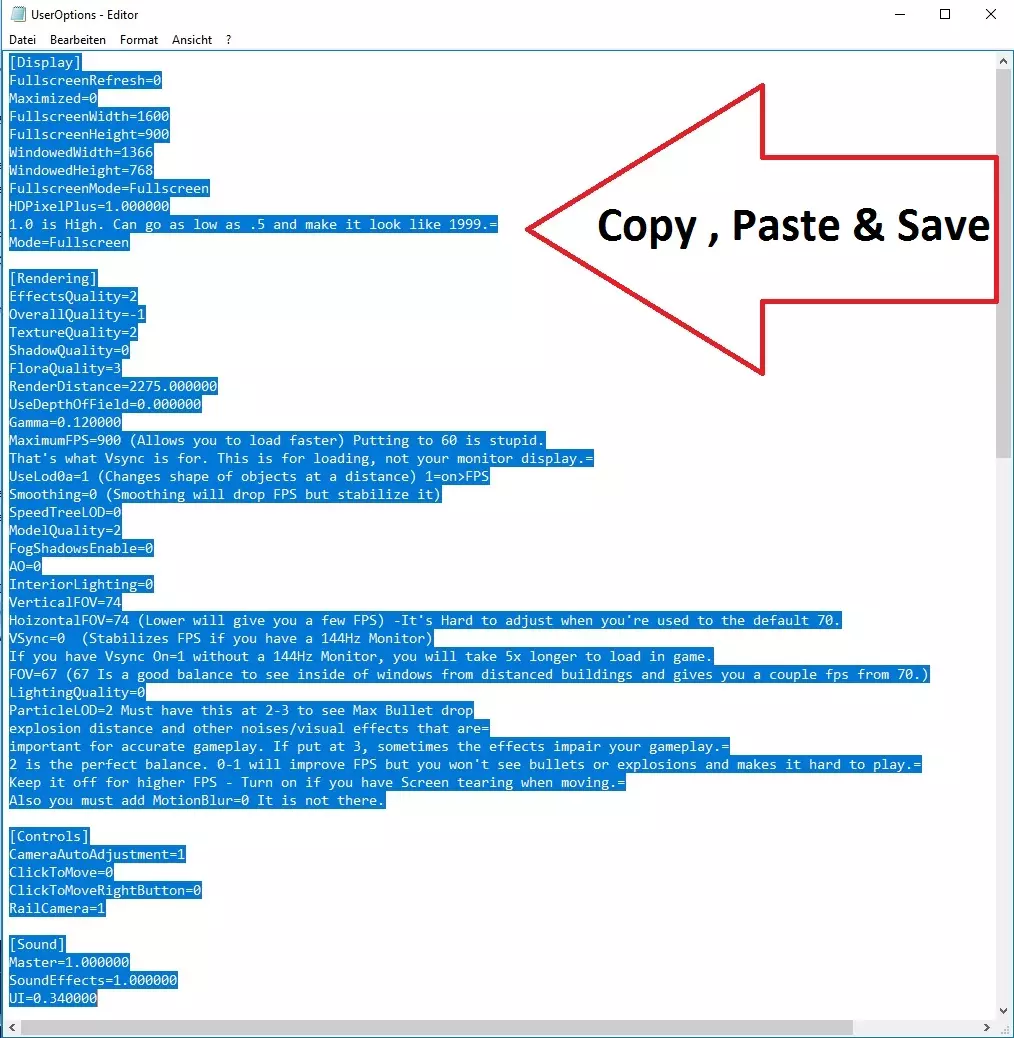
第四步 保存此文件,尽情享受游戏!
(内容包含外部链接,已按规则删除)