换一换
换一换 


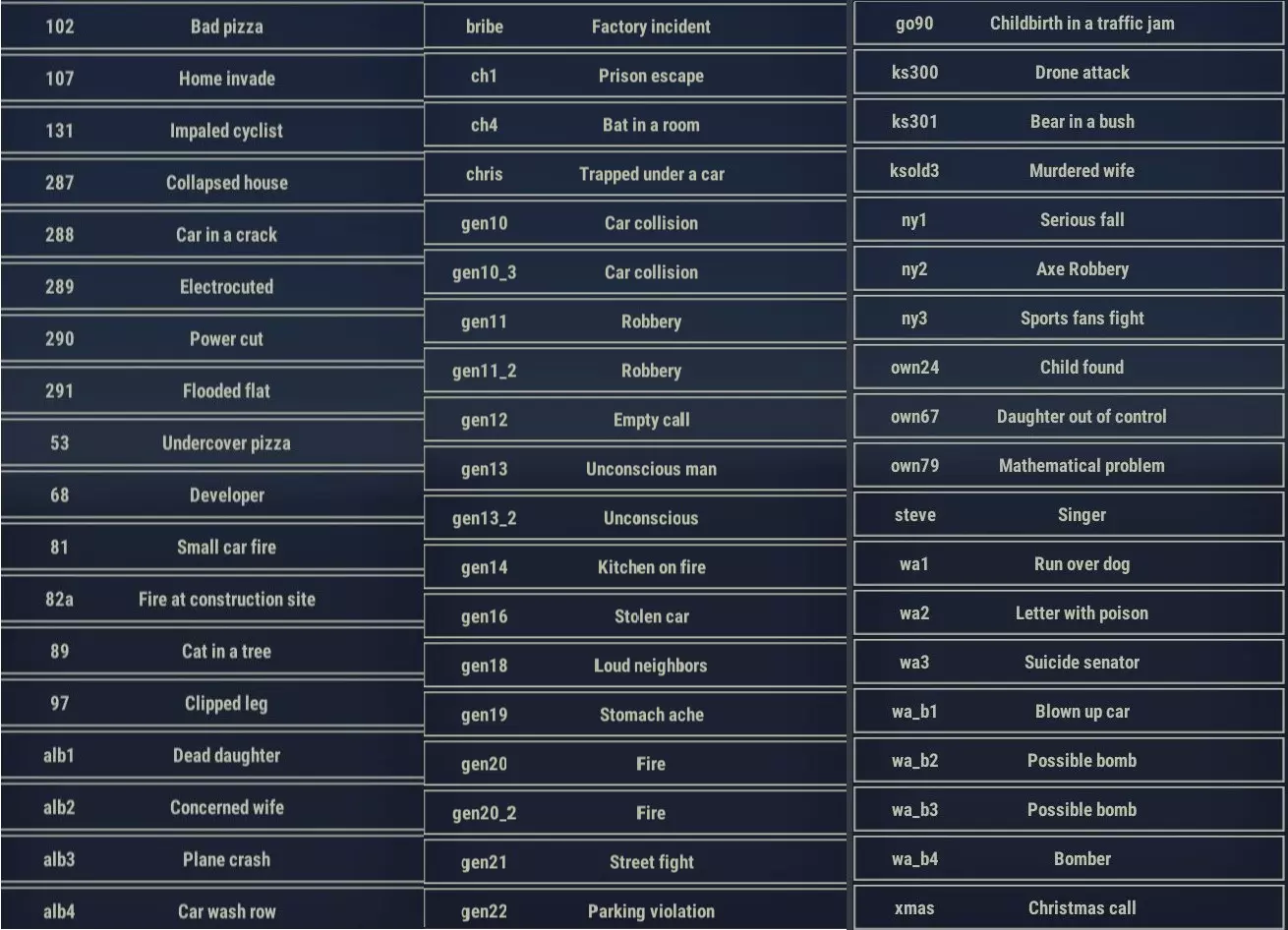
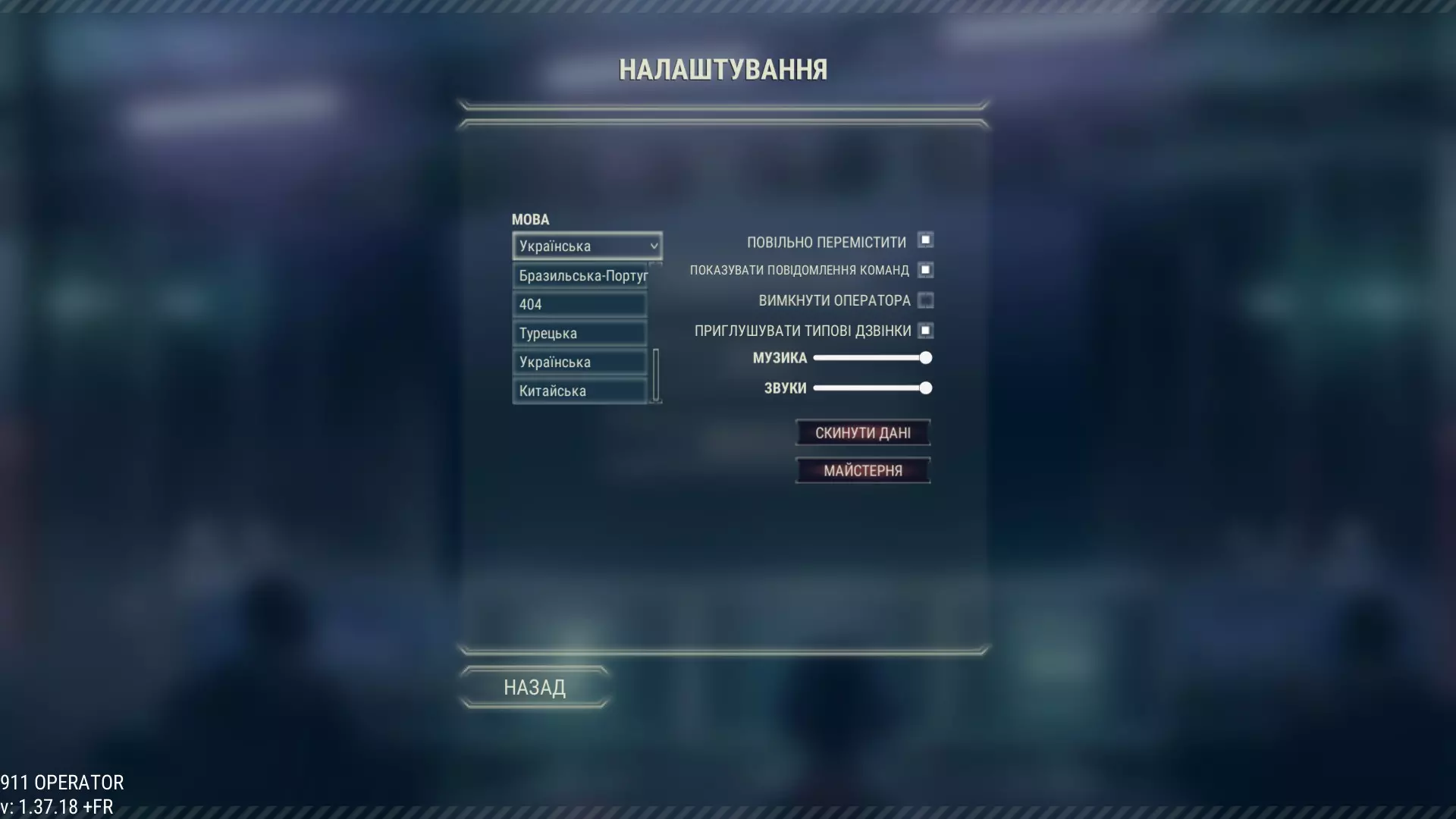
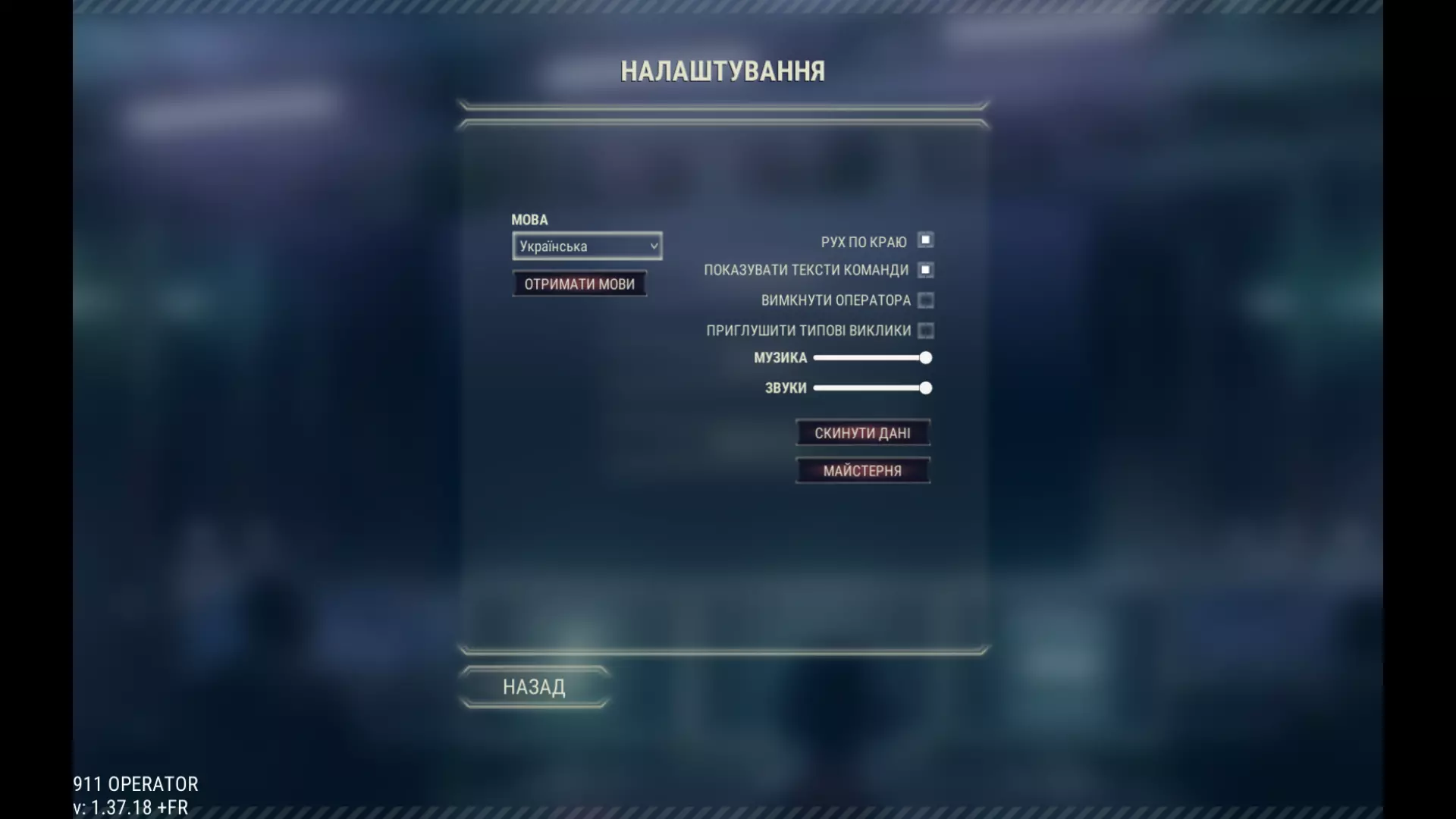
Learn how to add a correct translation to 911 Operator! BASICS: Game works with JSON .txt files, which you can be easily edited by Excel, notepad (e.g. Notepad++) or any other text editor software. First, you need to find your 911 Operator installation folder, for example: “C: Program Files Steam steamapps common 911 Operator” Official language files are placed in: 911_Data StreamingAssets Languages There you can find the default file called en-US.txt (english - american). Use this file for your modifications. FORMAT The JSON file is formatted in a following manner: "key.id": "<text>", Make sure you only replace the <text> part, leaving all the rest unchanged. EVERY LINE MUST END WITH A ", (a quote and a coma) except for the last line CREATING A NEW TRANSLATION Make sure you use the “contributor” beta (right click on 911 Operator in Steam client library -> betas -> “contributor”) Unofficial translations for Steam Workshop should be placed in: 911_Data StreamingAssets CustomLanguages To start, copy “en-US.txt” file to this folder and rename it for a correct language code. for example: “it-IT.txt” for Italian translation, which will be used in this tutorial. Then you can start to translate the .txt file. After saving it, you can launch the game and test commited changes. GENERAL RULES OF TRANSLATION HTML markups In some sentences, there are HTML markups, np <b> </b>. You have to put the markups in the same form . for example: <b>DO NOT THROW WATER OVER THE FIRE.</b> Adding water to burning oil will cause an explosion! <b>NIE POLEWAJ OGNIA WODĄ</b> Kontakt wody z płonącym olejem może doprowadzić do eksplozji! Curly braces with numbers (like {1}, {2} etc.) Those will be replaced with a name or a number. for example: afterActionReport.ticket_given {1} was given a ticket: ${2}. {1} otrzymał(a) mandat: {2}$. In game that lines will look like this: Jack Ronson was given a ticket $1000. Tom Monty otrzymał(a) mandat: 2000$. Curly braces { } in dialogues Curly braces in dialogues are short version of the full dialogue line. They should explain a meaning of the full sentence in a shorter way. Sort text should be no longer than 20 symbols! for example: {CALL OTHERS} You can try to get the other neighbours to start removing the rubble. {ZAWOŁAJ INNYCH LUDZI} Możesz spróbować zebrać resztę sąsiadów i razem z nimi rozpocząć usuwanie gruzu. Sentences in braces should be addressed to caller (interlocutor in game) for example: CORRECT: {WHAT’S YOUR NAME?} INCORRECT: {NAME} CORRECT: {I’LL SEND POLICE} INCORRECT: {SEND POLICE} [[ADDRESS]] and [[PLATES]] tag Those mustn't be translated and should be put in translated texts in exactly the same form. In game, that sign is replaced by generable address (e.g. “It’s [[ADDRESS]].” would be displayed as e.g. “It’s Roderick Street 231.”) Dots with spaces . . . . . . Those are important for syncing voices with the text. If it possible try to manipulate a number of dots to maintain a similar length of sentence. E.g. : We were going to get married in two months . . . . . . . God, please let it end now.... Zamierzaliśmy się pobrać za dwa miesiące . . . . . . . . Boże, niech to już się skończy. You should try to always translate words commonly used in the game (like unit, team member, caller) in the same way (especially if it’s a part of interface or a guide). In 911 Operator all the dialogues are organised in dialog tree. Bear in mind, that some of the sentences may be used in different context in the dialog. Especially, in case of short lines, answers and endings should be careful and checked with the previous line. TESTING First, for testing the formatting of JSON .txt file, we recommend www.jsonlint.com Secondly, choose your new language by going to the in-game Options window and choosing it from the drop-down list. You can also switch game languages in the game by pushing ~ button and entering the code: changelangto <language code> for example: changelangto en-US changelangto it-IT To quickly test a flow of a specific dialog, you can start a dialog by typing a code: startcall <id> During the DUTY MODE of the game For example: startcall 107 ADDING AN IMAGE If you want to include a FLAG for your workshop item, create a graphical file with the same name next to the .txt file For example: it-IT.png PUBLISHING Please follow these steps: make sure your translation is complete and tested, start the game and go to the options menu from the language drop-down menu, click “add” option next to your translation wait for the upload to finish. WARNING: When you successfully upload the file, it will be removed from the CustomLanguage folder and moved to the workshop folders, for example: C: Program Files Steam steamapps workshop content 503560 904977114 it-IT.txt CONTRIBUTING If you want to cooperate with others to create a translation, you must add those people to the contributors of the Workshop item. UPDATES After publishing the file you can still make corrections and additions to the file. Please follow these steps: edit the file in the workshop folder Start the game and click the “UPDATE” file in the language drop down menu. If you are the owner or contributor of the workshop, the language should be successfully updated.
添加翻译

2026-02-19 04:00:22
发布在911 Operator
转载

导读
这是一篇《911 Operator》游戏的翻译添加教程,介绍了为该游戏添加翻译的完整流程,包括文件位置、格式规范、新翻译创建方法、翻译规则、测试方式及发布更新步骤,帮助玩家制作并提交游戏语言翻译。

评论
共0条评论

《房东模拟器》幸运房东翻译有多坑?盘点高手都看不懂的奇葩翻译
2026-06-14 14:110赞 · 0评论

《文明时代3》奇葩翻译盘点 逆天翻译有哪些?文明时代3搞笑翻译合集
-
2026-05-29 11:140赞 · 0评论
RPG 【VIPRPG】水煮去参加应用信息考试时尿裤子的故事
游戏名:水煮が応用情報受けに行っておしっこ漏らす話 作品ID:11th_10_92_0 收录于 11代目保管庫 --- 無断翻訳です。 翻译:deepseek-…
2026-05-18 04:100赞 · 0评论
英语 略显草率的原名与精妙绝伦的翻译——盘点KARDS中的成语
kards的神之翻译是一个广为称道的话题,在我之前也有许多up主做过,不过我可能是在一个视频中塞下最多个成语的人……
2026-05-02 00:340赞 · 0评论
《狂父》葡萄牙语版【100%完成】
哟!《狂父》游戏的巴西葡萄牙语翻译。 前段时间开发者已经放弃将游戏翻译成巴西葡萄牙语了,所以我自己动手做了这个翻译。这不仅是我童年的游戏,我也非常希望我的男友能…
2026-04-07 19:000赞 · 0评论
肋萨拉:顶峰王国。文本俄化工具
各位玩家,大家好! 为大家呈现《肋萨拉:顶峰王国》的完整机翻版本。后续会对翻译进行修正,但这一过程可能需要一些时间。 重要提示:俄语将替换为乌克兰语!(请在游戏…
2026-03-25 10:000赞 · 0评论
Indigo Park 俄语配音 | 完整俄语翻译(俄语化工具)
此内容涉及外部链接,已按规则处理。
2026-03-21 16:000赞 · 0评论

The Jackbox Party Pack 6 乌克兰语化工具
从本指南中你将了解到如何用乌克兰语玩《杰克盒派对游戏包6》。 关于本地化工具: 游戏由TUSA团队翻译成乌克兰语。 你可以下载并安装为《杰克盒派对游戏包6》添加…
2026-03-20 19:000赞 · 0评论

传奇武器
对于所有不会英语的人,这里有一个翻译。 传奇武器
2026-03-19 13:000赞 · 0评论
如何本地化《Zombie Admin》
本指南将向你展示如何为《Zombie Admin》制作自己的翻译。 简介 本指南将逐步引导你完成游戏的本地化流程。 步骤1:找到本地化文件夹 语言文件位于你的S…
2026-03-19 04:000赞 · 0评论
暂无更多
最新更新
- 作弊码列表 — 以下是Jutsu Games为《911接线员》提供的作弊码重新整理。所有功劳归于他们!感谢! 作弊码使用方法: 1. 按~键打开控制台(Mac用户也可使用F1键…
- 《911接线员》控制台教程、作弊码及成就大全 — 本指南旨在帮助各位接线员们更好地完成成就,成为一名功勋卓著的著名接线员,同时也为各位接线员提供各类作弊码,以提升游戏体验和发掘有趣的地方。 前言&更新说明 本指…
- Perfect Time Manager 成就指南 — 成就(常规方法) 游戏模式:选择生涯模式,然后选择单城模式,难度设为困难,城市选择旧金山。 设置:创建一个新的消防队,配备一名消防员。将多余人员分配到其他小队。…
- 牺牲勋章/秘密成就指南 — Sacrifice Medal成就获取攻略 大家好,欢迎所有喜欢达成100%成就的玩家。 令人惊讶的是,该成就有13.3%的玩家拥有,这使得它并不稀有。可能很多…
- 控制台命令作弊码 — 这是由开发商Juntsu games提供的《911接线员》控制台命令作弊码更新版本。 最后更新时间:2024年4月9日 如何更新游戏进度 1. 要解锁生涯模式中…
- 911所有呼叫与情况指南 — 所有情况和呼叫都将在此列出,并说明哪些部队最适合处理这些情况。 可忽略的情况 首先我们来看可忽略的情况,有许多情况完全不需要你关注;或者呼叫者可以自行解决的情况…
- 如何打开作弊码控制台? — 你会知道按哪个倒霉的按钮可以打开这个控制台 按钮 按一下波浪号键(`) 结束
- 如何在《911接线员》专家模式中成功游玩 — 如果你在专家模式中难以获得良好的声誉等级,以下是一些提升声誉分数的技巧: 1. 不要让单位仅用于单一用途 你不会指望警察从树上救下你的猫,对吧?但如果你没有多余…
- 新作弊码 — 控制台新作弊码 作弊码 以下是我找到的所有命令作弊码。 unlockallmaps // 在主菜单使用,解锁所有地图。(太厉害了!) givemethemone…
- 《911接线员》乌克兰语本地化2.0版本 — 本指南包含《911接线员》的乌克兰语本地化更新内容。用乌克兰语游玩,支持我们的语言和文化在游戏中的发展!©DREAD05[UA] 关于《911接线员》本地化: …