换一换
换一换 


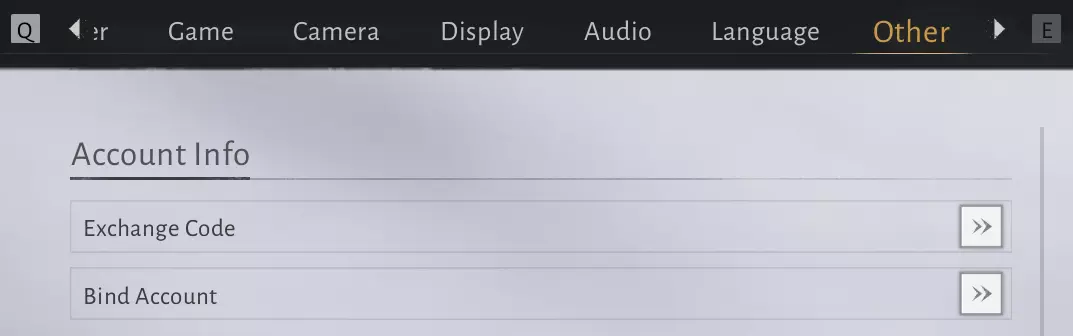
This guide is built using information from the Chinese release and adjusted for the global version. As I progress through the global launch myself, I’ll be updating and refining the guide over the next few days with accurate and practical details. Introduction Where Winds Meet – Complete Technical Guide This guide focuses on efficiency, scaling, and input precision. It is written for players who want to optimize their account long term instead of guessing or over-farming. Scope: Things to do on a weekly/daily basis Performance and input configuration Weapon roles and pairing Leveling and breakthrough order Mystic Arts, Talents, Inner Arts Gear, Resonance, weekly systems, and co-op Daily & Weekly Routine Daily Checklist1. Spend Mental Energy Never let it cap. Use it on one stronghold or any small objective. 2. Complete one casual activity Pitch-Pot is quickest. 3. Visit your home Use the grooming interaction. To find the home, you can go to blissful retreat, house on the left, interact with the Table mirror. 4. Buy daily/weekly-limited materials Prioritise useful items that have a limited amount of stock on a daily/weekly basis. Items such as: Menu > Shop > Items: Lingering Melody Menu > Season > Season Shop: Oscillating Jade, Life Supplies Support Box, Martial Arts Chest, Inner Way Note Chest, Small Box of Commerce Coins If you see: raw ore / coarse fur (buy all 99 if available) 5. Handle guild events (if unlocked) Some chains require multiple days. Start early so you don’t miss the weekly completion. Weekly Checklist1. Weekly Dungeon (Hero's Realm) Do before reset. Ideally do it later in the week after upgrades. You can do it twice when you are in the guild. Matching with AI leads to less rewards~ 3. Use weekly jade fish and echo jades Spend on internal arts, skill breakthroughs, and progression items. Jade fish: Season Shop Echo jade: Merchants (you can mouse over the echo jade item to see the location of these merchants) Avoid cosmetic purchases (though that is fine if cosmetics are your goal). 4. Stronghold farming Below Lv40: just prevent Mental Energy capping. Above Lv40: target boss-type strongholds for set gear and high-tier materials. 5. Recycle unused gear Every replaced item should be dismantled. 6. Finish multi-day sect/guild tasks Anything requiring 3 days of the week should be started early. Avoiding Waste1. Mental Energy rewards scale Don’t farm heavily until mid-game. 2. Weekly dungeon mats are exclusive Skipping = permanent loss. 3. Weekly shop mats compound over time Always buy them. 4. Recycling is permanent progression You should recycle unwanted gears that are blue rarity and below, or if they are below lvl 30. As you progress later on, there will be tuning, which may require other gears. 5. Weekly caps > daily tasks Hit weekly limits first. Use daily tasks to fill gaps. Daily & Weekly Resets/Schedules General InformationReset Timings Server considers a new day at 21:00 UST. It is considered a new week on a Monday. Schedules/ResetsSaturday & Sunday Guild war, Fireworks event in Kaifeng, buying of merchant commodities from the merchant NPC in Kaifeng Monday onwards Weekly shop reset (jade fish shop and also farm the jade fish to reach the weekly cap of 20k, social shop, guild shop, sect shop, weapon challenge shop). Bond lvl refresh, start farming bond lvl with your friends, master, disciples, marriage partner (has a weekly cap). Weekly 10 man boss raid, 5 man boss raid, guild 10 man boss raid. Weekly cap of sect points refresh, complete daily sect tasks to get to the cap. 群力共伐, in the online mode, enter an instance to fight a giant fish twice for rewards. Weekly cap of battle pass points refresh. Weekly tasks from your guild will be refresh. Wednesday onwards Selling of commodities to an NPC in other player's world Settings & Optimization These configurations ensure smooth combat timing and consistent frame delivery. Stability and clarity take priority over visual quality since frame drops directly affect parry accuracy. Display & GraphicsRecommended baseline setup: SettingValueReason Display ModeFullscreenPrevents focus loss and frame hitching. FPS LimitUncapped or 120+Higher framerate = smoother input timing. V-SyncOffReduces input delay for tighter parries. Motion BlurOffRemoves visual delay cues; improves clarity.Justification: Combat performance relies on visual clarity and frame consistency. Disable all motion and post-processing effects that distort attack telegraphs. Control LayoutThis game rewards fast reaction timing. Bind offensive and defensive tools to opposite sides of your mouse and keyboard. Light Attack: Left Mouse Parry: Forward Mouse Button Dodge: Back Mouse Button Weapon Skill 1/2: Q / E Mystic Arts: 1–4 Movement / Lightness: FReasoning: Separating defense (mouse) and offense (keyboard) prevents input conflict. It lets you chain parry-dodge-attack smoothly without delay frames. Camera Configuration SettingRecommendedPurpose Camera DistanceWideImproves awareness and tracking. Horizontal Sensitivity6–8Allows smooth horizontal tracking during combos. Vertical Sensitivity5–6Prevents over-aiming in aerial duels. Camera CorrectionOff or CloseAvoids automatic repositioning that disrupts timing.Reasoning: A wider camera FOV allows you to read enemy tells earlier. Over-corrected cameras can shift unexpectedly mid-combo, breaking parry direction control. Network SettingsReal-time hit registration relies on latency stability, not raw speed. Use a wired Ethernet connection; Wi-Fi introduces packet jitter. Avoid VPNs unless they lower ping to the target server.Reasoning: The engine uses prediction-based syncing. Consistent latency improves timing windows for parries and dodges more than raw bandwidth. Performance ChecklistCap FPS only if system heat throttles above 120 FPS. Update GPU drivers to the latest WHQL build; this game uses heavy DX12 threading. Close background overlays (Discord, Steam FPS counter) to reduce stutter. Run the game from SSD storage; HDD loading causes animation desync in cutscenes.These configurations minimize microstutter and input lag. Consistency in frame pacing is more important than absolute graphical fidelity. Pre-Game Configuration This section covers all six start-up screens in Where Winds Meet. These settings directly affect UI behavior, camera control, and gameplay efficiency. Adjust them before starting your character. Guidance ModeDetailed – Recommended for first-time players. Shows all exploration prompts, quest markers, and pathing aids. Prevents early confusion and ensures access to hidden unlocks tied to tutorial triggers. Moderate – Keeps quest highlights for main objectives only. Use this once you understand map routing and NPC logic. Minimal – Minimal UI support. Only for veterans who already know location patterns and resource layouts.Recommended: Start on Detailed, switch to Moderate later for cleaner screen space. Disabling guidance too early can delay system unlocks and early rewards tied to first-time triggers. Operation ModeARPG – Camera follows player direction automatically. Ideal for mouse + keyboard users. MMORPG – Manual camera drag. Requires holding a key for rotation.Recommended: ARPG Mode. The automatic camera lock minimizes micro-adjustment lag in melee combat and preserves parry precision. Game DifficultyStory – Easiest mode. Reduces incoming damage and increases healing rate. Recommended – Balanced tuning used by most system tests. Expert – Enemies gain increased HP and damage. Legend – Locked-in hard mode. Must be chosen at character creation. Hardcore – Hardcore mode; character deletion on death.Recommended: “Recommended” for general optimization. Only choose “Legend” if you want permanent difficulty scaling and understand parry frames perfectly. Once changed, it cannot be re-enabled without remaking the character. Social TendencyShared Journey – Enables co-op, PvP, and social encounters. Lone Wanderer – Pure single-player. No multiplayer events.Recommended: Shared Journey. Most systems (guilds, co-op, trade) require this setting. It can be toggled later if needed. Character CustomizationFirst three appearance edits are free. Later changes require a customization token. Create your intended final look early to avoid token costs. Name and Talent SelectionChoose your in-game alias, then pick one Talent. Talents apply passive world buffs: Drunken Precision – Boosts rewards in mini-games and alcohol-related events. Rhetoric Edge – Improves persuasion checks in dialogue-based quests.Recommended: Rhetoric Edge for long-term value. Min-max builds prefer interaction scaling over situational mini-game bonuses. Progression & Leveling Progression Priority Always push the Main Story first. Your XP cap is tied to the story, and level breakthroughs only unlock once you reach the required chapter. You also gain a lot of XP doing the story. Breakthrough rewards scale with each tier, so the sooner you unlock them, the stronger your long-term progression. When you hit a level cap, perform your breakthrough immediately. After advancing the story as far as the current patch allows, use remaining time to: Clear daily/weekly tasks Spend Mental Power efficiently Explore regions and clean up side quests Exchange Codes InfoYou can input exchange codes in settings > other > exchange code OngoingWWMGLyoutube WWMGLtiktok WWM251115 ExpiredWWMGO1114 WWMGO1115 Known Bugs (DO TAKE NOTE) UI Bugged after Healer Profession Completing the quest for the Healer Profession will bug your game! I have reported this issue on Discord to the developers, if you have yet to, do NOT do the healer profession quest, or your menus will be permanently bugged. The only temporary fix is to right click every time you press Escape, but it doesn't work sometimes. For more info, refer to this discord thread: https://discord.com/channels/1180042348755963924/1439558403931373688 Fixed as of latest patch, crafting the medicine should fix the issue. General Shrine can't be completed General Shrine is currently not completable as you are not able to befriend Fang Xu. Till the developers fix the chat with Fang Xu, the General Shrine's Old Friend completion will be stuck at 5/6 Frequently Asked Questions Why did Hero's Realm attempt not count into the Guild event? If you are in a guild, you can do Hero's Realm twice. On your second try, you will receive a reward at the very end of the second stage, and it will also count into your guild event Where is the 5v5 arena? Although it shows up in the game messages sometimes, the 5v5 arena is yet to be released. (as of 25/11/2025) I am dying in PvP, and my combat mastery is low Always focus on only ONE martial path (ex. Bellstrike, Silkbind, etc) and stick to it. This is so that you don't spread the resources you need too thin. Outposts Challenge or Campaign Challenge? If you are not in need of a specific gear, always do outposts, as they come with extra resources (ex. Ebon Iron). If you are lacking of a specific gear for your set, do the campaign challenge that is tailored to that set. Doing 20 co-op poses for guild event is tiring You can have a friend stay in a particular multiplayer pose (Ex. horse stance), and then: Press F -> Move away -> Repeat x20 Clearing the Guild Transporter is a pain You can quickly access the merchant from the guild transporter by hovering over the item that you need and click on the suggested merchants. It will provide you with instant access to the merchant so that you can buy the resource that you need. Final Notes - Join our guild ;) With that being said, this guide is not perfect and was written originally based off the Chinese server, so some of the translation is not perfect. As I progress through the game and improve the guide, I would also like to let you know that we have a Guild. It is called "Silent", if you are interested, do feel free to join it, but if it is full, do drop a comment with your in-game name or friend code if you are interested in joining. We are trying to rush to rank 1 so it is a rather high commitment guild. Also, we do have a Discord server for the guild too, and sometimes we will share some tips/tricks that are not stated in the guide in the Discord server.
《燕云十六声》完全攻略指南

导读
这是一份《燕云十六声》(Where Winds Meet)的全攻略指南,针对全球服调整,涵盖每日/每周任务流程、性能配置、武器搭配、养成顺序等内容,帮助玩家长期优化账号,避免无效刷取,还包含兑换码、已知BUG及FAQ等实用信息。


评论
共0条评论

轻松达成600万积分成就指南
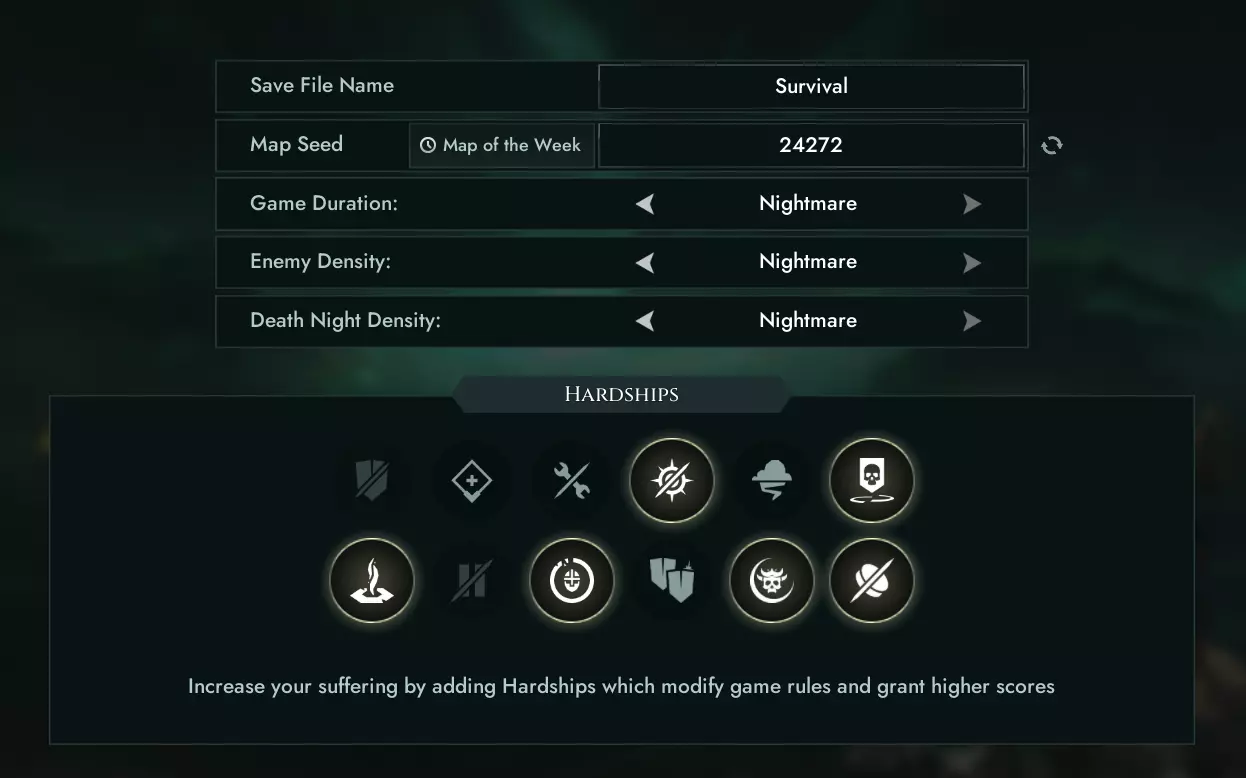
本文包含噩梦难度的技巧,并提供了一个种子/地图,以助你在单人求生模式中轻松达成【6 Million Points】成就。 介绍/难点 首先来谈谈设置。我会尽量简…
2026-04-06 19:000赞 · 0评论
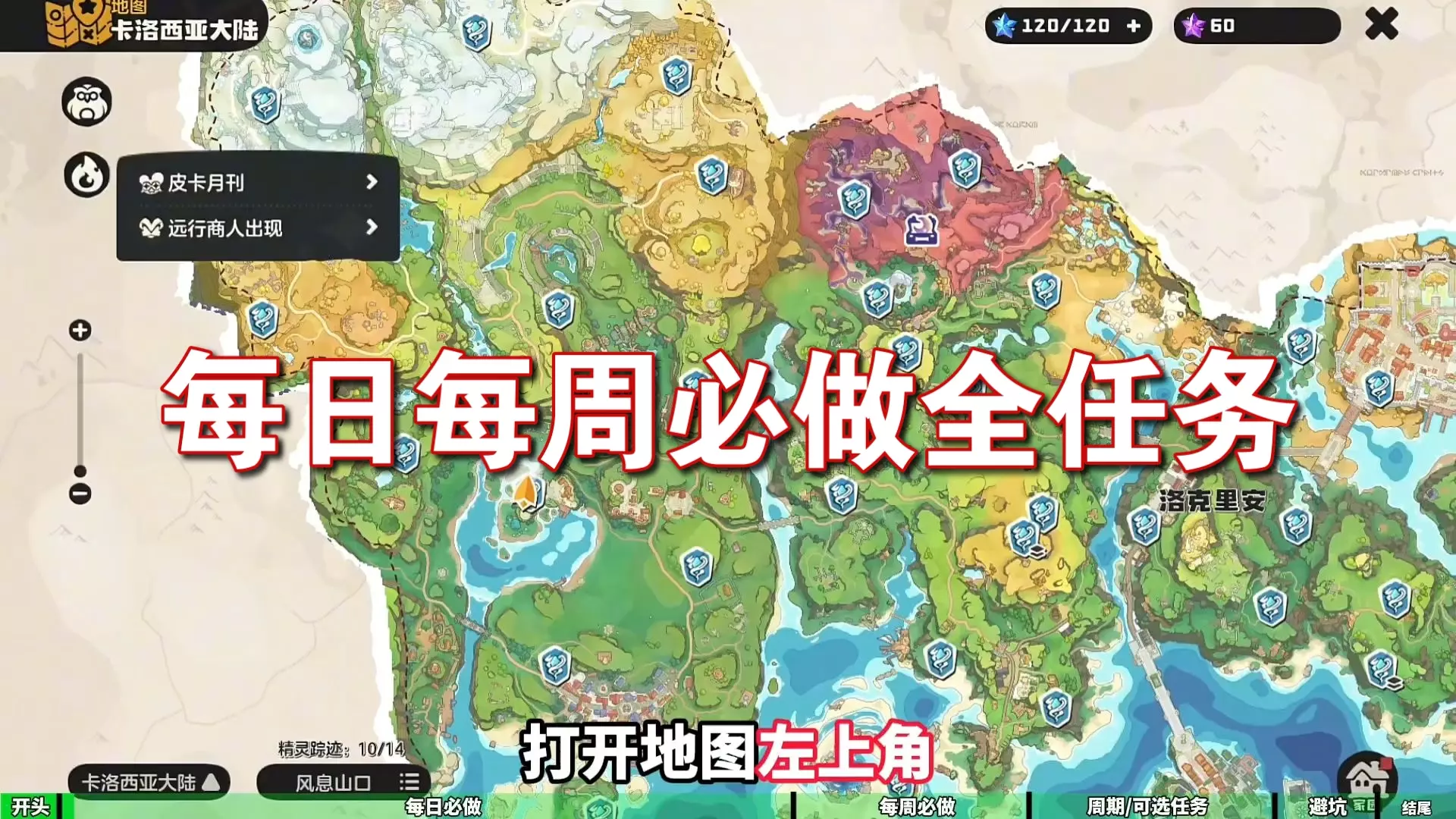
精灵 零氪必看!全网最全!每日 / 每周必做 12 个任务攻略!
-
2026-01-11 14:310赞 · 0评论
官方指南:自定义个人资料与控制设置
管理个人档案和设置自定义控制。 创建新档案 你可以在单人或对战模式的角色选择界面创建新档案。加入比赛后,你会看到与你的玩家编号对应的角色选择面板。在角色名称下方…
2026-04-05 07:000赞 · 0评论
配置指南
欢迎。 在本指南中,我们将把《黑暗地带》配置为意大利语并以最佳方式启动。 更改语言 Steam上仅有的两种可用语言是英语和法语。 通过使用意大利语翻译文件,尤其…
2026-02-15 16:000赞 · 0评论
冒险岛国际服新手攻略 萌新入坑必做前置任务 每日每周必做清单 米坤攻略生活记录
2026-05-20 13:070赞 · 0评论
《古墓丽影6:黑暗天使》设定指南
《古墓丽影6:黑暗天使》纯净安装设置指南 简介 《古墓丽影6:黑暗天使》于2003年发行。根据一些论坛的说法,同世代中画面最佳的游戏是《寂静岭3》。《古墓丽影6…
2026-04-06 07:000赞 · 0评论
生活品质基础(DC)
这份简易指南旨在帮助你对游戏进行配置,以获得更舒适的游玩体验,以及完成配置后如何更便捷地进行游戏。 我经常遇到需要这些信息的人,他们一旦了解后就觉得这些信息不可…
2026-03-25 19:000赞 · 0评论
三位一体攻略 《三位一体5 发条阴谋》图文攻略 全解密流程全收集攻略
《三位一体5:发条阴谋》图文攻略,全解密流程全收集攻略(含“主线流程”“经验收集指引”“信件/趣闻/外观收集攻略”)。《三位一体5:发条阴谋》是一款动作类冒险游…
2025-07-06 00:560赞 · 0评论
地下城与勇士 DNF115版本萌新入坑指南第一期主号和小号每日+每周任务做些什么
2026-01-02 04:030赞 · 0评论
童年回忆 【冒险岛】萌新每日每周必做,要做的事情 神秘球副本领头做,神秘河每周攻略 光谱 做菜等【冒险岛】
1
2025-12-05 05:540赞 · 0评论

暂无更多
最新更新
- 《燕云十六声》5月8日优化与修复公告 — 《燕云十六声》5月8日更新内容 1. 修复【失落篇章:致友人,至终点】任务中【调查周围环境】目标无法完成的问题。 2. 解决沉城湖古董【新蓝鞋】若错过则无法重新…
- 《燕云十六声》4月30日优化与修复公告 — 《燕云十六声》体验优化内容 1. 优化了开放世界路标推荐逻辑,优先展示玩家设定语言的信息,并过滤低质量或无关内容。 2. 在英雄领域和剑试界面新增【副本指南】按…
- 《燕云十六声》1.6【梦境流转】更新概览
- 4月30日装备开发优化概述 — 基于实时数据与玩家反馈,本次更新聚焦于解决影响各位日常体验的核心痛点。我们还针对特定模式机制进行了针对性调整,以确保所有【旅人】都能拥有更顺畅的游戏体验。 我们…
- 《燕云十六声》4月30日更新内容:竞技场与公会战优化概述 — 《燕云十六声》更新内容 为改善网络环境与竞技体验,4月30日更新将针对竞技场及帮会战进行以下优化: 1. 竞技场模式及匹配优化 ① 新增竞技场战区划分 系统将根…
- 《燕云十六声》4月16日优化与修复公告 — 《燕云十六声》维护更新公告 各位江湖旅人: 东风阁将于2026年4月16日(周四)下午13:00至17:00(UTC+8)进行滚动维护更新。维护期间,您仍可登录…
- 轻松启用DLSS和帧生成技术 — 我发现现有的一些启用默认未开放功能的指南对普通用户来说过于复杂。现在我将向大家展示如何启用DLSS和帧率生成功能,无需修改游戏的可执行程序快捷方式或在启动参数中…
- 服务器维护公告 — 《燕云十六声》更新窗口延长公告 1. 为完成最终优化,更新窗口将延长1小时。 2. 更新完成时间调整为:2026年4月2日03:00(UTC)。 3. 本次更新…
- 《燕云十六声》1.5版本【雪落时分】更新概览
- WWM 河西扩展内容预览直播