换一换
换一换 


部分命令难以理解或存在其他使用方式。本指南将介绍控制台命令及其多种用途。命令具有安全等级,共分为4级:游戏管理员(单人游戏中的你)、管理员、版主、玩家(多人游戏中的你)。这些等级被称为角色,其中玩家角色等级最低。在单人游戏中,你是游戏管理员(GM)。 玩家命令 本指南适用于所有使用内置服务器且希望快速上手的玩家。“托管”服务器会对列出的这些命令进行增删。除游戏内控制台外,托管服务器还会提供网页控制台或远程登录连接凭证。
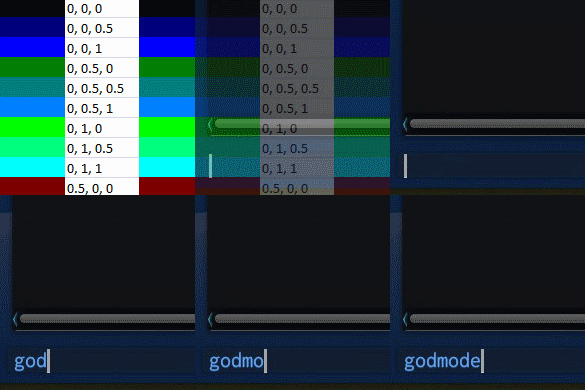
所有玩家角色均可使用玩家指令。 点击反引号`键(大多数键盘的左上角)。 你还可以使用3种可选尺寸之一调整控制台大小。 di(调试信息的缩写)打开控制台并输入di,然后按回车键。
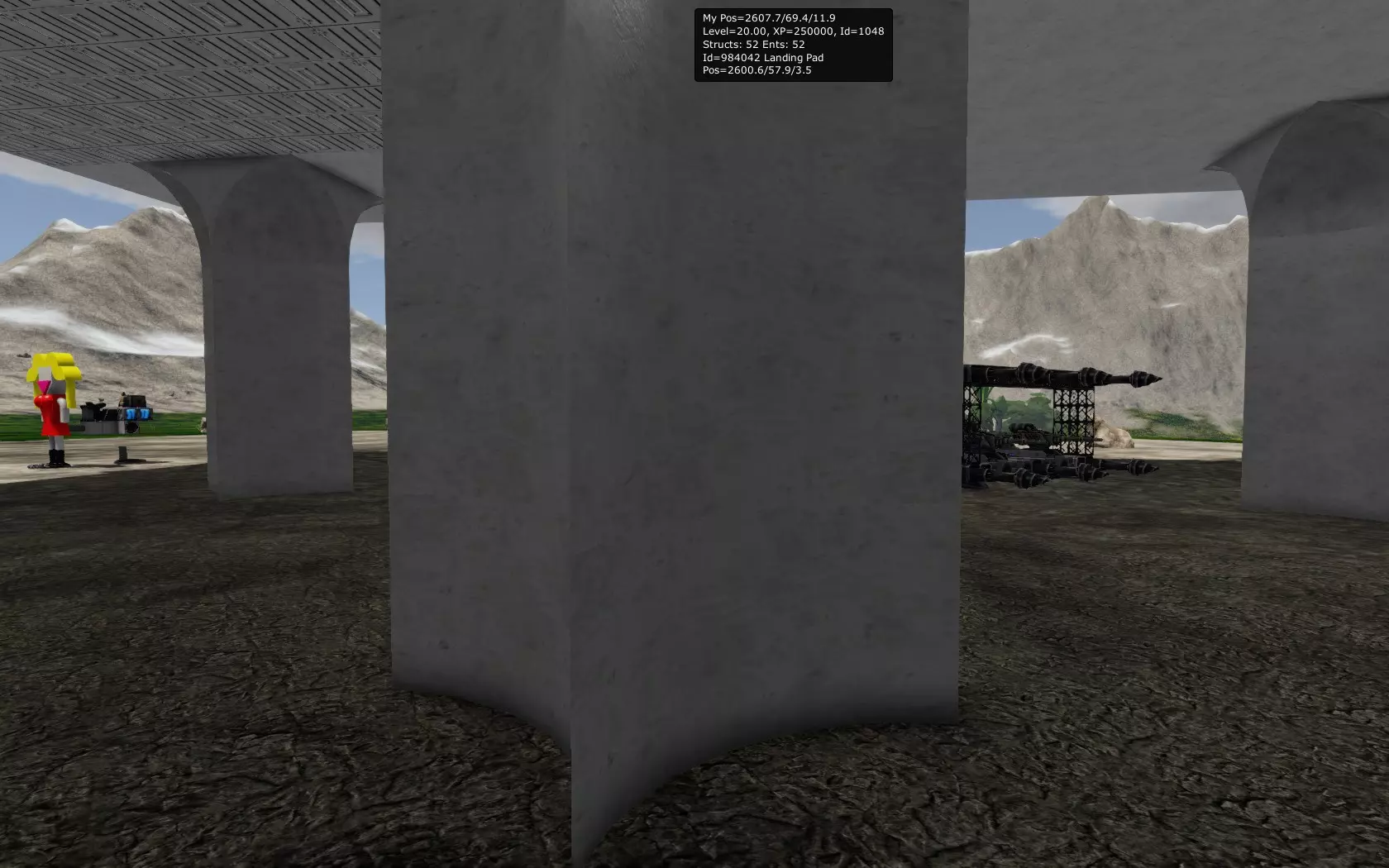
在玩家屏幕顶部弹出一个小窗口,其中列出以下信息: - 你的坐标 - 你的等级、经验值和玩家ID - 游戏区域内的结构数量和实体数量 (结构包括:飞船、基地、兴趣点、小行星、陨石) (实体包括:结构 + 玩家) 如果你正面对一个实体且距离足够近,还会显示: - 该实体的ID和名称 - 该实体的坐标 此命令有助于查询你自己的坐标或你想要操作的实体ID。 再次运行该命令即可关闭窗口。许多命令都可以通过再次输入或按上箭头并按回车键的方式来切换开启或关闭状态。detach 玩家卡在地形中 detach 此命令可在摩托车或飞船因碰撞导致角色卡入地形时将你移出地形。该命令已被引入,但一段时间后不再需要。 difficulties 显示当前难度等级和条件 从 DiffEscapepodcontent 到 DiffOxygenConsumption,这些参数数量不少,它们是游戏的初始条件或服务器上的场景条件。这些参数会显示诸如氧气消耗速度是否比正常情况更快等信息。 Origins 列出所有起源 origins 0: 中立 1: 人类 起源与种族不同。 oxygen
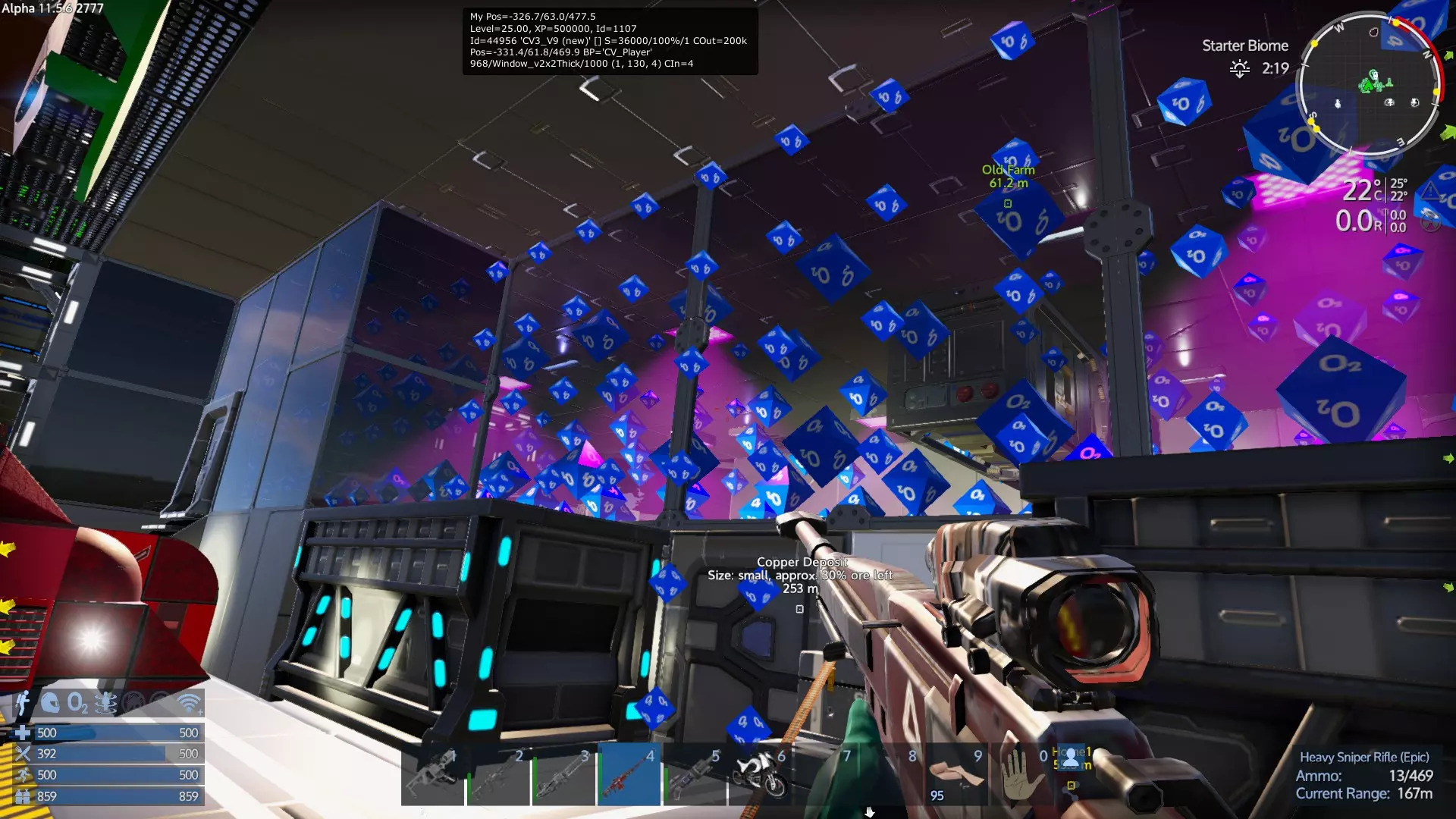
显示飞船或基地中所有正在获取氧气的方块 oxygen 44956 将44956替换为实体ID 更简单的方法是通过调试菜单“n”并点击“Debug”选项卡。 显示服务器的游戏时间,这与HUD右上角显示的本地世界时间无关。如果你是管理员或在单人游戏中,可以设置服务器时间,但在多人游戏中时间会跳回原来的状态。 time 4000 星球表面和服务器上的时间在各处都是相同的。0到22000之间的任何数值都是有效的服务器时间。这在尝试截图时特别有用,也可用于快速推进时间,以便在夜间在帐篷中睡觉。lpf(加载游戏区域):加载游戏区域列表中的游戏区域,缩写为lpf。管理员角色可以指定游戏区域名称作为参数,强制加载该区域,具体请查看服务器的游戏区域加载限制。这将导致另一个游戏区域被卸载。(服务器可配置为允许同时加载多个游戏区域。) initadmin(多人模式,若未设置管理员):如果服务器从未设置过管理员,使用此命令后你将成为管理员。默认情况下,启动服务器的人已具备管理员权限。 clear:清屏 clear:清屏 游戏管理员(创造模式)
Commands are secured, using 4 levels Gamemaster (like an admin), Admin, Moderator and of course Player. In a single player game, all commands are always available to you. In a MP game, these levels are called roles, the player role is the lowest. In single player, you are a game master or GM. The person starting a local server "ingame" is the Admin and GM by default. The Admin commands and role control the server. Moderator is only relevant in multiplayer, an Admin might add you as a moderator. When you join a multiplayer server, you join as a "Player", and have pretty much only the above group of commands available to you. Some commands have a long version of the command, this guide will mostly use the short version for simplicity. GodmodegmMakes you invulnerable and allows you to fly. Hold Shift and you go fast Hold Ctrl and you go FastER Hold Ctrl and Shift to go FastEST You can fly thru anything and even transition from planet to space and back. In a Creative game, press G to toggle godmode on and off. You can now use ctrl and shift for vertical movement Godmode Invisible gm ivWorks Just like godmode but you are invulnerable and invisible and can access all structures as if they were your own. Constructors, cargo boxes, the control panel, light switches, power... It's all available to you. You can even deconstruct anything that doesn't have an Admin core or an Alien Admin Core. Pressing G Sometimes gets bugged out for the toggle. To turn it off you must use Godmode Off Sectorto teleport from one planet to another you have to use Sector to move to the destination's Orbit first. Usage: Sector 'Akua Orbit'note: this command is Caps or case sensitive and requires single quotes if the name is more than one word. it Is possible to use just the first word in certain circumstances like Sector Akua Teleportcan be used multiple ways Teleport toggles you (and ship) to be able to right click on the map to teleport to where you right clicked (a little buggy at times) Teleport [coordinates]... teleports you (and ship) to those coordinates. Usage: Teleport -451 124 475spaces between the X, Y and Z coordinates are mandatory and Commas are optional. Teleport [playfield]teleports you (and ship) to the connected playfield if it is in the same "Sector" Usage: Teleport Akuateleports you to Akua if you are in either Akua Orbit or on Akua Moon. Use the sector command to change sectors Teleport [ship]teleports you to that ship, the ship name will need to be unique, it usually will have a (1) suffix if it's not unique. Teleport [player]Will teleport the GM or moderator to the player location - be aware you want to type GM INV first, to prevent the player seeing a mirror image and for them to get a fright because you teleport right in top of the player. Mapmaplets you see everything that shows on the map (structures, Drones, Asteroids, Freighters, etc) must use Map Hide , or just 'map' to turn this off. SetpositionYou can move Anything with an ID with this command Including Structures, Ships, asteroids, POIs, meteorites... even Motorcycles. But not players! Usage: setposition [id] x,y,zIt has a nudge mode, use expression-math like to change the x/y/z location relative to a value. To nudge 5 meters setposition [id] 2249+5,111,915 and if the +5 is not far enough setposition [id] 2249+6,111,915 and then mayby nudge the item up a meter by going setposition [id] 2249+6,111+1,915 examples: setposition 1048 y+100setposition 1048 -2249,111,915 note: Coordinates are with NO spaces AND requires commas Setrotationsetrotation[id] x,y,zrotates the specified entity (ships and buildings). I believe this does not work on players. Note: this command does not work correctly in multiplayer, the entity looks rotated for the person that used the command only and will revert on server restart. Findlets you look up Coordinates and ID of any Entity (players, Ships, Asteroids, etc) doesn't require the whole name example: find Xangodisplays Found 'Xango2000' at (2602.5, 68.8, 4.1): id=1048 Found 'Xango's Tank' at (2638.5, 67.8, -0.3): id=65018 Note: only looks up entities on the current playfield Entsentslists all entities on the current playfield
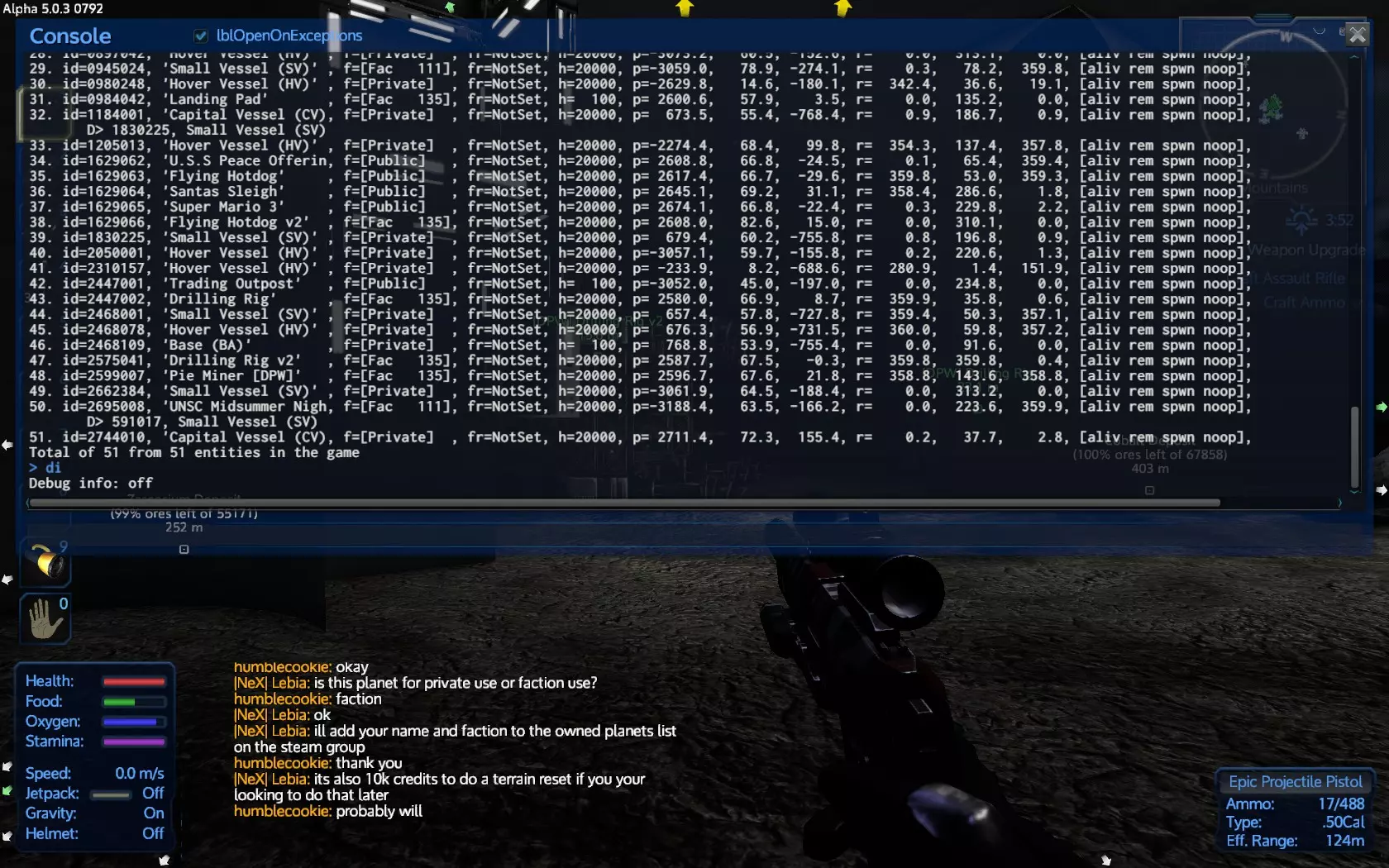
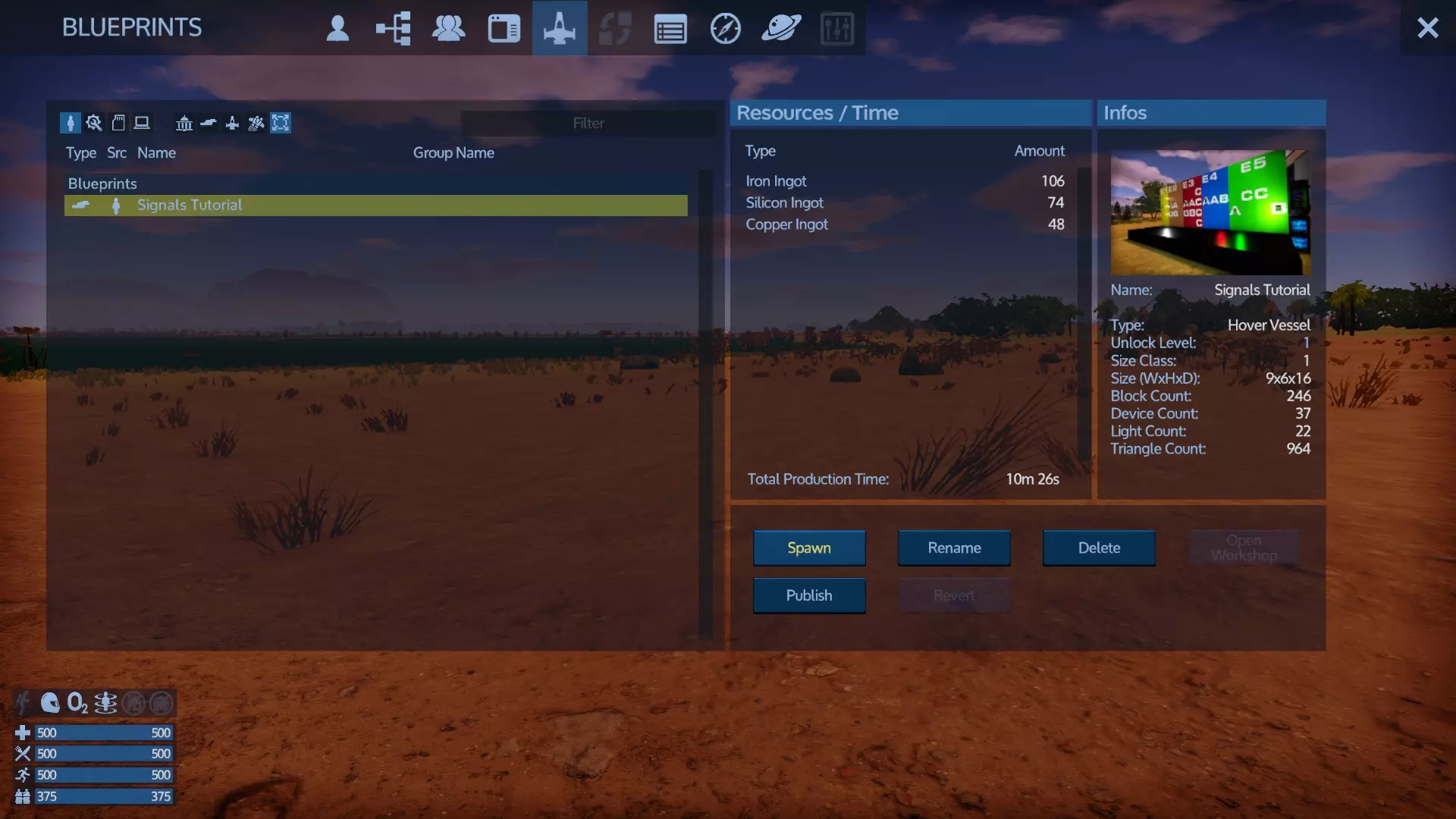
包括它们的坐标、ID、全名、派系ID#以及许多我尚未确认的其他信息。 以p=开头的部分是坐标。 Itemmenu:启用H键打开创造模式物品菜单,就像在创造模式中一样。在生存模式中使用此功能会被视为作弊。im是其缩写形式,同样,在控制台中输入两次即可简单切换开关状态。 Blueprints: Finishbp:立即完成工厂中已有的蓝图。说实话,我已经不再使用这个指令了。Spawnanyblueprint用起来要容易得多。 选择一个蓝图,点击“送至工厂”,然后打开控制台并输入Finishbp,你的蓝图将在2秒后准备好生成。或者,你可以设置时间,输入Finishbp 60,将蓝图设置为在60秒后准备好生成。Spawnanyblueprintsbp是我最喜欢的生成蓝图指令。这个指令是开关式的,开启后工厂就会像在创意模式中一样运作。选择一个蓝图并点击“生成”,重复此操作即可在你周围生成大量可直接使用的建筑和飞船。
修复蓝图居中问题 确保你拥有飞船的蓝图,按F2键可查看其名称。 prefabinfo 蓝图名称 -clearpivot 如果蓝图名称包含空格,请使用: prefabinfo '蓝图名称' -clearpivot 在控制台输入di,获取有问题的飞船ID,摧毁已生成的建筑,然后从蓝图重新生成一个新副本,问题应该会得到解决。 list命令本身无任何作用,必须跟在子命令后使用 用法: list perm(列出所有GM+角色人员,按组显示及其Steam ID) list bans(列出被封禁玩家及其自动解封时间)
封禁玩家ban <玩家名称/ID> 解封unban <玩家名称/ID>列出玩家封禁情况 阵营faction该指令有多个子命令,以下仅介绍我已知的用法。 阵营列表faction list列出所有阵营、阵营缩写、阵营ID、当前在线玩家数量、总玩家数量以及tick(tick是什么?)。部分命令需使用阵营缩写而非阵营名称。 阵营列表 [阵营]faction list [faction]列出指定阵营的所有成员及其阵营角色 注意:需要用单引号括起完整的阵营名称,且该命令在遇到某些标点符号时可能无法正常使用。 阵营实体Faction Entity允许你更改实体的阵营...阵营实体 Ply 104435会将实体104435设置为玩家阵营(公开) 阵营实体 Adm 104435会使该实体成为管理员阵营的一部分(不需要/消耗任何燃料或氧气) 阵营加入 [阵营] [玩家ID] 可将玩家加入指定阵营(我忘记是否需要缩写或完整阵营名称) 管理员
give:允许为自己或其他玩家添加信用点,也可以给予修改状态的食物/生命值/耐力/体温/辐射值。 give food 50:增加的食物量大约相当于一个猪肉馅饼。 示例:give credit 100 添加经验值:level x+ 1000:向玩家的经验条添加1000经验值直至升级,即使玩家已达到25级,仍可继续添加经验值。 set level Level = 20:将自己的等级设置为20级,在多人游戏中无法为其他玩家执行此操作。最高等级为25级,这是硬编码的上限。 itemmenu 创造物品菜单:切换创造菜单,可选择物品放入自己的 inventory,按【h】键如常打开菜单。 itemmenu debugmenu 调试菜单
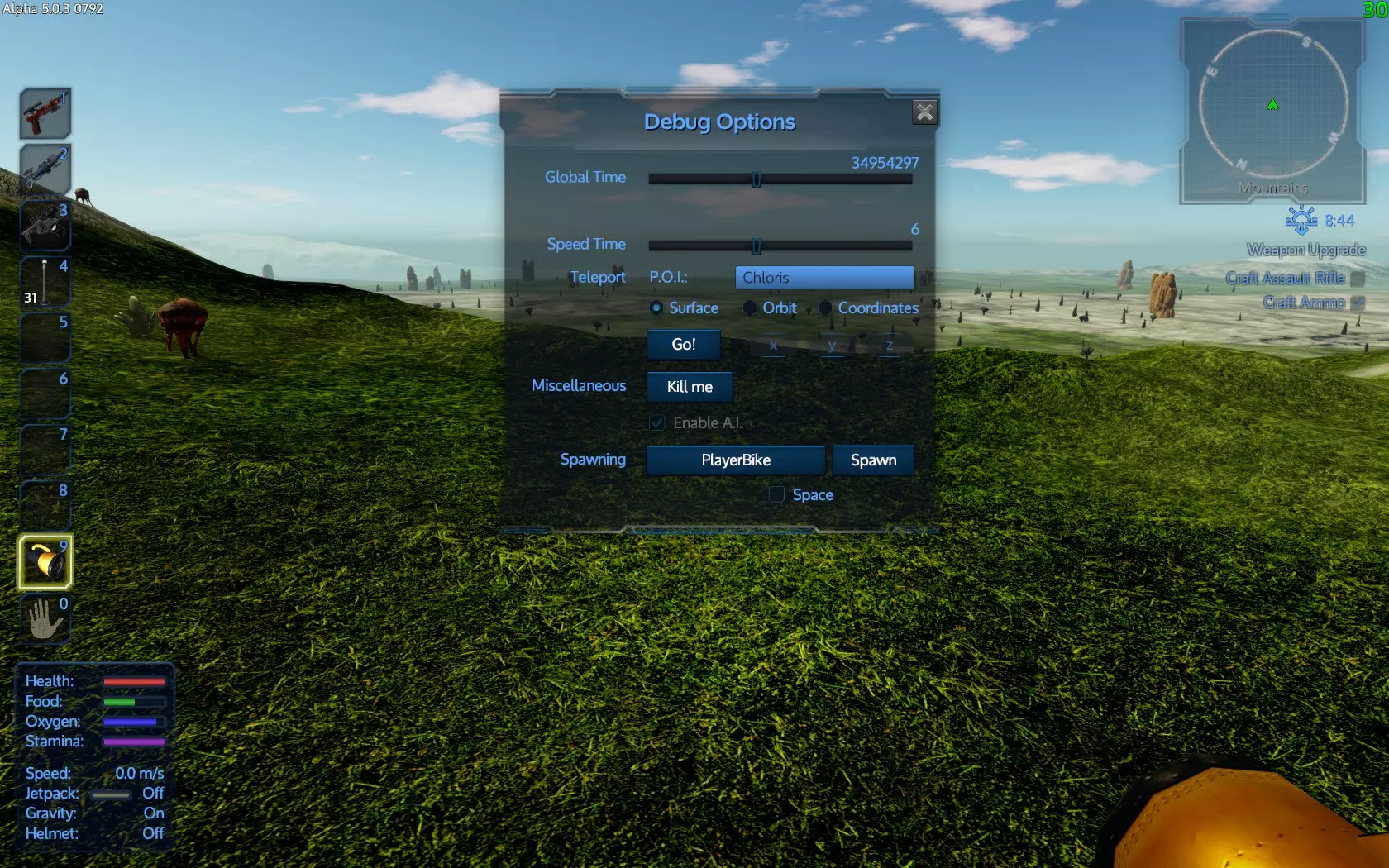
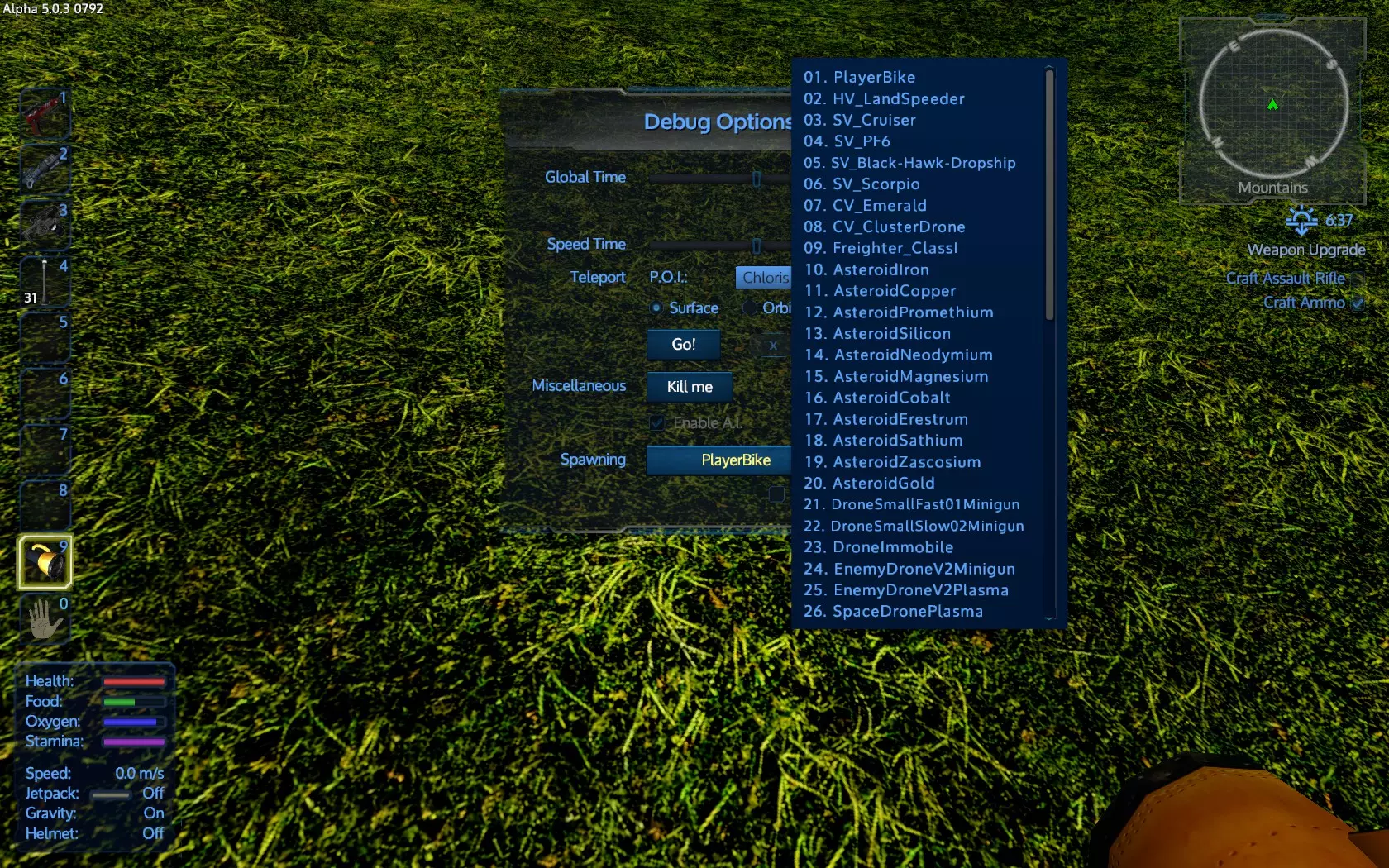
或者简称为dm,它能让你拥有传送的用户界面,并且可以生成……物品。
天气晴朗时,可能会突然下起冰雹,或者辐射雾可能会毁掉你的庄稼。 格式:weather <效果> [fade] fade为可选参数,true/false,用于设置天气变化是否渐变,默认为立即变化。 weather next 可查看下一个天气效果 weather off 可关闭天气 天气效果列表: 晴朗 刮风 多云 乌云 中云 雾 中雨 大雨 强酸雨 风暴 小雪 中雪 大雪 寒潮 热浪 冰雹 绿色辐射雾 紫色辐射雾 火焰雨 陨石火焰雨 摧毁指令用法: Destroy [结构ID] 对玩家无效 示例: Destroy 4488115 你可以摧毁船只、基地、摩托车……任何带有ID的物体,但玩家除外。绅士们 按游戏区域列出所有阵营实体 绅士们 <阵营名称> 或 绅士们 <阵营缩写> 管理员
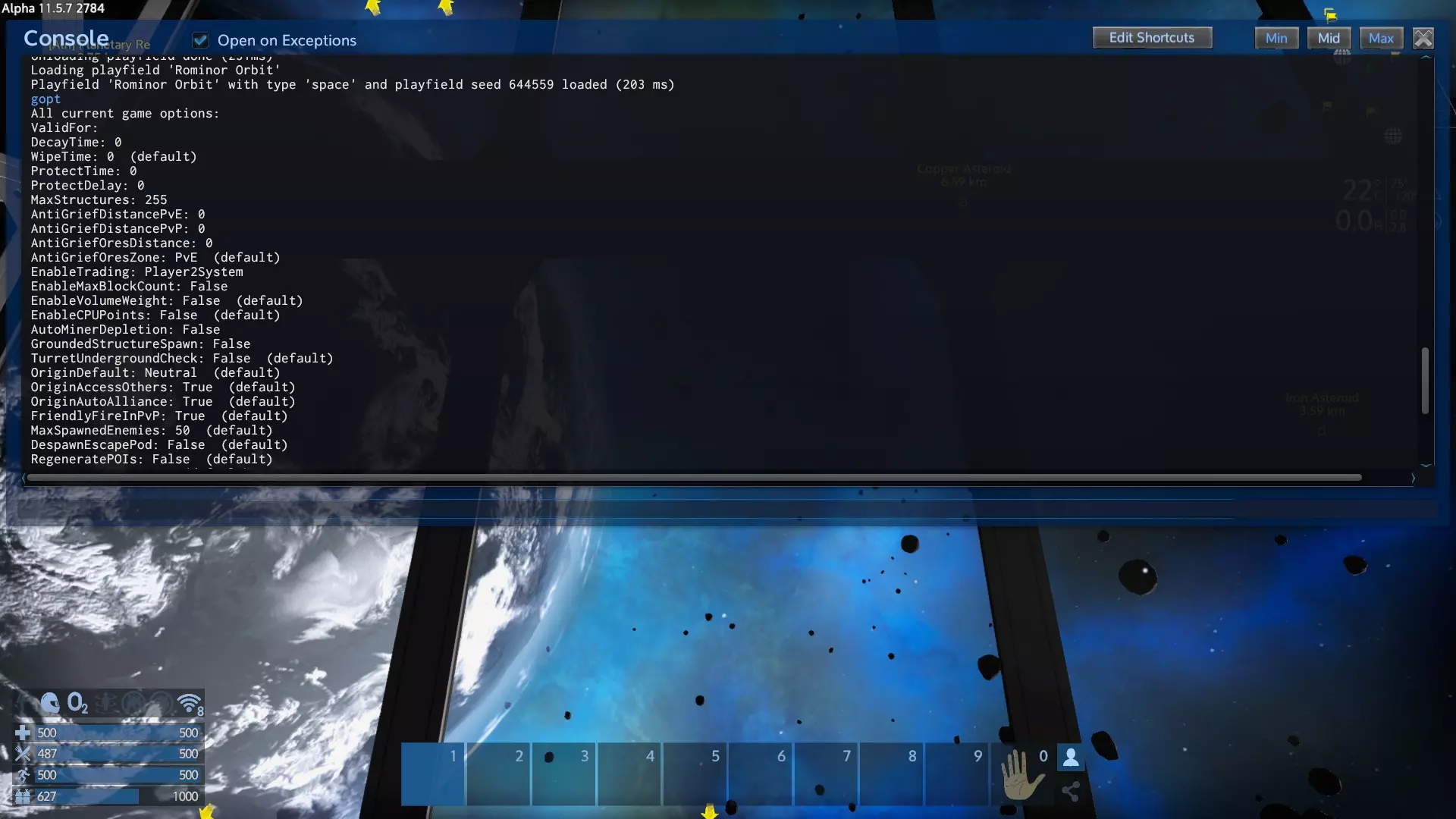
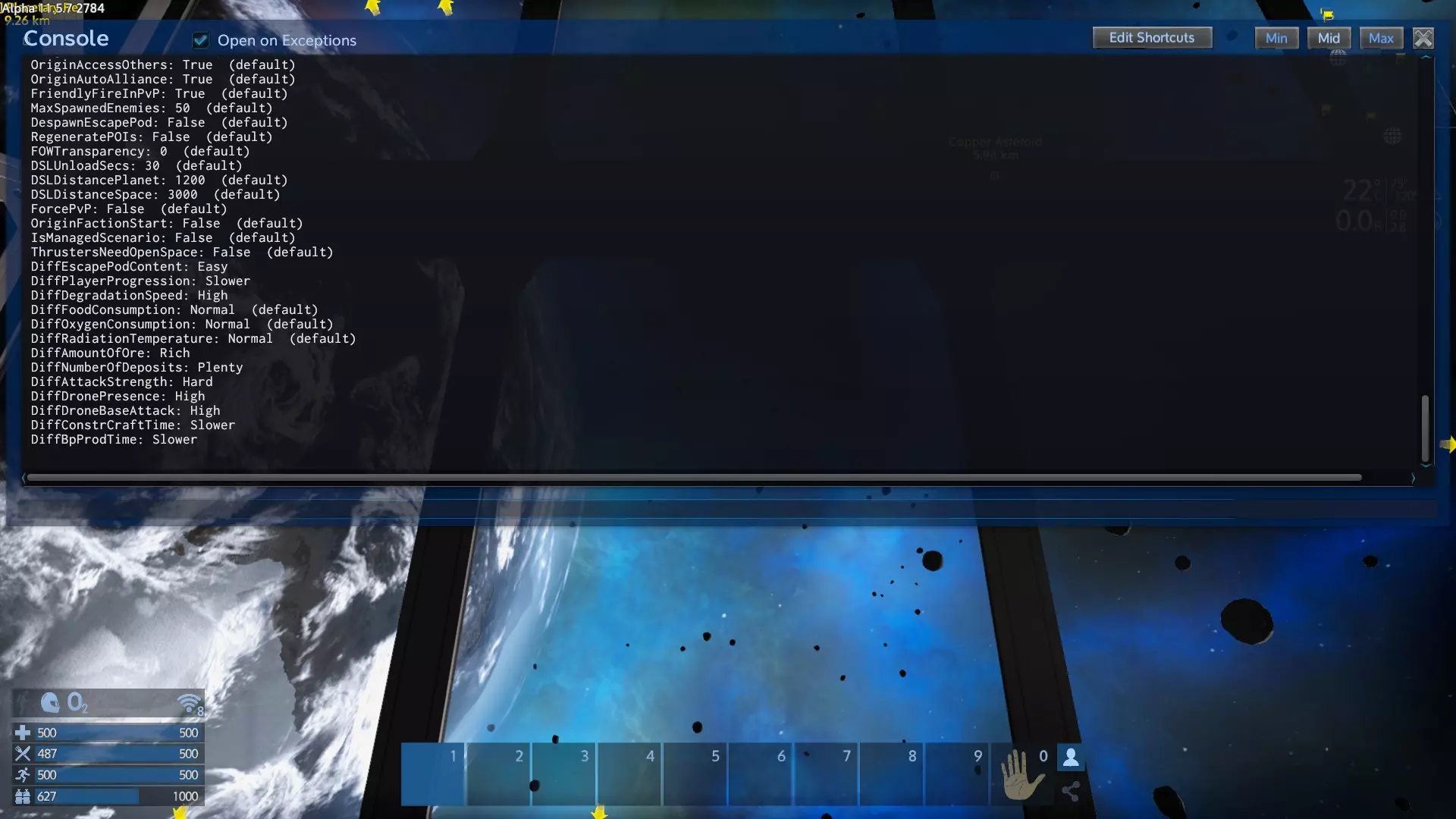
管理员命令用于控制服务器和玩家。 setadmin 如果你启动了自己的多人服务器,此命令会使你成为管理员。如果已设置管理员,则此命令无效。有时可能需要通过配置文件进行设置才能成为管理员。 setrole 允许你更改其他玩家的角色,包括游戏管理员、版主、管理员或玩家。不适用于派系角色。使用SteamID或玩家名称。示例:setrole xango2000 Admin 全局选项 设置全局选项。 gopt set EnableCPUPoints false 禁用CPU点数计算。此设置在开始游戏条件中控制。许多设置(包括游戏难度设置)都可以通过此命令控制。
Telnet 如果服务器开启了telnet端口,你可以使用telnet客户端作为控制台——该端口会由服务器所有者设置角色和密码。
remoteex 是一个 telnet 命令,是“Remote Execute”的缩写,允许你在其他玩家的游戏中执行命令。 这个控制台命令对于制作 API 模组非常方便。 使用示例:Eleon.Modding.Game_Request(CmdId.Request_ConsoleCommand, (ushort)某个唯一数字, new PString(此处填写 remoteex 字符串)); remoteex cl=1003 'sector Akua' remoteex cl=1003 'marker name=IronAsteroid pos=511,224,-5700 w expire=55' 注意:使用的是 Empyrion 玩家 ID#(不是 SteamID,也不是 ClientID……他们已经做了更改)。 也可用于执行游戏区域命令……我知道我曾经这样用过一次,但忘记具体操作了。 示例:remoteex pf=x '此处填写命令内容' 其中 x = 游戏区域进程 ID……你可以在游戏区域启动时通过 telnet 找到,或者在 API 中使用……某个我目前记不起来的请求。