换一换
换一换 




2022年更新:键盘菜单中未找到热键,且设置未记录在其他任何地方。 已更新至1.10版本。 射击 生存模式以及射击/嚼口香糖时。

ćŚč§
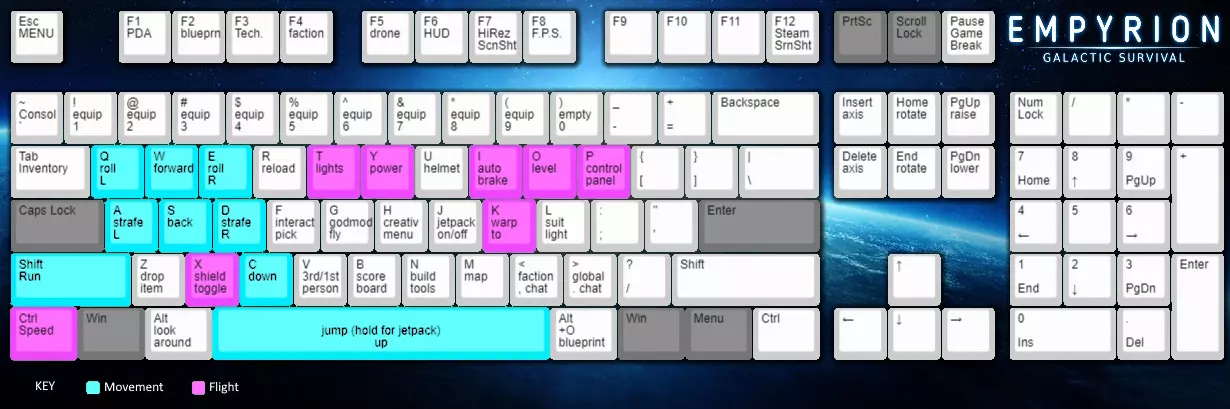
(click image to enlarge) Action man Mode Key Action 1 thru 9 Select weapon from hotbar 0 Deselect all hand weapons from hotbar weapon + right click (rmb) Look down sights/alternate fire (right mouse button) rmb + mouse wheel Zoom while looking down any weapon/drill with sights j Jetpack on/off ([ spacebar ] to use jetpack) u Helmet on/off r Reload (tools that use cells use up 1 charge) ALT Toggle mouselook (3rd person of piloting only) z Drops held item/weapon! Warning, can be very inconvenient! right click + homing missile DON'T lead the target, fire when indicator is red wasd on foot Forwards strafe-left backwards strafe-right (** see crabbing) wasd in water/space Forwards strafe-left backwards strafe-right ** [ space ] Up/Jump , hold down for suit jetpack SHIFT + w Sprint (works on *ladders too) *** * ladders = (elevator blocks) ** Crabbing : Using 2 adjacent direction keys together to move faster - most effective while swimming, and while flying. You get diagonal motion, but cover more ground. *** SHIFT + w will get you moving, but a bunny-hop using jet-pack is more efficient for short sprints in close combat. Press SHIFT+W, then tap the jetpack, SPACEBAR and let go SHIFT while airborne. This will recover stamina as long as you can stay airborne, so tap spacebar once more and then go back to holding SHIFT once you land to get more distance. More Action-person mode Key Action p Open vehicle/base control panel (point at base) f Harvest/open container/door... f (2) Also, mount dismount bike or leave cockpit SHIFT + f Take all from container u Helmet (requires a suit) l Flashlight (requires a suit) TAB Open inventory b Scoreboard < Faction chat > Global chat v 1st/3rd person view The 'p' to access the control panel for ships is tricky to use and much like ALT+O for blueprint you have to be near. When flying/swimming/using drone Key Action F5 Send/recall drone o (flying) Level (to gravity) x (flying) Shield toggle if ship has one SHIFT + w Faster (if swimming) ** c Swim down ** [ SPACE ] Swim up ** ** If you equip a weapon while swimming, it slows all movement and makes you sink. To move faster while swimming you can use a similar bunnyhop technique for running. Get to the surface first , Hold SHIFT+W, tap the jet-pack until you start to clear the water, release SHIFT and W, tap the jet-pack twice to stay up, once you do hit the water, swim normally for a while, and repeat. Evaluating Options Key Action m Map PAUSE Pause game F1 PDA F3 Tech tree b /F4 Factions list F5 Personal drone t Swap hotbars (in logistics mode) tap any number twice Swap hotbars (in logistics mode) Ship Controls Key Action x Shields on/off k Warp to system in sights (shields must be down) q/e Roll ship left/Roll right y Switch on/off power i Cruising brake on/off CTRL + w Sets cruise control speed (handsfree mode) 1 thru 9 Select weapon SHIFT + i Pilot mode (follow mouse mode) Hover Vessel keys Key Action SHIFT+O (flying) Lock orientation SHIFT + SPACE Vessel jump (requires boosters) * * SHIFT + O is useful for making sloped cuts with a mining HV. I find I often have to tap SHIFT + SPACE twice, to make my HV hop. Not sure why though. Containers Key Action SHIFT + left-click Send entire stack Constructor/Blueprints Key Action ALT+o Save to blueprint ** SHIFT + click Queue 10 of or remove 10 queued items CTRL + click Queue 100 of or remove 100 queued items CTRL + SHIFT + click Queue 1000 of or remove 1000 items from queue ** You need to be facing the base/ship to create a blueprint. I find I have to be pretty close and have to press ALT+O (Oh, not zero) a few times before the game registers it.
建造 创意模式与建造相关热键

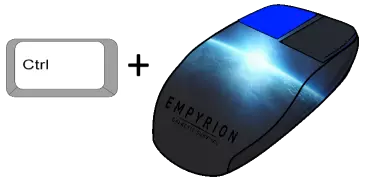
通用 按键操作 `(反引号)打开控制台:大多数键盘上1键左侧的按键 ALT + O 保存蓝图(警告:会覆盖原有内容)* H 打开创造菜单 Insert/Delete 更改旋转轴(放置方块时) Home/End 旋转方块(放置方块时) 左键拖动 用鼠标放置一排方块 CTRL+左键 通过拖动鼠标在区域上放置一片方块
形状分类师
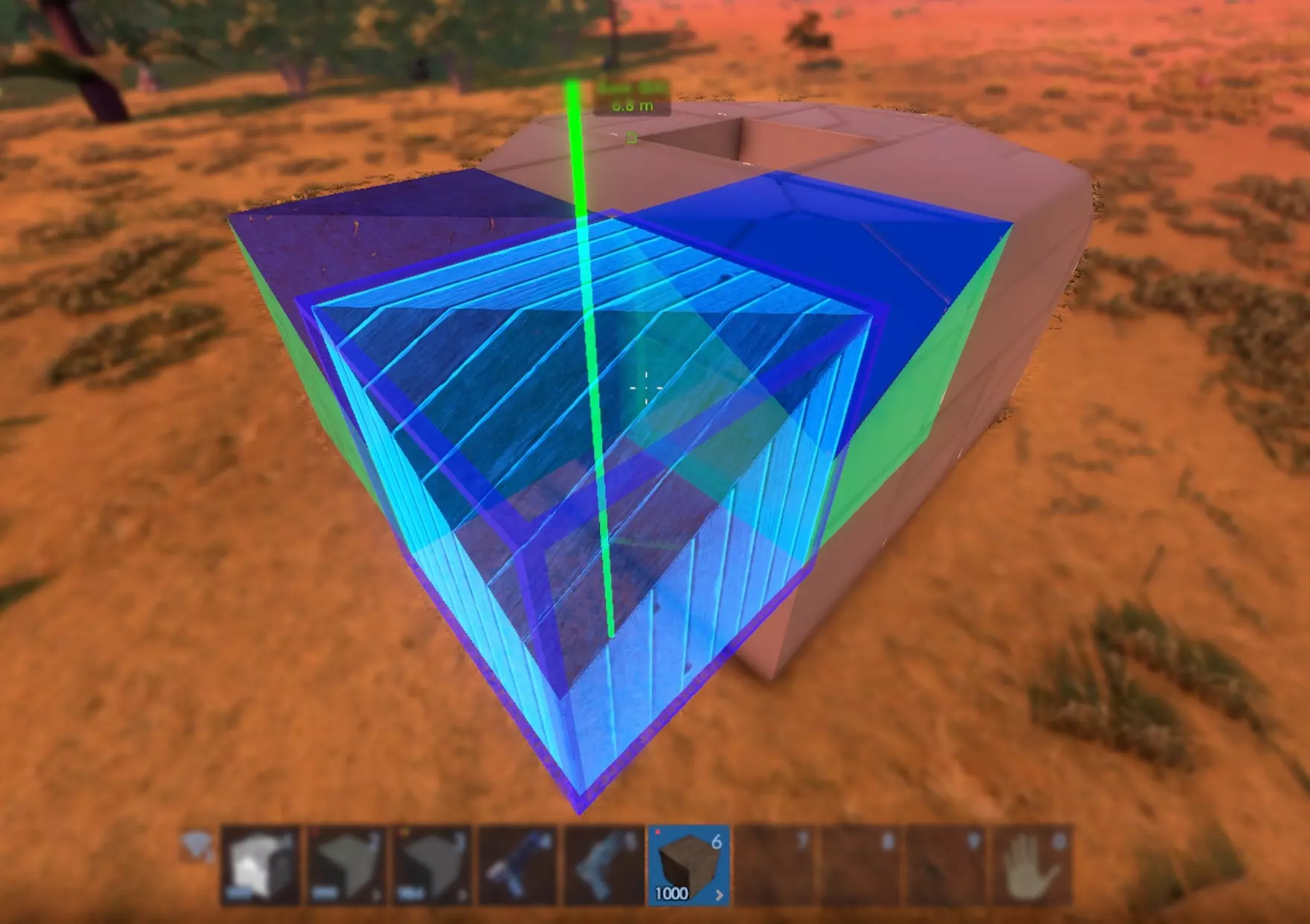
要复制方块的形状和颜色,需在物品栏中持有方块,站在源方块附近并瞄准它,按住Ctrl键的同时按下鼠标右键。
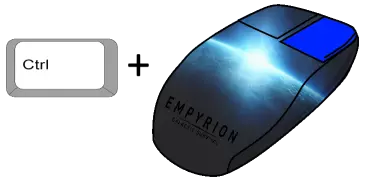
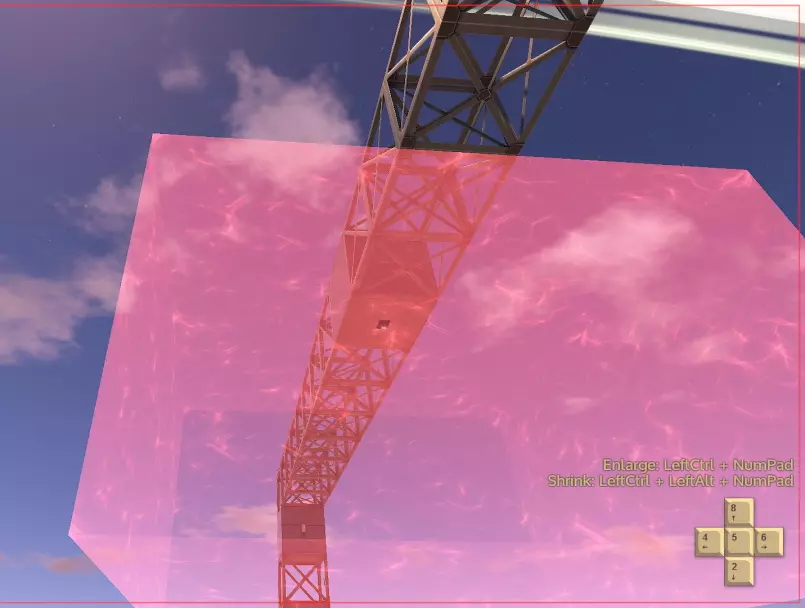
按键操作 右键:形状选择菜单(若方块有多种形状) 左键:放置方块 Shift+右键:移除光标下的方块 Ctrl+右键:克隆光标下方块的形状。需先在快捷栏中拥有方块(复制方块) 传感器与电路 电路和触发器另有完整指南。以下热键可用于控制飞船和基地能源: Ctrl+Alt+方向键:缩小运动传感器的触发区域(沿轴向) Ctrl+方向键:扩大运动传感器的触发区域(沿轴向) Ctrl+Shift+数字键:开启或关闭设备组* Ctrl+Alt+数字键:开启或关闭电路**
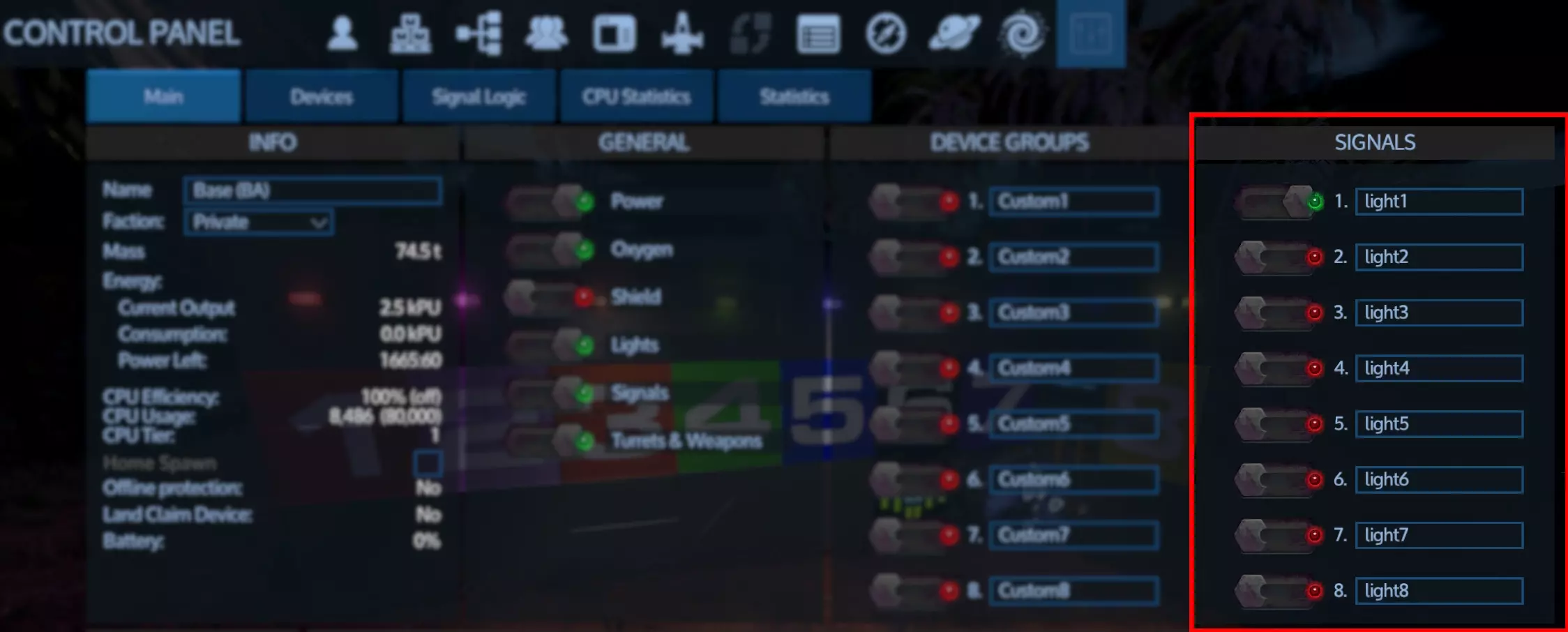
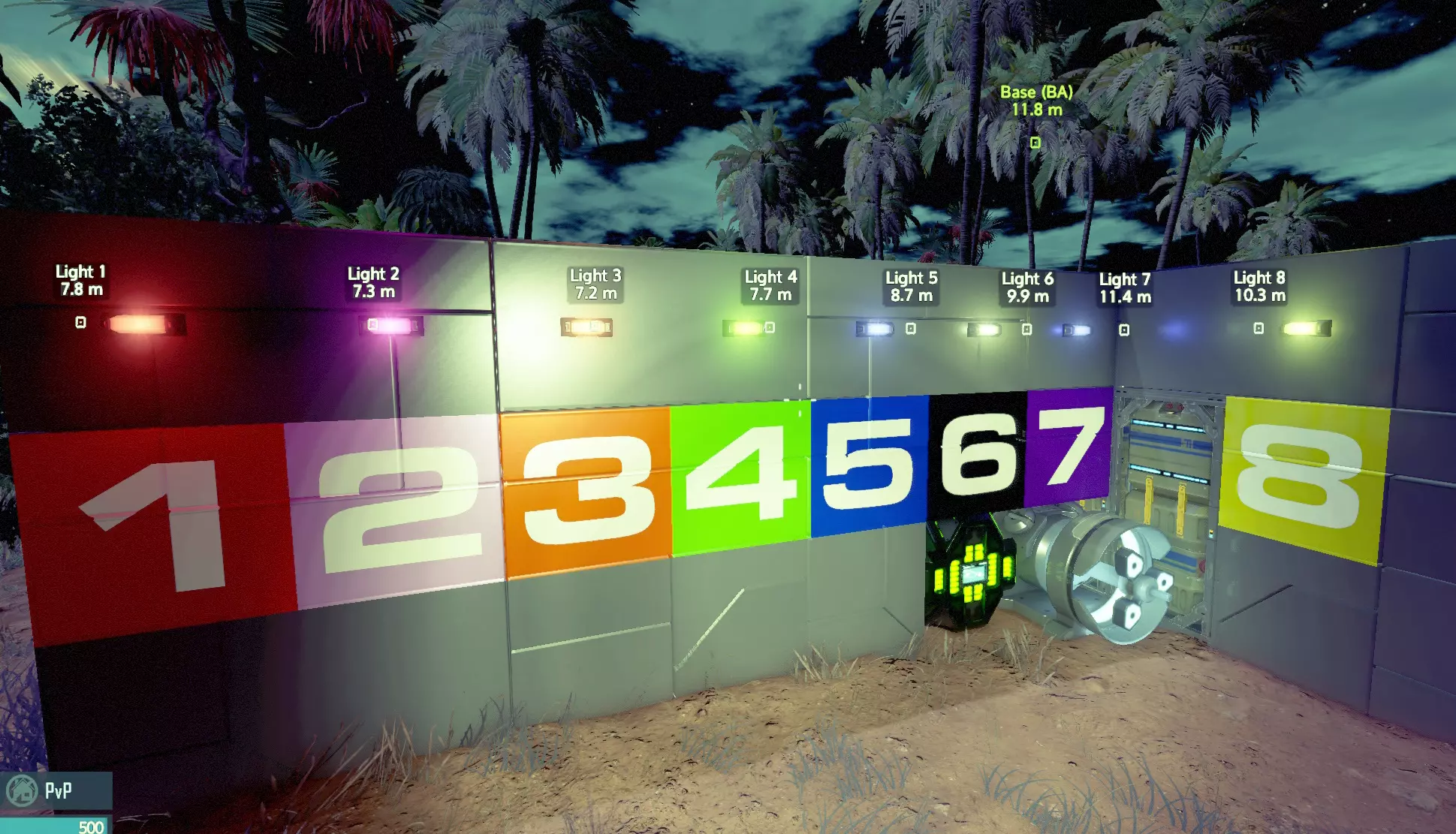
创建蓝图时,你需要面朝基地或飞船。我发现必须靠得很近,并且要按几次ALT+O(是字母O,不是数字0),游戏才会识别。 如何蓝图: * 自定义组 按住CTRL+SHIFT+上方数字键,可切换1-8号自定义控制设备组的开关状态。
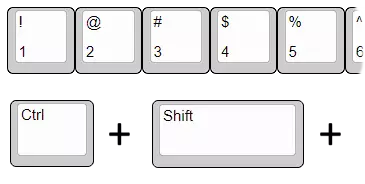
只有8个可自定义切换的设备组,按P键并选择主选项卡可为组命名,然后选择设备选项卡将该组分配到自定义组。 信号组 按CTRL+ALT+顶部数字键。可切换1-8号电路的开关状态。仅限前8个电路。
蓝图放置 按键操作 F2 打开蓝图工厂 Pageup/Pagedown 升高/降低蓝图 Home/End 拉近/拉远蓝图 Ins/Del 旋转蓝图 创意模式 按键操作 h 物品菜单(生存模式中输入itemmenu) j 喷气背包悬停模式 CTRL+方向键 加速飞行 CTRL+SHIFT+方向键 进一步加速飞行 建造/调试菜单 按键操作 n 建造工具对话框 n 调试菜单 建造“n”标签页: - 放置与附近结构网格“相连”的方块 - 启用对称建造模式 - 复制/粘贴方块并将选择保存到剪贴板 - 撤销/重做缓冲区 调试“n”标签页: - 可显示气密性、充氧方块 - 可显示飞船重心和基地结构完整性 相机控制 控制相机以拍摄完美截图

按键 操作 v 切换第一/第三人称视角 PGUP/PGDN 调整摄像机上下(仅第三人称视角) F6 切换HUD显示(导航点、战术界面、无) 0 取消热栏中所有手持武器的选择 F7 截取高质量PNG格式截图 F12 截取低质量截图至Steam文件夹 F8 显示帧率 ALT 切换鼠标视角控制(仅第三人称和驾驶模式) 鼠标滚轮 缩放(仅第三人称视角) CTRL 加速飞行(仅创造模式、上帝模式) CTRL+SHIFT 极快飞行(仅创造模式、上帝模式) 截图提示 取消选择所有武器能获得更好的截图效果。使用F7保存的截图为高质量PNG格式,而Steam的F12截图则是较小的压缩JPEG格式。
控制器

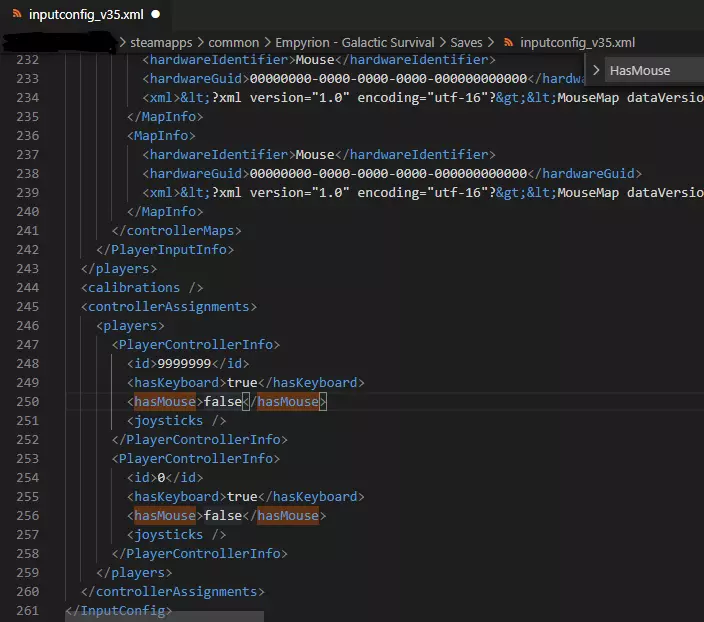
关于控制器的几点说明……请尽可能在此提供反馈。 游戏中有一个文件可以保存你的热键,这使得切换配置变得相对简单。最值得注意的是,你可以禁用鼠标控制,具体方法如下:如截图所示,只需将出现【hasMouse】的两处设置从【true】改为【false】即可。
宏快捷键 现在你可以为控制台编写4个脚本或命令(创意模式或管理员模式)。 CTRL+F1 CTRL+F2 CTRL+F3 CTRL+F4 通常我会在需要截图时使用这些快捷键,你可以创建设置时间或清除天气的命令。但开发者没有提供关闭控制台的方法,所以除非每次按完CTRL+F1/F4后都按ESC,否则这个功能有点不好用。 致谢

由于某些原因,Steam 不允许在指南的一个章节中添加超过约 8K 的 BBCode,因此每个章节中的内容划分可能看起来有些随意。我曾花了大量时间为这份指南制作图片,但最终用于玩游戏的时间却越来越少。现在我依赖玩家对指南进行修正。我现在更常撰写评测以及收集和整理游戏。 字体使用的是 EndZX Spectrum Font,来自 woodcutter-manero。 图片编辑软件使用的是 Paint.NET。 键盘布局编辑工具使用的是键盘布局编辑器。 键盘配置使用的是键盘布局编辑器。无法识别或无法翻译,已删除。