换一换
换一换 


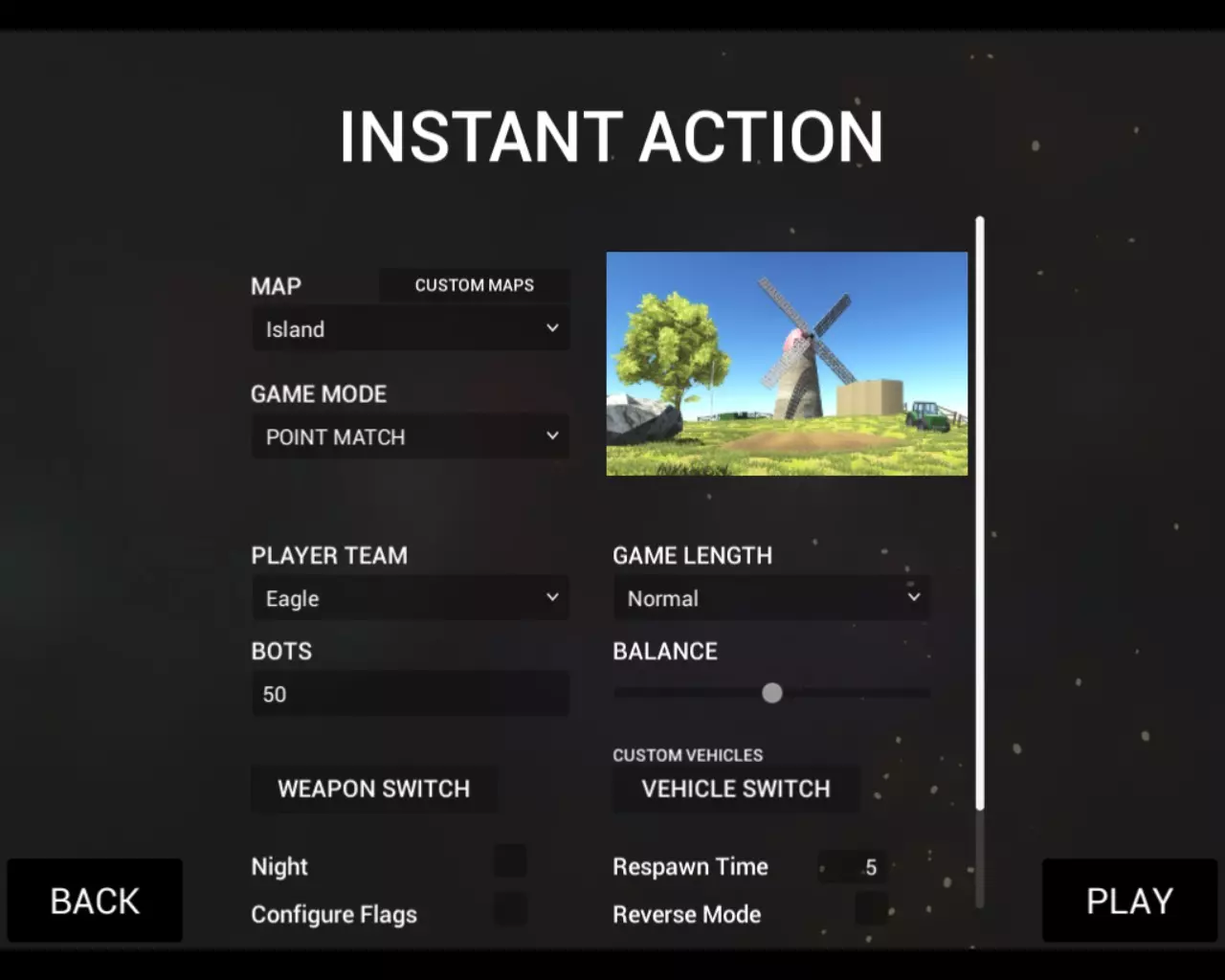
Here is a quick explination for anyone who wants the Railgun in game so here is how you do it, instead of watching YouTube videos were YouTubers talk and brag about the railgun and you viewer or whatever just wish you could have it yourself... Also i obtained the Railgun from a guide as well but i would not recommend it since you would get confused what you might or should do but i was able to understand it... somehow But before throwing yourself into the game and so on make sure that you dont have any addons for THE railgun like skins and so on or other addons/mods because to some it can interfere with the walkthrough or in-game with some codes and programming and it would be really unpleasent and overall wont work at all You have been advised First of all... ...you wanna choose in the in game menu Play {obviously}... after that it should appear two different sections/options(or what the duck you might call it) anyways there should appear the option: INSTANT ACTION or CONQUEST IGNORE THE CONQUEST OPTION Second of all... ... after you have chosen the INSTANT ACTION you are able to see a edible battle template were you are able to edit your battle for example: -choosing the amount of BOTs in the battle -choosing the difficulty of the battle or as it says BALANCE -choosing the players team -choosing the battle mode -choosing the map and tons more You switch the map to Temple... ...after that you change the bots to 0 or just dont idc and if you want go to the Vehicle Section and change the Tank / Quad / Jeep / Jeep MG / APC / Transport Heli / Attack Heli[/u] and change them into a type of Transport Helicopter but a specific addon/mod is required for that part You dont need to of course it still works wihout it Third of all... ...after completing the following "steps" you load into the map... usally there should be a APC at the Eagle's spawn point use the APC or Helicopter if you have chosen the walkthrough with the mod/addons which i have written about in "Second of all.." step... and drive or fly to the south-east corner of the map or the bottom right of the map there should be an Alien UFO crashed into the snow if you are still searching for the UFO in game here is a advise... ...the UFO is located at the border of the right of the map you have to look at the map to complete this and go all the way down over the limits of the map and the UFO is located almost at the south or bottom border of the map in valley like crash site IF YOU FINALLY FOUND IT AND WE ARE GOING TO STEP FOUR Fourth of all... ...after locating the UFO just simply kick it shooting does not work at allshooting does not work AT ALL!!! ...after KICKing IT you will bleed out and die and respawn than ///after you kicked the UFO, the UFO will be active and you slip right into STEP FIVE/// Fith of all... ...after you DIED you quit the battle and load a new map and here is everything you need to edit in INSTANT ACTION AGAIN: -THE MAP MUST BE COASTLINE-THE BATTLEMODE MUST BE BATTLE-You need at least 50 BOT's {some even did this walkthrough without any bots but i still would prefer it} -and if you want you can cheat with the Balance and Configure Flag and you are good to go -AND THE MOST IMPORTANT THING YOU NEED TO COMPLETE IS TO WIN THE BATTLE After you won the Generals Advisor will visit you in form with a helicopter and tells you about the UFO you found and BLA BLA BLA and tells youstuff about important tech on UFO BLA BLA BLA and created a PROTOTYPE OF WEAPON WICH IS USED TO DESTROY UFO LATER and gives you a present and now we slipped into step six Sixth of all... You load any map if you like on every setting you want and battle the UFO and you need to hit it 3 times with the RAILGUN THE ADVISOR GAVE YOU if you dont want to fight the UFO then just quit the game and restart it and now you have obtained the Railgun in the ANTI-ARMOR SLOT in the inventory the problem is that some people will not fight against the UFO and i have no explanation for that honestly now the game might change with every new EA update, release or version of the game so this guide might become unreliable and no longer accurate so be aware that this guide was written from EA25 IF THIS GUIDE HELPED YOU IN ANYWAY OR FORM THEN -Please give a like down below[/b] -If you liked it you can put it into your favourite list -Please rate it -But most importantly if you have problems completing this walkthrough or if you have any questions about it than let me know in the comments down below and feel free to ask and i will try my best and help you EDIT: I did some Screenshots which you can see on my Profile were the location of the UFO is and after the battle at Cliffside were a Transmission from HQ is so yeah (and maybe i update this walkthrough with the images i made but probably not since im too lazy :P) I also played through the entire walkthrough just to see if it was working or not but i havent tried it again so this makes the walkthrough somewhat outdated i think but... thanks to everyone in the comments who always keep me updated and im really glad and thankfull for it If the developers of Ravenfield are finished with the game and be offical this walkthrough (might or maybe) is then longer accurate since i wrote this from Early Access Build 25
如何获取轨道炮

2026-02-19 07:00:19
发布在Ravenfield
转载

导读
这是一份游戏中获取轨道炮的攻略,适用于Ravenfield的EA25版本。攻略提醒玩家先移除轨道炮相关模组,再依次选择INSTANT ACTION模式、Temple地图,找到并踢击地图角落的外星UFO,之后在Coastline地图的BATTLE模式下赢下至少50人机的战斗,即可获得轨道炮。


评论
共0条评论

如何获取轨道炮+在无模组情况下找到UFO
获取秘密武器的分步指南 1.【地图Temple】前往雪地地图Temple(任意战斗模式均可)。 2.【UFO位置】前往地图右下角(建议乘坐坦克或BTR)。 3.…
2026-02-19 04:000赞 · 0评论
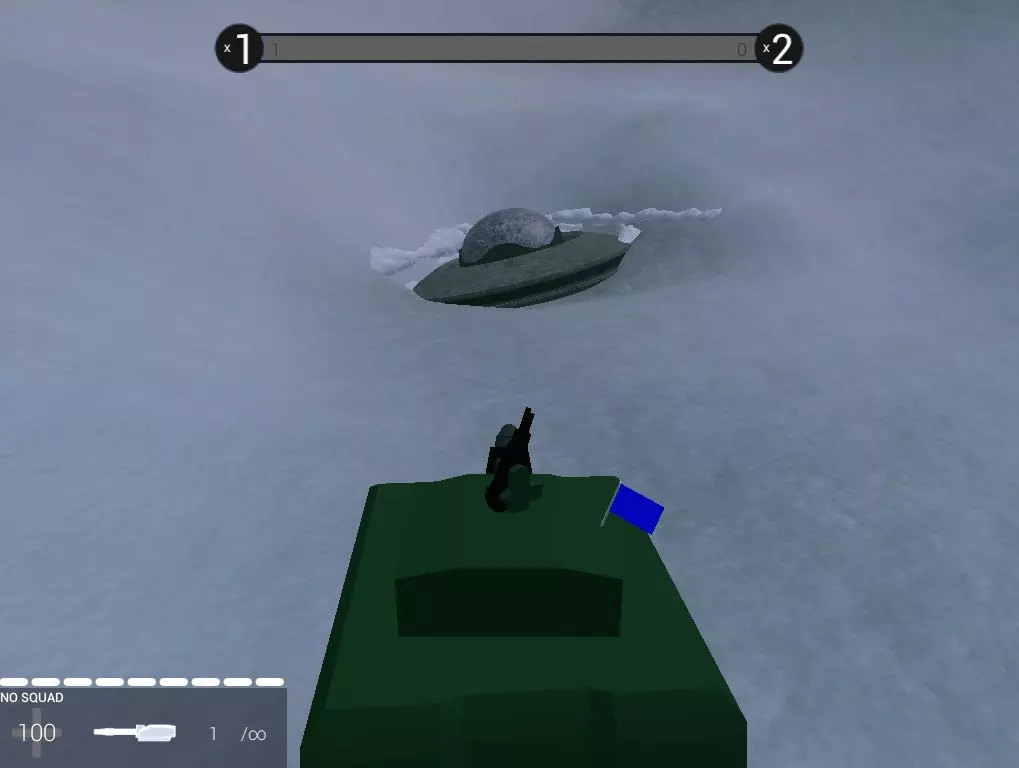
《战地模拟器手游》真实的战争有多可怕?Ravenfield画面展示,沉浸式战场体验
《战地模拟器手游》游戏画面来自Ravenfield。真实的战争到底有多可怕?这款游戏通过逼真的战场环境、激烈的交火音效和震撼的爆炸场面,模拟了战争的残酷与紧张感…
2026-06-17 14:400赞 · 0评论
《战地模拟器》手游版Ravenfield怎么样?40-50年代复古概念片头解析与游戏体验分享
《战地模拟器》手游版Ravenfield概念片头赏析!带你领略40-50年代复古战争氛围,感受经典战地模拟器的独特魅力。
2026-06-06 06:510赞 · 0评论

地图 【Ravenfield】战地模拟器 MAP(Facility 2e)纵向大地图(半成品)
地图https://steamcommunity.com/sharedfiles/filedetails/?id=1692422214 地图光影不错,很有创意的…
2026-05-19 10:350赞 · 0评论
暂无更多
最新更新
- 《Ravenfield》EA36版本更新内容 — 《Ravenfield》EA36更新内容 1. 修复了玩家在载具内击杀敌人时导致代码异常的bug,该问题曾引发武器漂浮和游戏模式软锁定等其他多个bug。 2. …
- 《战地模拟器》EA36 - 街机模式第二部分 — 《Ravenfield》街机模式第二部分更新内容 1.本次更新对街机模式进行了多项改进,旨在减少随机元素(RNG),提升模式的趣味性! 2.首先,我们新增了战斗…
- 《Ravenfield》EA35版本更新内容 1. 本次更新无实质内容。 — 《Ravenfield》4月3日更新内容 1. 我们没有添加任何内容,所以无需调查任何东西。如果有步兵试图给你物品,千万不要接受! 2. 【侦探徽章】不再由随机…
- 《Ravenfield》街机模式第二部分状态更新 — 《Ravenfield》更新内容 1. 过去几周,我们一直忙于为游戏开发多个抢先体验版更新。原本计划于本月发布的街机模式第二部分,现已决定推迟至四月中旬。 2.…
- 如何删除配置 — 本指南将向你展示如何删除配置文件,无论是因为你不喜欢某个配置,还是你已取消订阅了该配置所使用的模组(武器、皮肤、载具、变异器)。 删除配置文件的步骤: 1. 打…
- 《乌鸦战场》背景故事【完整】 — 太棒了!我终于完成了剧情设定!不管好坏,我都很高兴它终于完成了,希望你们也能和我一样喜欢。 希望大家今天过得愉快! 【鸣谢The-Conscientious-C…
- 香草+ 背景故事 — A collection of lore surrounding the Sofa's 'Vanilla+' mod series Thank you to S…
- 优化你的电脑以运行《战地模拟器》[2026] — 本指南将为你介绍一些改进和优化《战地模拟器》游戏设置的方法。 前言 《战地模拟器》的最低配置要求存在一定误导性。
- 如何将《战地模拟器》变成《战术小队》? — 大家好!大约两年前,《战术小队》正式脱离抢先体验阶段,这款游戏从2015年开始开发,历时8年。为了庆祝这个好消息,我想为大家展示一系列模组,让你的《战地模拟器》…
- 【官方】为《战地模拟器》创建自定义地图 — 对《战地模拟器》制作地图感兴趣吗?本指南将带您了解从下载安装《战地模拟器》模组工具到在Steam创意工坊发布地图的全过程! 设置《战地模拟器》工具 感谢您查看本…