换一换
换一换 


这里我来告诉你们如何搞砸自己的服务器 引言 我还有其他俄语指南 https://steamcommunity.com/sharedfiles/filedetails/?id=3380655849 https://steamcommunity.com/sharedfiles/filedetails/?id=3398065939 https://steamcommunity.com/sharedfiles/filedetails/?id=3424822502 https://steamcommunity.com/sharedfiles/filedetails/?id=3424796579 https://steamcommunity.com/sharedfiles/filedetails/?id=3380683618 https://steamcommunity.com/sharedfiles/filedetails/?id=3380668738 https://steamcommunity.com/sharedfiles/filedetails/?id=3380537553 https://steamcommunity.com/sharedfiles/filedetails/?id=3380655849 https://steamcommunity.com/sharedfiles/filedetails/?id=3435355528 以及英文版本 https://steamcommunity.com/sharedfiles/filedetails/?id=3380688287 https://steamcommunity.com/sharedfiles/filedetails/?id=3380675464 https://steamcommunity.com/sharedfiles/filedetails/?id=3380670552 如何开放端口 每个服务器都有其使用的端口(8303-8310)。在DDNet中,默认端口为8303。开放端口是为了在主服务器上注册服务器(以便其他玩家能够看到您的服务器并进行连接) 网上有很多关于此的指南,因此我们进入下一个步骤 配置 如果您进入游戏的根目录,会看到主文件 - DDNet-Server.exe,它用于启动服务器。配置文件位于data文件夹中,名为autoexec_server.cfg。 打开autoexec_server。cfg 默认情况下,文件中已包含所有重要的服务器设置,并附有英文注释。 sv_port 8303 - 服务器端口 sv_name "My DDNet server" - 服务器在浏览器中的名称 password "" - 服务器登录密码 sv_rcon_password "mysecretpassword" - 服务器管理员密码 sv_rcon_mod_password "" - 服务器 moderator(管理员助手)密码 sv_rcon_helper_password "" - 服务器 helper(辅助人员)密码 sv_map "Gold Mine" - 服务器启动时使用的地图 sv_test_cmds 1 - 控制台中的作弊指令(如super、tele grenade等)д) sv_register 0 - 在主服务器上注册服务器(在列表中显示服务器) 您可以在此处查看所有设置:https://wiki.ddnet.org/wiki/Settings_and_Commands/ru#%D0%9D%D0%B0%D1%81%D1%82%D1%80%D0%BE%D0%B9%D0%BA%D0%B8_%D1%81%D0%B5%D1%80%D0%B2%D0%B5%D1%80%D0%B0 启动 现在只需通过DDNet-Server.exe文件或游戏主菜单中的按钮启动服务器。 如果您设置sv_register 1,服务器将出现在“互联网”选项卡中(前提是您已打开端口),否则仅在局域网中显示。 结果 我之前在这里写了些什么乱七八糟的东西
如何在《DDNet》中搞砸自己的服务器?

导读
这篇帖子围绕《DDNet》服务器展开,提及将介绍搞砸DDNet服务器的方法,还分享了多语种的相关指南链接,同时讲解了DDNet服务器的端口开放、配置文件设置及服务器启动的相关操作。


评论
共0条评论

《幻兽帕鲁》服务器配置教学 幻兽帕鲁千倍经验怎么调 幻兽帕鲁无限耐力设置 幻兽帕鲁一秒孵蛋参数 幻兽帕鲁100%捕捉率
幻兽帕鲁服务器怎么配置?千倍经验、无限耐力、一秒孵蛋、100%友好捕捉等参数设置,具体大家可以参考官方的文档进行调整。 有问题欢迎大家留言或者私信我。我会尽量都…
2026-05-26 07:000赞 · 0评论

反恐精英:零点行动 战队比赛模式指令列表
This guide explains in detail all of the Counter-Strike and Counter-Strike: Cond…
2026-02-19 07:000赞 · 0评论

搭建超级球服务器
本指南将介绍如何搭建你自己的《Supraball》服务器。 搭建个人服务器 你可以通过搭建个人服务器与好友一同游玩,以此支持《Supraball》社区。 使用U…
2026-04-04 10:000赞 · 0评论
【幻兽帕鲁】全网最详细的本地服务器搭建教程,包括存档转移、内存清理、服务器世界配置,一个视频帮你全部搞定!
樱花frp:https://www.natfrp.com 内存清理工具:https://memreduct.org 存档转移工具:https://github.…
2026-05-30 05:330赞 · 0评论

幻兽帕鲁闪迹云游戏清明新服开服时间 服务器配置与BOSS掉落调整 帕鲁词条修正增强攻略
幻兽帕鲁闪迹云游戏清明新服4月4日14:00开服!服务器严打外挂,后台查到直接封禁并挂乐园公示!服务器IP每周日上午开放,具体游戏设置如下: 1、地图宝箱、地下…
2026-05-21 10:010赞 · 9评论
专用服务器测试版 - 说明文档
《拓荒商客》专用服务器官方文档 本文档包含拓荒商客专用服务器的安装、配置、启动及使用方法。 简介 各位店主好! 欢迎使用拓荒商客专用服务器控制台的测试版!
2026-03-17 13:000赞 · 0评论
《求生之路2》MOD怎么用?Neko普通刷特16人100tick服务器设置教程,地狱景象地图玩法攻略
《求生之路2》16人Neko普通刷特模式,100tick服务器配置详解。注意!本教程只提供永久公开的MOD资源喵!想体验《地狱景象》地图的刺激玩法,快来学习如何…
2026-06-06 11:320赞 · 0评论
专用服务器使用指南
托管选项 首先,你需要选择托管专用服务器的方式! 专用服务器可通过以下方式托管: - 在你自己拥有的家用电脑上 | ---- | ---- | ---- | -…
2026-03-30 17:000赞 · 0评论
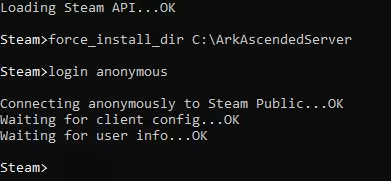
方舟:飞升 专用服务器Windows PC搭建指南
How to set up Ark: Survival Ascended Server for PC using Command Line interface …
2026-02-15 22:000赞 · 0评论
专用服务器 || 传染病
熟悉Source引擎服务器的搭建,但想了解更多《传染病》特有的控制台变量和设置?本指南将尝试汇总相关数据,同时也会提供搭建服务器的基本说明。 简介、免责声明及其…
2026-04-05 10:000赞 · 0评论
暂无更多
最新更新
- 《DDNet》19.8版本更新内容 — 《DDNet》19.《DDNet》8版本更新内容 1.【客户端】预测信封 [AssassinTee] 2.【客户端】预测所有声音和粒子效果 [KebsCS] 3…
- 我是小圆面包 — 我是小圆面包 我是小圆-面包 红扑扑的脸蛋 红扑扑的脸-蛋 我在谷仓里被揉成 在麸皮上被蹭过 在酸奶油里浸过 又在窗台上放凉 我从爷爷身边溜走啦 也从奶奶身边溜…
- 如何变得幸福 — 如果你已经玩了超过100小时,那你已经没救了 1. 尝试删除这个垃圾 2. 如果它已经让你沉迷,来不及删除,那你可以安心撞墙了
- 如何进入DDNet — 点击游戏按钮:0
- 如何在KoG.tw注册 | KOG [A](由vd.创建) — 此内容包含外部链接相关信息,根据规则需删除。
- DDnet新手最轻松的5张练习地图 — 在本指南中,我将列出(个人认为)DDnet中所有玩家,尤其是新手必须通关的最简单地图。 所有截图非我所有! 地图:Linear 在我看来,这是DDnet中最简单…
- DDNet 中的所有成就 — 《DDNet》全成就获取详细指南 第一步 安装游戏 我知道,在这一步可能会遇到困难。 首先,点击下方的“安装游戏”按钮。 其次,安装游戏 只需按照Steam的指…
- 用于在钩爪或攻击时使用表情的按键绑定 — 若要在使用钩子/攻击时发送表情,需按下F1,然后输入命令:Bind mouse(1或2) "+(fire或hook); emote (1-12)"。 不同数字对…
- Колобок — 小圆面包, 小圆面包, 非常美味的小圆面包! 会成为甜甜的小馅饼,朋友! 你可以把我当早餐吃, 也可以当午餐, 可以把我当晚餐吃, 完全没问题! 小圆面包, 小…
- 新手基础按键(绑定键位),其实对所有人都适用 — 以下是我和其他职业玩家常用的主要指令(按键绑定): 伪飞行(pseudo fly):bind x "+toggle cl_dummy_hammer 1 0" 4…