换一换
换一换 



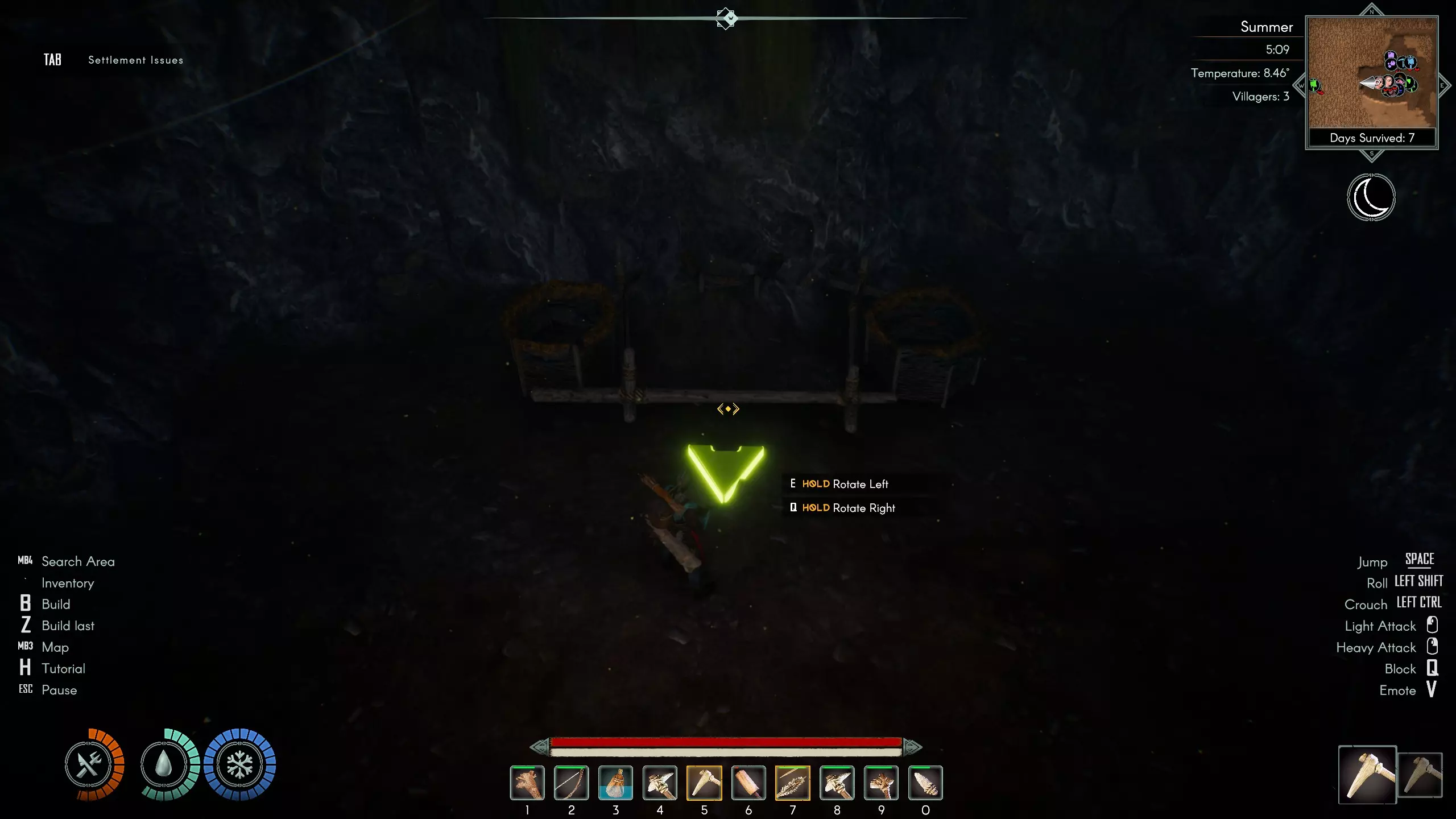
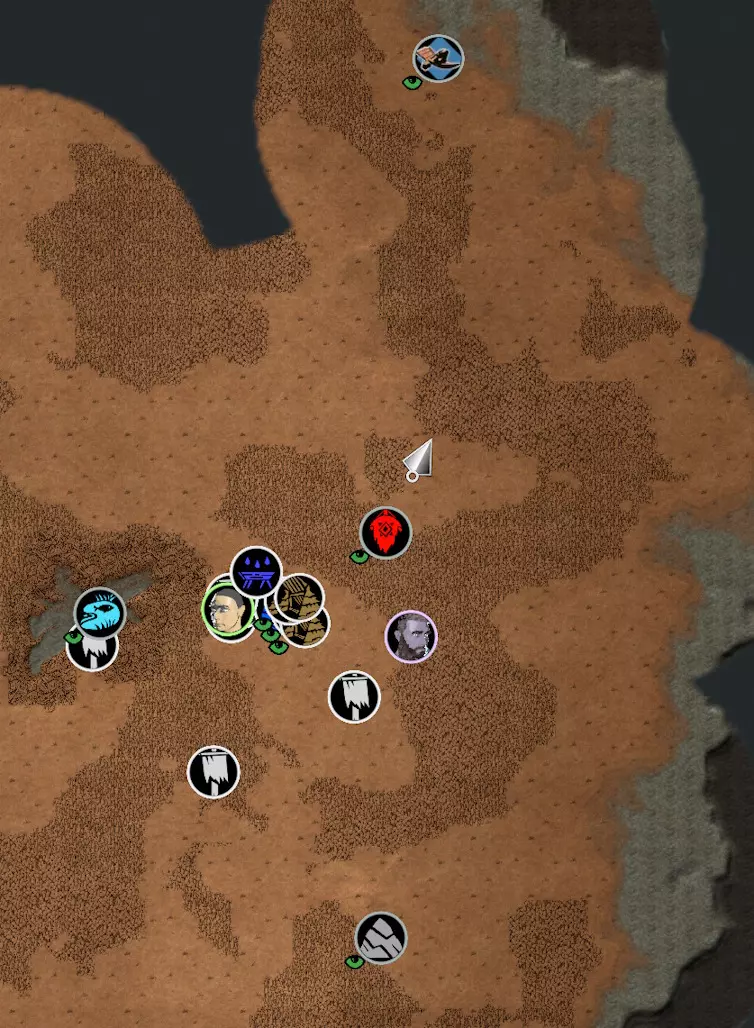
Deutsch / English (down below) In diesem Video (siehe unten) wird erklärt wie man recht schnell sein Dorf nach dem Update in einer neuen Welt wieder aufbauen kann. Ein komplettes umkopieren ist zwar möglich, aber nur schwer umzusetzen. Mit Hilfe von Moding, umkopieren einiger Spieldateien, sowie retten der Dorfbewohner, etwas Loot und dem eigenen Character, sollte das recht schnell möglich sein. Natürlich ist es etwas "Arbeit" aber besser als komplett neu anzufangen und alle mal viel schneller. Ganz ohne Nacharbeiten geht es aber nicht. Und wer kein Bock darauf hat, der läßt es :) Wir benötigen Mods: Install BepInEx 6 (Unity IL2CPP) Download from the official builds: https://builds.bepinex.dev/projects/bepinex_be NexusMods Aska https://www.nexusmods.com/games/aska FreeBuild https://www.nexusmods.com/aska/mods/29 Grymm´s Builder Buddy https://www.nexusmods.com/aska/mods/11 StackSizeMultiplier https://www.nexusmods.com/aska/mods/13 Anleitung „So installierst du Mods in ASKA!“ BepInEx 6 (Unity IL2CPP) installieren Offizielle Versionen herunterladen: https://builds.bepinex.dev/projects/bepinex_be Datei mit dem Namen BepInEx-Unity.IL2CPP-win-x64-6.*.zip herunterladen (Windows x64, Unity IL2CPP). Die ZIP-Datei direkt in den ASKA-Spielordner entpacken (derselbe Ordner wie ASKA.exe). Das Spiel einmal starten und anschließend schließen. Dadurch generiert BepInEx seine Ordner und DLLs. 4. Die neueste Mod-Version herunterladen. Folgende Dateien werden später umkopiert werden müssen: Das Save-Game liegt in folgenden Ordner C: Users XXXXXX AppData LocalLow Sand Sailor Studio Aska data Dort gibt es,je nachdem wieviele Spielstände ihr habt, Verzeichnisse wie savegame_12345_1234567890 SICHERT EUCH EURE SPIELSTÄNDE BEVOR IHR ETWAS ÄNDERT !!! Wir brauchen einige Dateien aus dem Alten Spielstand, den ihr "übernehmen" wollt. Das wären: Player, Knowledge, Deed, Population (vielleicht kann man noch weitere Dateien umkopieren (Tasks, preferences) aber das müßtet ihr selber testen. Bevor ich die Dateinen umkopiert (nicht verschieben) bennent eure alten Dateien um. so sind sie weiterhin vorhanden z.b Player_ Der Rest wird im Video beschrieben. Kurzform: Modumgebung einrichten neue Welt starten und den passenden Bauplatz finden Baumeister Hütte selber erstellen Das Dorf mit Blaupausen anlegen Spiel sichern Wechselt zum Hauptmenü- das Spiel muss nicht beendet werden Datei "Population" aus dem alten Savegame ins Neue umkopieren Neue Map laden Bewohner über das Dorfmenü auf der Karte sichtbar machen in der Baumeisterhütte die Dorfbewohner alle dem bauen und terraformen zuweisen warten bis alle angerannt kommen und loslegen spiel speichern jetzt (oder bei Bedarf vorher) die Dateien Player, Knowledge und Deed umkopieren Map laden Anpassungen vornehmen um das Dorf wieder ans laufen zu bekommen Enjoy - ohne mühsamen komplett-Neustart NOCHMAL - SICHERT EURE SPIELSTÄNDE - geht etwas kaputt, selber schuld !! Danach die entsprechenden Mods natürlich wieder löschen (wenn man das will) -------------- English Language ------------------------- This video (down below) explains how to quickly rebuild your village in a new world after an update. While a complete rebuild is possible, it's difficult to accomplish. Using mods, copying some game files, and saving your villagers, some loot, and your character, it should be possible to do it fairly quickly. Of course, it's a bit of work, but it's better than starting completely from scratch and much faster. However, some minor adjustments are still necessary. And if you're not interested, just leave it :) We need the following mods: Install Bepinex 6 (Unity IL2CPP) Download from the official builds: https://builds.bepinex.dev/projects/bepinex_be NexusMods Aska https://www.nexusmods.com/games/aska FreeBuild https://www.nexusmods.com/aska/mods/29 Grymm's Builder Buddy https://www.nexusmods.com/aska/mods/11 StackSizeMultiplier https://www.nexusmods.com/aska/mods/13 Instructions: "How to install mods in ASKA!" Install BepInEx 6 (Unity IL2CPP) Download the official versions: https://builds.bepinex.dev/projects/bepinex_be Download the file named BepInEx-Unity.IL2CPP-win-x64-6.*.zip (Windows x64, Unity IL2CPP). Extract the ZIP file directly into the ASKA game folder (the same folder as ASKA.exe). Start the game once and then close it. This will generate BepInEx's folders and DLLs. 4. Download the latest mod version. The following files will need to be copied later: The save game is located in the following folder: C: Users XXXXXX AppData LocalLow Sand Sailor Studio Aska data Depending on how many save games you have, there will be directories like savegame_12345_1234567890 BACK UP YOUR SAVE GAMES BEFORE YOU MAKE ANY CHANGES!!! We need some files from the old save game that you want to "transfer." These would be: Player, Knowledge, Deed, Population (you might be able to copy other files as well (Tasks, preferences), but you'd have to test that yourself). Before copying (not moving) the files, rename your old files. This way they'll still be there, e.g., Player_ The rest is described in the video - but in german. Maybe Translation via subtitles works In short: Set up the mod environment Start a new world and find a suitable building site Create your own builder's hut by yourself Create the village only by using blueprints Save the game Switch to the main menu - the game does not need to be closed. Copy the "Population" file from your old save game to the new one Load the new map Make the villagers visible on the map via the village menu In the builder's hut, assign all the villagers to building and terraforming Wait until everyone arrives and start building Save the game Now (or beforehand if needed) copy the Player, Knowledge, and Deed files Load the map Make adjustments to get the village running again Enjoy! A tedious complete restart ONCE AGAIN - BACK UP YOUR GAME SAVES - if something breaks, it's your own fault!! Then delete the corresponding mods again (if you want to). Erklärung im Video
如何理论上快速将村庄迁移到新地图以重新开始 德国 德语 提示

导读
这篇帖子介绍了在游戏ASKA中,借助BepInEx 6、FreeBuild等指定模组,通过复制旧存档的Player、Population等游戏文件的方式,快速将村庄迁移到新地图的方法,比完全重新开始更高效,操作前需备份存档。

评论
共0条评论

ASKA 攻略指南 无剧透(技巧多多)
最后更新于2025年12月20日。不知为何,ASKA这款游戏在日本似乎并不流行。为了推广它,本文将聚焦于玩家在游玩前需要了解的关键信息,不会涉及攻略内容。这是一…
2026-02-14 13:000赞 · 0评论
沙盒游戏 试玩游戏:ASKA丨开放世界多人生存游戏
一个新的维京时代即将伴随你的执掌君临天下。在这款神话般的开放世界生存模拟游戏中,白手起家打造一个繁荣昌盛的聚居地。赢得众神的庇佑,在一片被上古恐怖和严峻气候主宰…
2025-12-27 22:030赞 · 0评论
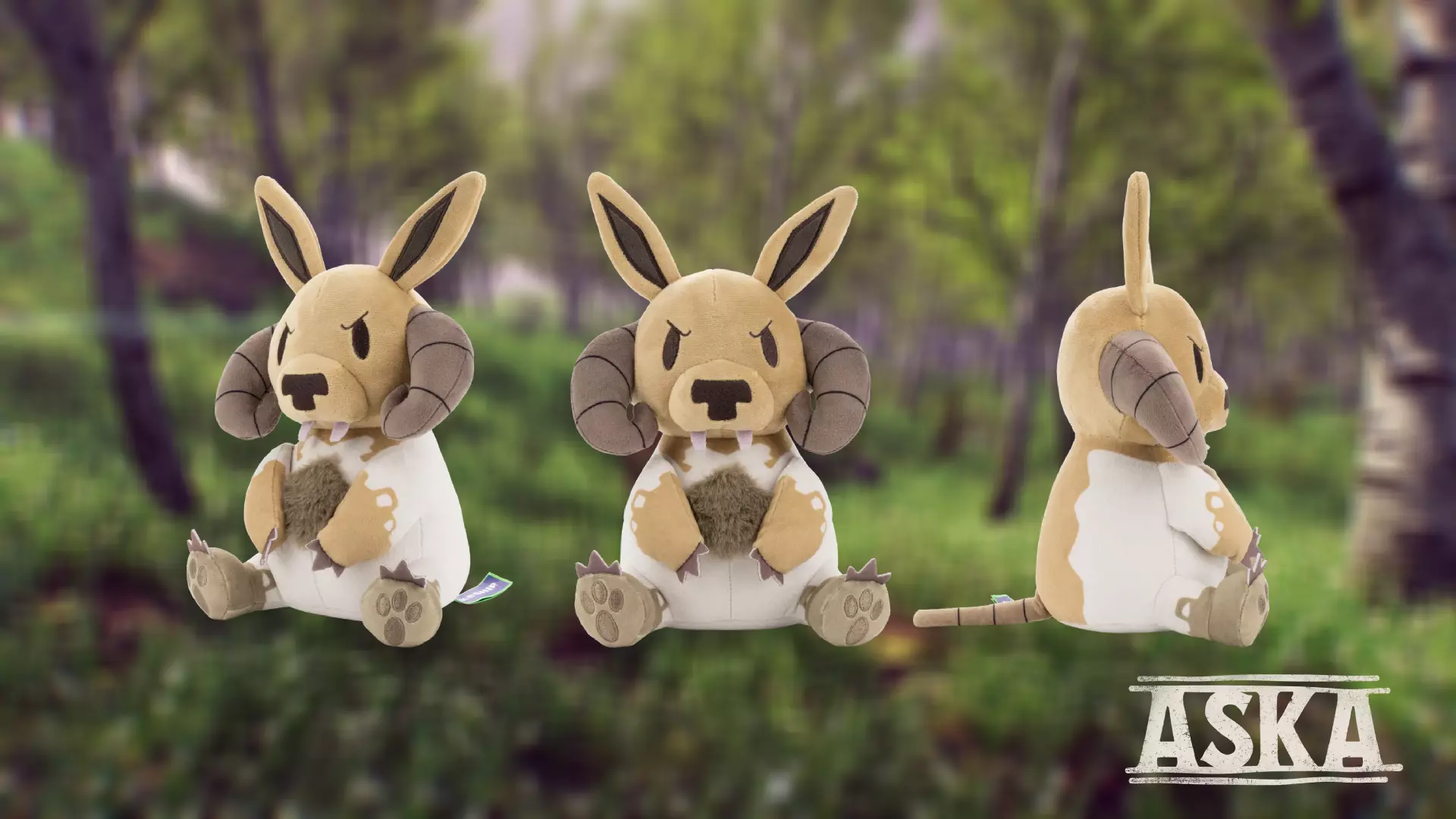
现在获取你专属的Smolkr毛绒玩具!✨
Smolkr毛绒玩具准备好跟你回家啦! 这款Smolkr毛绒玩具毛茸茸、惹人喜爱,还带着一丝小邪恶,完美捕捉了《ASKA》中这位大家最爱的捣蛋鬼的魅力。无论是在…
2025-12-17 13:070赞 · 0评论
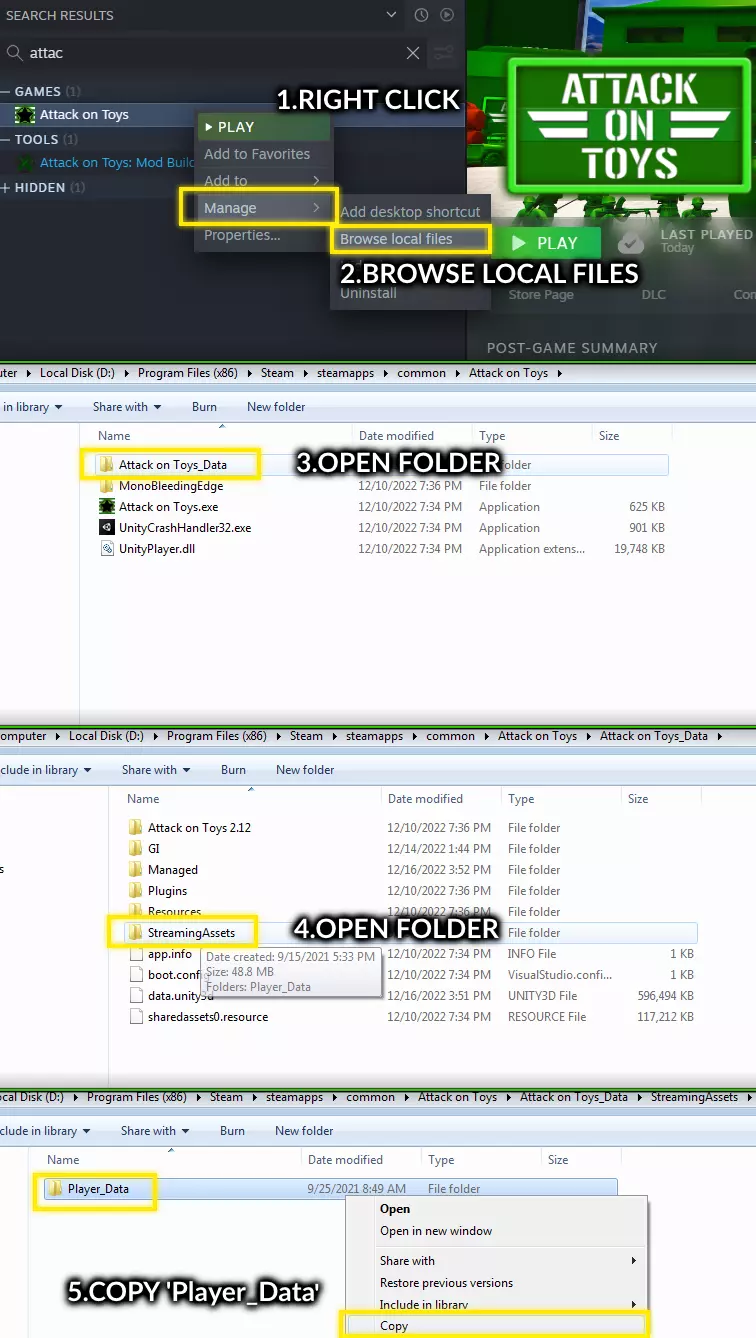
《玩具大作战》旧存档迁移至新存档位置指南
《Attack on Toys》4.0版本存档位置变更重要提示 • 新位置:%USERPROFILE%/AppData/LocalLow/N7T-GAMES/A…
2026-03-26 16:000赞 · 0评论
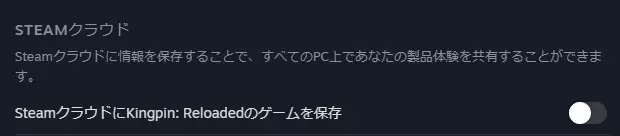
《Kingpin: Reloaded》v1.04版本黑屏导致无法游戏的解决方法
《Kingpin: Reloaded》1.04版本更新后,部分语言环境下出现标题画面黑屏且无法操作的问题。 以下是应急处理方法指南: 修正步骤: 1. 首先禁用…
2026-03-20 22:000赞 · 0评论
Steam Deck 桌面模式下载指南
以下是将电脑中的存档数据传输到Steam Deck的指南,整个过程无需使用其他应用,只需谷歌浏览器、云端硬盘和 Gmail。 第一步:从电脑中提取文件 首先,在…
2026-02-19 01:000赞 · 0评论

维京时代干翻巨魔!四人联机生存+魔幻开放世界+建造部落!多人生存模拟游戏《ASKA》!
由Sand Sailor Studio工作室开发:《ASKA》 是一款融合了开放世界生存和聚集地建设的维京题材多人生存模拟游戏,游戏拥有逼真的日夜交替和动态天气…
2026-04-22 23:020赞 · 0评论

请为《ASKA》在2025年Steam大奖的“爱的付出”类别中提名!
大家好! 2025年对于《ASKA》来说是意义非凡的一年,若没有我们出色的社区支持,这一切都不可能实现。你们的支持、热情以及共同的冒险经历,让这一年变得真正难忘…
2025-11-24 18:020赞 · 0评论
《全面战争模拟器》兵编怎么转移?换电脑存档迁移教程,舍不得我的小人们
全面战争模拟器换电脑后兵编怎么转移?想问一下如果换了电脑怎么把旧电脑上的兵编给迁移到新电脑上啊,舍不得我的小人们,求详细存档迁移教程!
2026-06-01 20:300赞 · 2评论

《以撒的结合》存档怎么迁移?重生入忏悔教程 盗版转正版存档方法 全成就存档替换攻略
(该内容已过时,最新版请移步BV1nV8AzKEJh) 视频所用小工具(仅Windows平台可用):https://quincyzhang.lanzoul.co…
2026-05-27 05:480赞 · 0评论
暂无更多
最新更新
- 4月23日热修复补丁 — 各位维京人! 我们带着一个快速更新回来了,让我们直接进入正题: 生活品质与平衡调整 1. 木工:硬木长棍现在可产出3个木柄,而非之前的2个 2. 航行平衡:Ka…
- 《ASKA》心灵与甜蜜更新现已发布! — 春天已降临你的维京聚落——空气中弥漫着蜂蜜与蜜酒的香甜气息。 本月更新是我们期待已久的内容。【炉火与蜂蜜更新】为游戏带来全新的生产链,围绕养蜂和蜜酒酿造展开。你…
- 3月24日热修复补丁 — 各位维京人,我们根据近期的漏洞报告推出了新一轮修复。本次更新修复了一个重要的仓库漏洞,对光照效果进行了优化,并包含其他多项改进。祝大家游戏愉快!
- 3月20日热修复补丁 — 各位维京战士,我们带着又一个补丁回来了,该补丁将修复一些近期报告的漏洞。
- 《ASKA》Steam春季特卖,享6折优惠 — 嘿,维京勇士们! 是时候带领你的部落了。在Steam春季特卖期间,以6折优惠入手《ASKA》,开启你的传奇。无论你是单人游玩还是与朋友组队,都必须通过建造、制作…
- 3月18日热修复补丁 — 大家好,我们带着一个快速修复补丁回来了,该补丁解决了上一次更新中新增的部分问题,以及一些我们成功修复的旧问题。感谢大家的错误报告!
- 酒馆更新 — 各位维京人! 本次更新中,我们推出了新建筑【酒馆】的首个版本,并对村民的饮食方式进行了调整,同时还带来了一系列修复和改进,例如可以对物品栏进行排序! 总体而言,…
- 100%ćĺ°ą — 游戏内共有39项成就,为方便查看,这些成就被划分为不同类别。Steam上的成就描述本身已经比较清晰,但为了更好地理解,我对其中部分成就进行了补充说明。 前言 所…
- 让鞋匠们去做他们的本行吧——你还有王国需要规划和管理呢。 — Removing the derpy moments from my first few playthroughs. Wall of text ;) This …
- 快速剥皮 — 快速剥皮指南 各位勇猛的战士,大家好: 这里有个简单的小技巧: 目前,当你剥皮时按住按键,实际上比在合适的时机点击【收获】按钮要慢得多。 我看了一些直播,似乎没…