换一换
换一换 


There are thousands of fan-made adventures on Neverwinter Vault. Here's how to choose & play the best. Also covers required items from the Vault, such as CEP or Project Q. How to find & play modules on Neverwinter Vault There are thousands of fan-made adventures on Neverwinter Vault to suit every taste. Check out these module classifications[forum.neverwintervault.org] to find the best for you. When you've chosen a module, installation is easy. What follows is easily done manually. For Windows, there's also a one-click installation tool called NIT[neverwintervault.org] . These instructions are for all Enhanced Edition platforms (not just Steam) except consoles, which don't allow custom content. First, ensure that you can see file name extensions. For example, in Windows 10, open File Explorer and check File Name Extensions on the View tab. Here's an example[neverwintervault.org] of a Vault module (best opened in a new tab so that you can refer to it). Scroll down to the Files section. Right click on the attachment link and download. Now scroll down to the Required Projects (if any). These are just like Required Items in Steam Workshop. If you haven't downloaded them before, follow the links and download their attachments in the same way. To make the download faster, most of the files will be compressed containers, such as .zip, .7z, .rar or .exe. The next step is to extract the contents. 7-Zip[www.7-zip.org] is a handy free Windows utility that works with all of those formats. Other platforms support similar apps. There may be text documents (.txt, .pdf, .doc etc) with installation help / hints / walkthrough. Install the uncompressed game files in the Neverwinter Nights folder in your Documents. For linux, the path is .local/share/Neverwinter Nights. On Android, the path is Android > Data > com.beamdog.nwnandroid > files > user. See "Android 13" below. For IOS, using iTunes on a connected PC/Mac, or the Files app on the device itself, the path is File Sharing > NWN EE. If you have an earlier version than Enhanced Edition, use the nwn folder within your Neverwinter Nights installation instead. This has several sub-folders. Each file goes into the sub-folder that matches its extension. For example, a simple module will just have one .mod file, which goes in Neverwinter Nights modules. Others will also have .hak files with additional artwork, which go in Neverwinter Nights hak. Here's a full list for reference (but relax, it's not normally this complicated) : Extension Subfolder .mod modules .hak hak .tlk tlk .bic localvault .bik, .wbm movies .bmu music .wav ambient .erf erf .tga portraits (but see below) all other override Now all you have to do is play and have fun. If you're playing on Steam, content download from the Vault won't appear on Steam Workshop, but it will appear in the list of modules when you start a New Game in NWN. Override - Be aware that anything you put in the override folder will change the Official Campaign and all of your custom modules (including those obtained from Steam Workshop) which might cause compatibility issues in some cases. Portraits - portrait .tga files are normally named with the prefix po_ and a suffix letter, e.g. po_ninjagirl_h.tga or whatever. If the name is nothing like that, the .tga probably belongs in override instead. Movies - Enhanced Edition does not support .bik files, which need to be converted to .wbm files (NIT does this automatically). If left as .bik files, the module will still work, but movies will not play. Licence - Fans have generously contributed these modules to the Vault for free. They can be played as described above, but please don't assume you can upload them to Steam Workshop or any other site. Refer to the Permissions section on the module page, and the Vault guidelines, for further information. Folder Names & Path - You can change the folder name and path used for each type of file by editing the parameters in nwn.ini. Multiplayer and Persistent Worlds In most cases, the host should provide you with the files required, which you install to the locations mentioned above. A few PWs use a mechanism called nwsync, which automatically downloads all the files into the nwsync subfolder of your Neverwinter Nights documents. The host will tell you about this if necessary. CEP The Community Expansion Pack (CEP) is a large collection of fan-made custom content for NWN. It does not change the official game at all, but it is required for many custom modules. It's easy to be confused by the number of versions of CEP out there, but the good news is that you only need the latest version to play any module that needs any version of CEP1 or CEP2. CEP at Neverwinter Vault[neverwintervault.org] CEP at Steam Workshop This is especially important for Steam Workshop users - subscribing to older versions as well as the latest one can load the wrong files, making the module behave strangely. At the time of writing, there is an independent version called CEP3 which is not in use yet. If it's required by a future module, it will also need to be installed, but probably won't conflict with earlier versions. "Missing" modules? When starting a new game, there are four module tabs - Official, Community, Premium and Local. The Community tab is a misnomer. It has only a small selection of modules, such as Aielund Saga, whose authors have been invited by Beamdog to use the official launcher. On the forums, they are described as "curated" modules. These modules and their files are downloaded automatically when launched (to the nwsync subfolder in Documents, if you ever need to know). Community modules that you download yourself from Steam Workshop or Neverwinter Vault (the vast majority) appear on the Local tab. Steam Workshop fix It's widely reported that Steam Workshop Items don't always appear in the game menu for some players. When you subscribe to any Steam Workshop item, it may take several minutes (or longer) for Steam to start and complete the download. There's no user-friendly information on whether the download has happened, though you can look for its folder (see below). If the download has completed, but the game can't find the new content, check that the Steam client is running (although there is no DRM on running EE itself, it is required for Steam Workshop Items). On Windows, it may be necessary to install Steam on the default path C: Program Files (x86) Steam if it isn't already, according to one report. If all else fails, move the mod from the Steam Workshop folders to the Documents folders mentioned in the main article above. The Steam Workshop content will be in anonymously numbered sub-folders within C: Program Files (x86) Steam steamapps workshop content 704450. You can move the files to the corresponding subfolders in Documents Neverwinter Nights - so the files in the hak subfolder move to the hak subfolder, and so on. File name conflicts on Steam If two workshop items contain files with the same name (.hak files, for example) it is unclear which version will be loaded. Players can avoid this situation by subscribing to the latest version only (for example, at the time of writing, CEP 2 rather than CEP). In some cases, the conflict will not be obvious. If a Workshop Item behaves strangely, unsubscribing other Items may resolve the problem. Android 13 / 14 Each Android release has made it progressively more difficult to install mods. However, as of Android 13 and 14, there are several ways of doing it: Via a USB-connected desktop (it may help to enable Developer Options and then USB Debugging on the phone) Via the hidden Android Files app[play.google.com] (see below) Some players have found that FV File Explorer or MiXplorer Silver do the job First, ensure NWN is up to date (via Play Store) as there is a Beamdog permissions fix. In the case of the hidden Files app, Open the app Navigate to the NWN User folder In the app's top right menu, choose New Window This opens a second window In the new window, navigate to the Downloads folder The next steps depend on which Android version you haveAndroid 13 only Open the Android Recent Apps view (... or similar at screen bottom) You should see both windows Long-press the icon of the lower window to enter split screen mode Ensure the Downloads folder is on the right (using the toggle mid-screen) Drag the file from Downloads to the NWN User folderAndroid 14 Ensure you have both hands free If you are not good with your thumbs, place the device on a flat surface With the Downloads window open, drag the file to be copied until it moves around the screen Without releasing the file, with your other hand open the Android Recent Apps view (... or similar at screen bottom) and open the NWN User folder window Ensure that the floating file cursor is active in the new window then release itThe following should be unnecessary if you have the Beamdog permissions fix, but if you still can't see the contents of com.beamdog.nwnandroid folder/files/user, or can't modify it, Try to delete the user folder If that fails, rename the user folder Make an empty folder in com.beamdog.nwnandroid folder/files called user Copy mods into that folder Start the game to repair your new user folderThe details seem to vary slightly by device.
如何在无冬之夜模组库中查找并游玩模组

2026-02-20 16:00:09

导读
本文介绍了在无冬之夜模组库(Neverwinter Vault)查找、下载、安装并游玩模组的方法,涵盖模组分类查找、多平台(不含主机)的手动及一键安装步骤,还说明了CEP等必要项目的获取、不同系统的文件路径,以及Steam、安卓13/14等特殊场景的解决办法。

评论
共0条评论

新手友好:角色创建入门指南
作为《无冬之夜:增强版》的新玩家,在角色创建界面做出的决定至关重要,这可能会让你感到有些压力。我见过的许多指南都假设玩家已经熟悉龙与地下城3版规则。本指南旨在帮…
2026-04-06 13:000赞 · 0评论
如何在无冬之夜模组库中查找并游玩模组
There are thousands of fan-made adventures on Neverwinter Vault. Here's how to c…
2026-02-20 16:000赞 · 0评论

BioWare经典史诗角色build
Some of the builds posted by bioware long ago Undead Lord: Wizard 6/Fighter 4/Pa…
2026-02-20 16:000赞 · 0评论
艾瑞莉斯角色build指南
我整理的一些适用于艾瑞斯里思多人服务器的Build。部分Build使用了仅艾瑞斯里思服务器可用的特性,可能在其他服务器或游戏中无效。关于艾瑞斯里思Build的相…
2026-02-20 13:000赞 · 0评论
Steam创意工坊中的俄语模块
我在创意工坊中添加的俄语或已翻译模块列表。 协调者及翻译作者 所有本指南中提及的翻译,均得益于Lord Draconis创建的翻译项目。1. Azalander…
2026-02-20 10:000赞 · 0评论
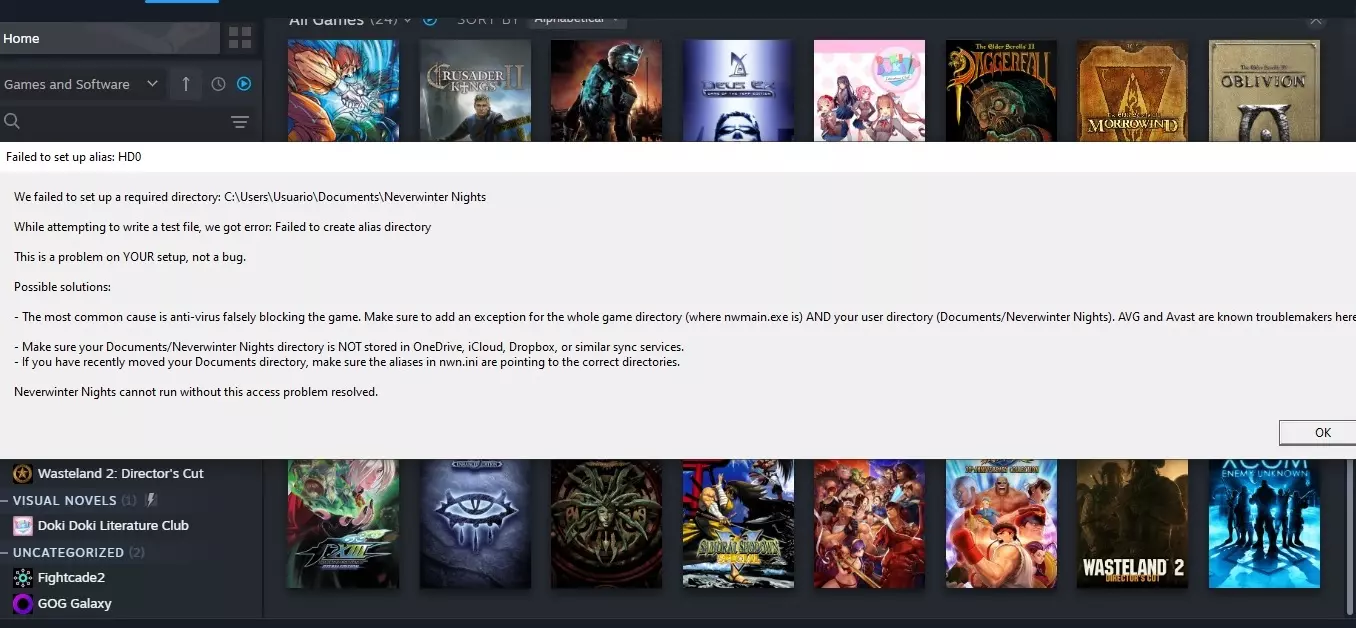
别名设置失败修复
你是否曾遇到过尝试启动游戏时弹出“Failed to set up alias: HD0”这个烦人的提示,却不知道该如何解决?在本指南中,我将向你展示如何修复此…
2026-02-20 10:000赞 · 0评论
《无冬之夜:增强版》文本与语音汉化补丁
提供增强版以及经典版的完整本地化补丁,包含游戏本体及两个DLC的本地化内容。该本地化补丁基于1.70社区俄语版文本制作,并参考了1С 1.66版本进行编辑。多项…
2026-02-20 07:000赞 · 0评论
角色创建工具
本指南是为新手以及那些根本不知道这些程序存在的人编写的。
2026-02-20 04:000赞 · 0评论

《冬日永夜》成就指南
《无冬之夜:增强版》全成就获取指南 简介 你究竟是陷入了怎样的困境,才会来向我求助。©欢迎你,冒险者!这份指南是我为那些和我一样的“受难者”所写——2021年,…
2026-02-20 04:000赞 · 0评论

先知传奇。《无冬之夜》最佳剧情模组
你好,旅行者!本指南旨在帮助你了解精彩的“先知”系列模组。我会简要介绍模组的概念、可能存在的漏洞、解决方法以及其他有趣的细节。 哪里下载以及舒适游戏还需要什么此…
2026-02-20 01:000赞 · 0评论
暂无更多