换一换
换一换 


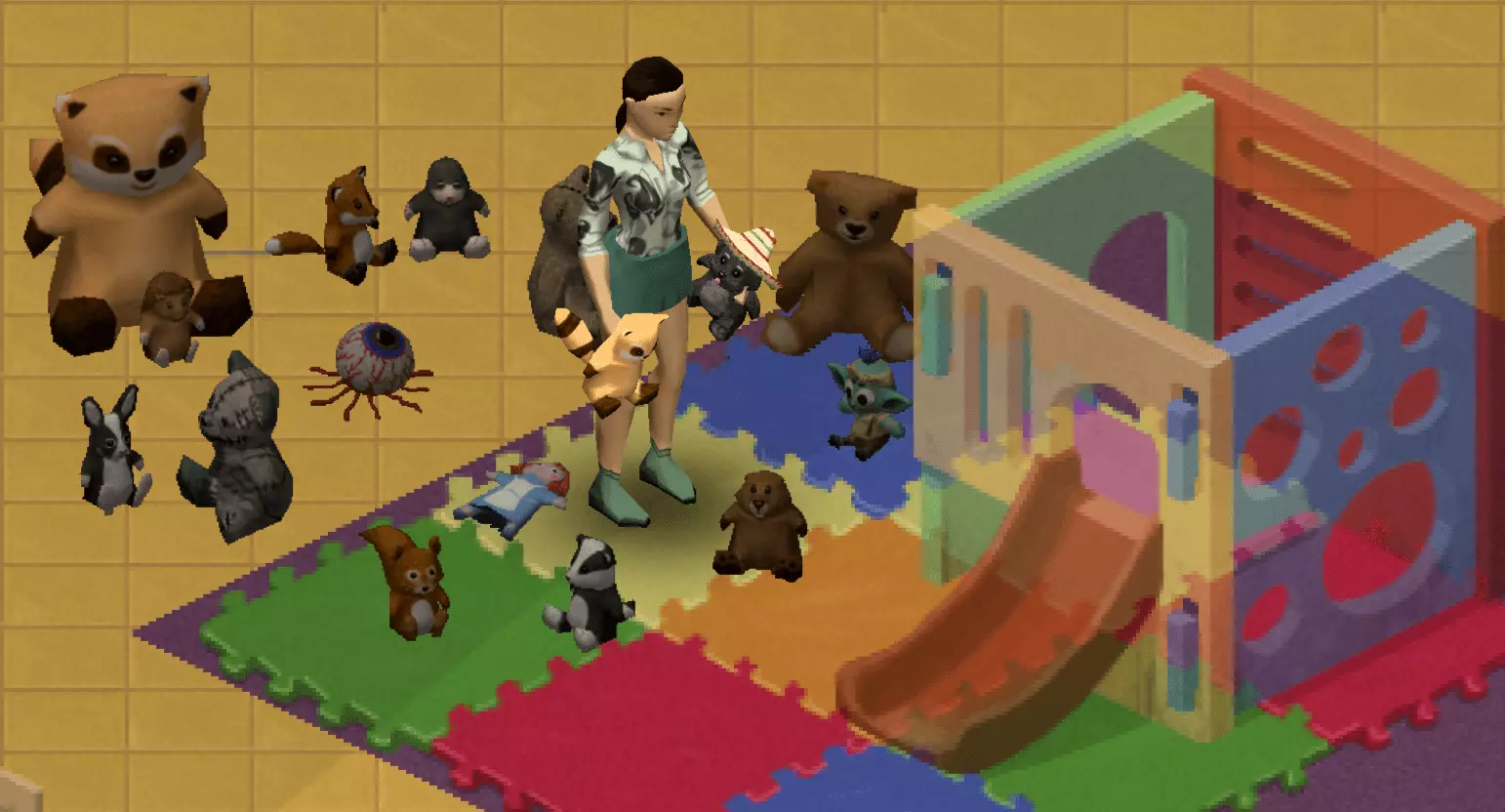
Most vanilla items are not visible when hold in hands in B42. Most of the time, the 3D objects exist to be visible on ground (as a WorldStaticModel) but are just not configured to be displayed when hold in hand (as a StaticModel) This guide gives you the snippets and process to make those objects visible in hand too. Introduction This guide does NOT address basic mod creation process. There are plenty of guides and tutorial out there for that. As always, your questions about Project Zomboid modding should be asked on PZ Discord[discord.gg]. Item definition override SnippetYou need to adds the following lines to the item definition: primaryAnimMask = HoldingTorchRight, secondaryAnimMask = HoldingTorchLeft, StaticModel = <InHandModelDefinition>, Example Before (Vanilla)module Base { item Spiffo { DisplayCategory = Raccoon, ItemType = base:normal, Weight = 0.8, Icon = PlushSpiffo, WorldStaticModel = SpiffoPlushie, Tags = base:ignorezombiedensity;base:isfirefuel;base:isfiretinder;base:ismemento, FireFuelRatio = 0.25, } Example After (Modded)module Base { item Spiffo { DisplayCategory = Raccoon, ItemType = base:normal, Weight = 0.8, Icon = PlushSpiffo, WorldStaticModel = SpiffoPlushie, Tags = base:ignorezombiedensity;base:isfirefuel;base:isfiretinder;base:ismemento, FireFuelRatio = 0.25, primaryAnimMask = HoldingTorchRight, secondaryAnimMask = HoldingTorchLeft, StaticModel = SpiffoPlushie_Hand, } In Hand Model definition SnippetYou need to create a new model definition with attachements relative to the correct bones (right and left hand prop bones) attachment Bip01_Prop1 { offset = -0.02 -0.06 -0.08, rotate = 60.0 180.0 0.0, scale = 1.0, } attachment Bip01_Prop2 { offset = 0.02 -0.06 -0.08, rotate = 60.0 180.0 0.0, scale = 1.0, } Example Reference (World Static Model, Vanilla) model SpiffoPlushie { mesh = WorldItems/SpiffoPlushie, scale = 0.4, } Your reference model name is the value of the WorldStaticModel parameter of your Item. Make your model in the same module as your reference (most likely Base module). If the reference model has a mesh line, a texture line, or a scale line, copy those too. If the reference model has an "attachment world" node, do NOT copy it. Example Added (Static Model, Modded) model SpiffoPlushie_Hand { mesh = WorldItems/SpiffoPlushie, scale = 0.4, attachment Bip01_Prop1 { offset = -0.02 -0.06 -0.08, rotate = 60.0 180.0 0.0, scale = 1.0, } attachment Bip01_Prop2 { offset = 0.02 -0.06 -0.08, rotate = 60.0 180.0 0.0, scale = 1.0, } } The name of that new model needs to be the value of StaticModel you added in the item definition. Keeping the same name as the world item and adding "_Hand" suffix is just a preference for clarity. Values to use for offset and rotate are discussed later in this guide. Value for scale in attachment nodes should remain 1 to keep the same ratio as the world item (unless their attachment world node has also a scale different from 1). In hand model tuning Tuning StartUse a default value set that worked for a similar object if you have one. If not, set everything to 0.0 initially except scale that should be 1.0. Start the game, spawn the item from vanilla debug Item List tool and equip it. To save time, make it a new game with no zombie and no other mod. attachment Bip01_Prop1 { offset = 0.0 0.0 0.0, rotate = 0.0 0.0 0.0, scale = 1.0, } attachment Bip01_Prop2 { offset = 0.0 0.0 0.0, rotate = 0.0 0.0 0.0, scale = 1.0, } Tuning LabourNow is the waste of time. Do the tuning for attachment Bip01_Prop1 only until you are satisfied, testing by equipping the item in primary hand only. Quit the game save, change one parameter at a time, then continue on that save. Start with tuning roughly offset values (in apparition order). The first one is lateral. Then change rotate values. Then fine tune offset values. attachment Bip01_Prop1 { offset = -0.02 -0.06 -0.08, rotate = 60.0 180.0 0.0, scale = 1.0, } Prop1 to Prop2Copy the values from Bip01_Prop1 to Bip01_Prop2 and change the sign of the first offset value (it is the lateral offset). I suppose there could be a need for mirroring on the rotation too, but I was lucky not to need it. Test one more time. attachment Bip01_Prop2 { offset = 0.02 -0.06 -0.08, rotate = 60.0 180.0 0.0, scale = 1.0, } Result Example You can use My Spiffo mod as an exemple of a functional result.