换一换
换一换 




如何为角色生成器添加“部件”!本教程包含详细步骤示例,教你如何复制男性配饰,使其也能用于女性角色。 简介 唉……我真不明白为什么生成器一开始不支持这个功能。我的意思是……为什么要限制可用部件的数量呢?除了口红选项外,其他嘴巴部件并没有本质上的性别区分……而且男性也可以涂口红(我不做评判)。那么这种区分意义何在?说实话,我使用VX Ace时做的第一件事,就是确保两种性别都能使用所有相同的部件。 所以当我接触到这款生成器时,我也做了同样的事,但这花费了我大量的反复尝试。 我想把这些反复尝试的经验分享出来,帮大家省去这些麻烦 :) 角色生成器。 这真是个超棒的小功能。我太喜欢了。我在《RPG制作大师ACE》里就很喜欢它,特别担心它不会出现在《RPG制作大师MV》中,当它真的出现在MV里时,我松了一大口气 :) 这是我看到的样子,就像我在VX Ace里做的那样(让大部分部件对两种性别都可用):
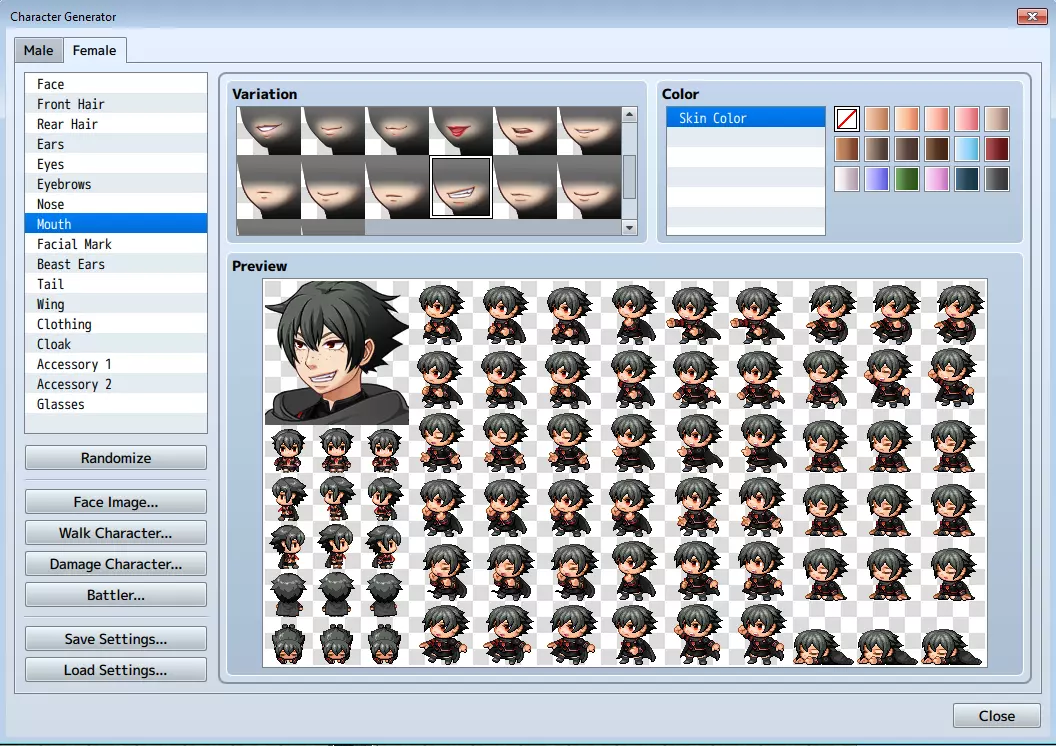
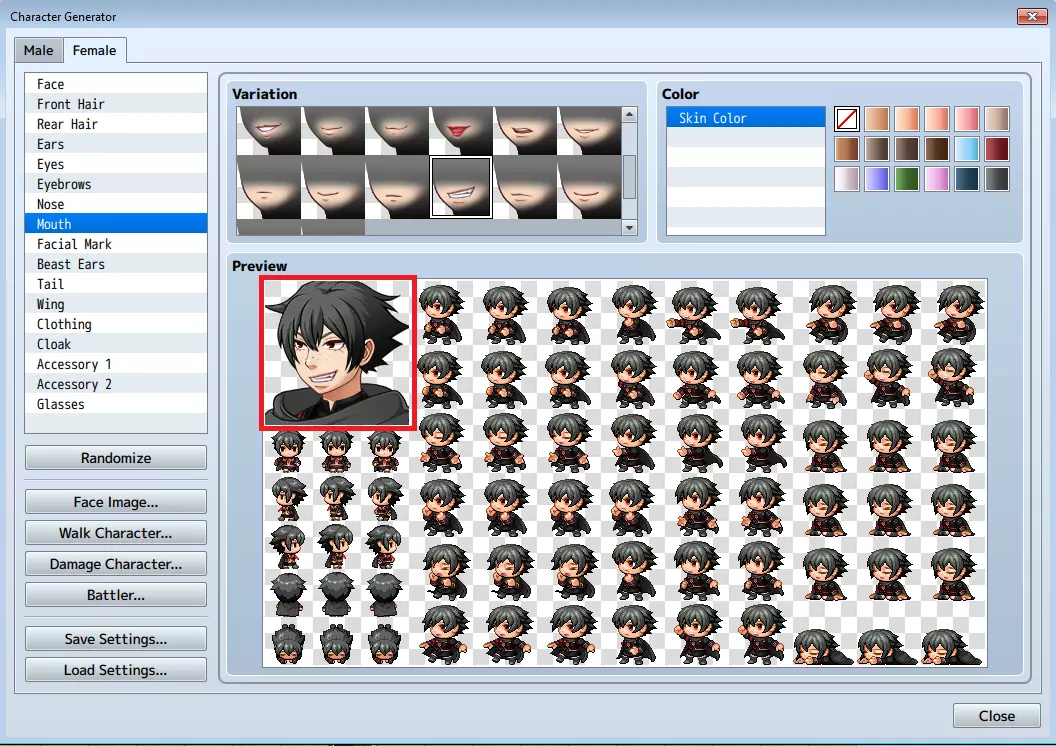
看到那张嘴了吗?那是男性角色的嘴型!没错!我想要的是一个不会对着镜头只是微笑、看起来温顺的女性角色。我还希望她有一些个性!谁能想到呢? 无论如何,在我继续之前,先把话说清楚。并非所有部件都适合跨性别使用,而且很多部件,比如发型,本身就是中性的。但这不应该阻止你使用那些确实合适的部件^^ 如果你有艺术天赋,或者正在借鉴他人的成果,并想向生成器添加自定义资源,本指南将部分涵盖这方面内容。 它的工作原理如下。 首先,我们需要了解生成器的工作方式。 生成器基于文件名结构运行。就像主程序一样,它会扫描相关文件夹,寻找兼容的内容,并根据文件名添加这些内容。要让部件出现在角色生成器中,需要满足两个条件:实际的面部/角色部件,以及程序所需的图标。 如果这听起来很复杂,别担心,其实不然。让我们逐步分解。 首先,进入RPG Maker MV文件夹中的角色生成器文件夹: 打开你的Steam文件夹,然后依次进入steamapps common RPG Maker MV Generator。在这里你会找到5个文件夹,每个文件夹都包含一个【男性】和【女性】文件夹,里面存放着生成器中特定性别的图像资源。这些文件夹的工作原理如下: 【面部】文件夹包含将添加到生成器面部图像中的部件。
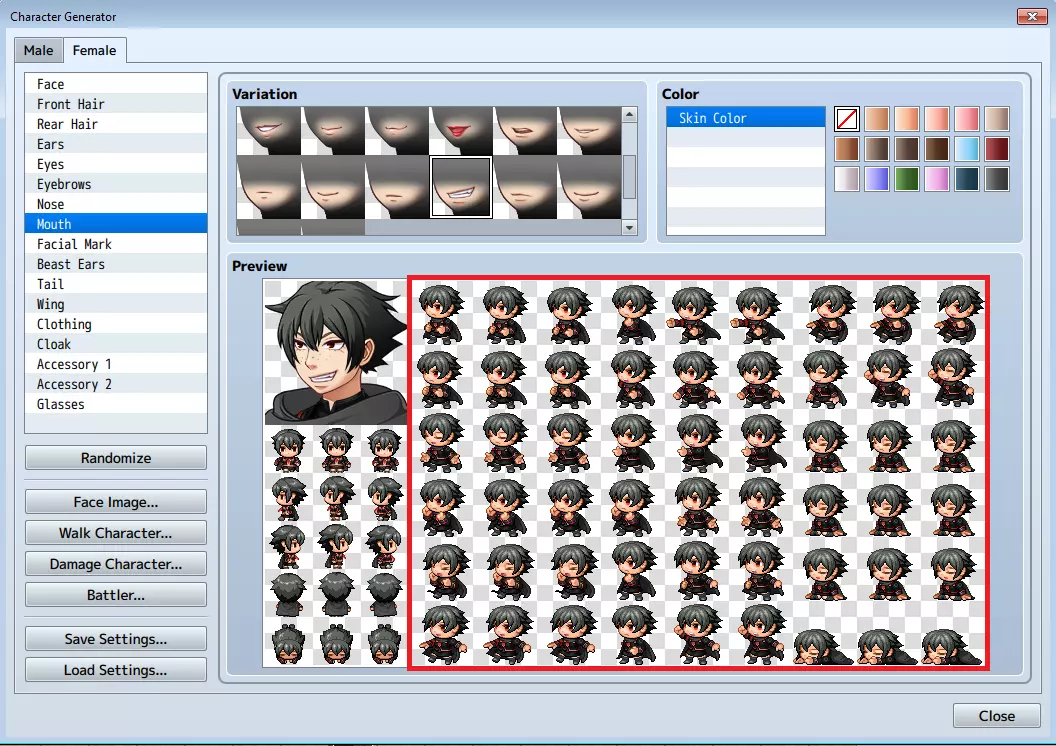
“SV”文件夹包含将添加到生成器侧视图图形中的部分。
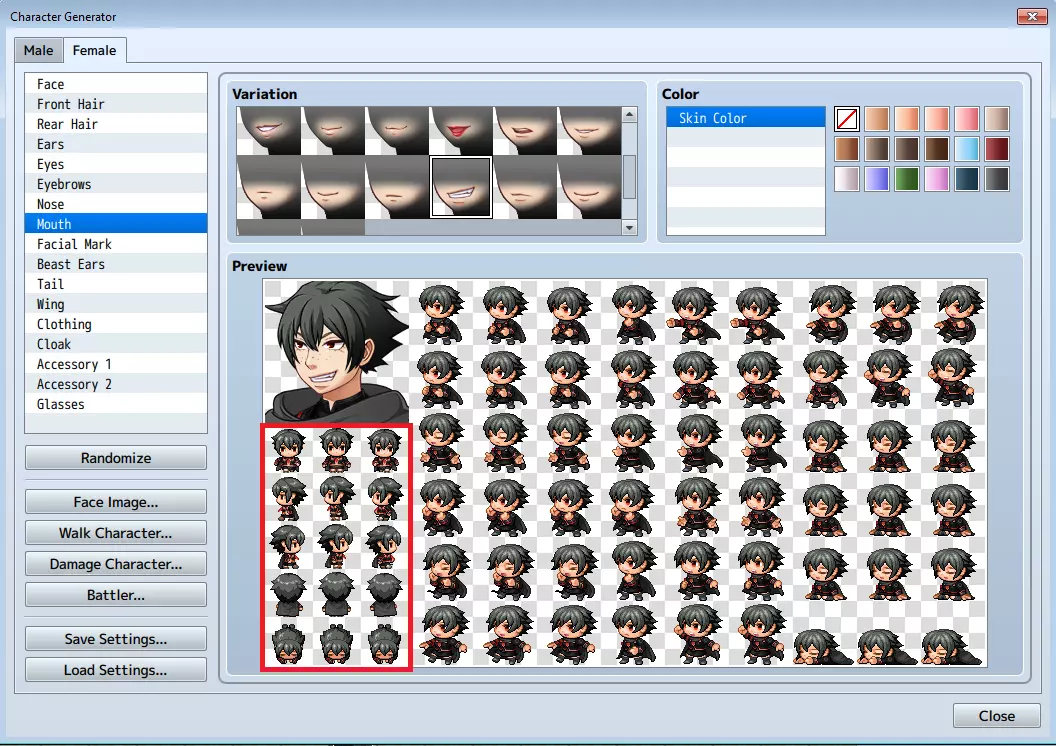
“TV”文件夹包含将添加到步行者图形的部件,“TVD”文件夹包含将添加到损伤图形的部件。
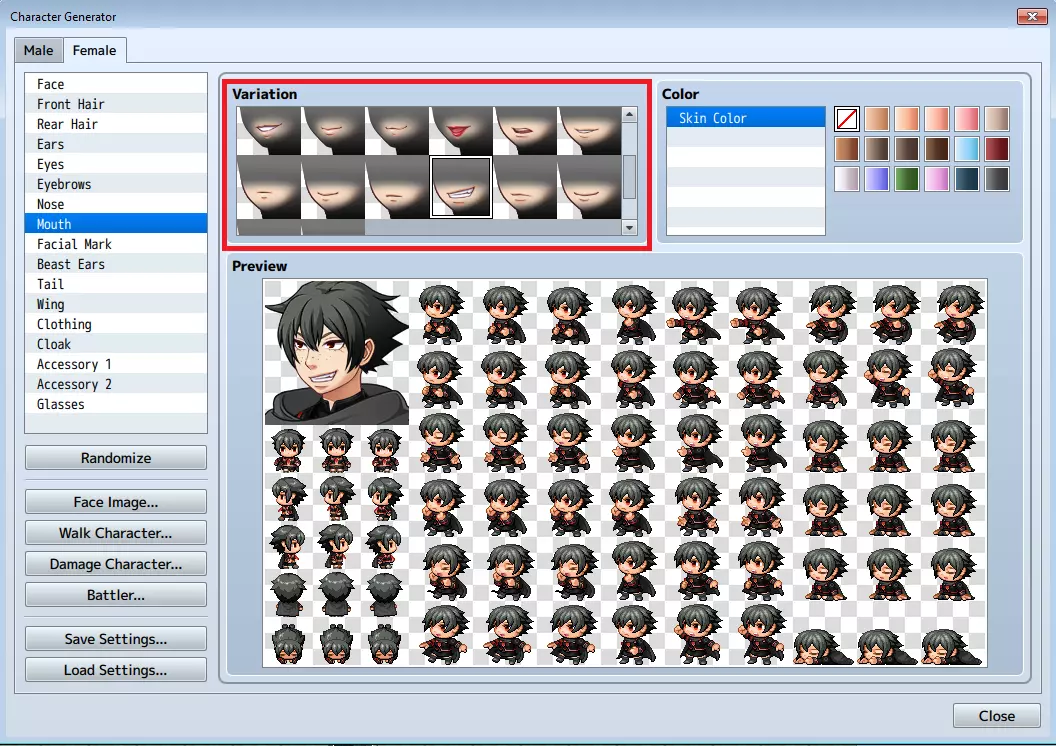
“Variation”文件夹包含将在生成器中用作图标的美术资源。
Explore these folders for a while and you will see what I mean. How to add new parts. Now, the Generator add all these graphics together based on file names. I'll explain it by showing and example: The files "FG_AccB_p05_c1_m016.png" and "FG_AccB_p05_c2_m017" inside the "Generator Face Male" folder make up the pair of goggles for the Male "Accessory 2" tab. These will make up the part that will be shown on the character's face. Then there are the files for the Walk Character graphics inside the "Generator TV Male" folder: "TV_AccB_p05.png" and "TV_AccB_p05_c.png" And again, inside the "Generator TVD Male" folder are the graphics for the Damage Character graphics: "TVD_AccB_p05.png" and "TVD_AccB_p05_c.png" Beginning to see a pattern? Can you guess the name of the files inside the "Generator SV Male" folder? Well, it's "SV_AccB_p05.png" and "SV_AccB_p05_c.png" Finally there's another thing needed to make the goggles accessible from the Generator, and that's a file inside the "Generator Variation Male" folder: "icon_AccB_p05.png" Can you see the common nominator here? It's the "AccB_p05" part that you can find in every file name. AccB tells the generator that, from all files in respective folders (TV, TVD, FG, etc.), this part belongs under the Accessory 2 tab of the Generator software. The "p05" tells the software that all AccB art that has a "p05" in the name belong together. Keep in mind that you don't have to have a p05 or whatever in every folder. As long as you have an icon for it in the Variation Folder, you can access it from the Generator even if it will just be a meaningless button to click xD In short, for the goggles to show up in the editor, in damage, walker, battler and face graphics, there needs to be an AccB_p05 file somewhere in every folder. So, theoretically, if we wanted to make a NEW accessory for the Acessory 2 tab... Just copy all the "AccB_p05" parts in each respective folder... And change the 5 to a 6 and voila! You can edit the goggles that will now show up as it's own part in the generator! Alternatively, if you have finished Accessory 2 art from somewhere else, you can just rename them to AccB_p06 etc and paste them into their respective folders! ^^ The software sees that there's a new part that has the required corresponding art in the other folders and thus are valid. The files also need to be the proper format, resolution etc. Check the existing files to find those. Good luck! How to make a Male Accessory available to Females As covered before, as long as you keep to the file names required and put them in the right folders things should be fine. First, off, find all the files used for the goggles: Generator Face Male FG_AccB_p05_c1_m016.png Generator Face Male FG_AccB_p05_c2_m017.png Generator SV Male SV_AccB_p05.png Generator SV Male SV_AccB_p05_c.png Generator TV Male TV_AccB_p05.png Generator TV Male TV_AccB_p05_c.png Generator TVD Male TVD_AccB_p05.png Generator TVD Male TVD_AccB_p05_c.png Generator Variation Male icon_AccB_p05.png Copy them into a new folder somewhere, and then go to the female folders to find out the greatest pXX number in use. Unless you already added your own content or downloaded finished content, it should be p07. Thus, to make sure it won't conflict with any existing art, we should rename all p05 instances of the copied goggle files to p08, as every number up to and including p07 is already used for females. Here's what you should rename them too, broken down by file: "FG_AccB_p05_c1_m016.png" to "FG_AccB_p08_c1_m016.png" "FG_AccB_p05_c2_m017.png" to "FG_AccB_p08_c2_m017.png" "SV_AccB_p05.png" to "SV_AccB_p08.png" "SV_AccB_p05_c.png" to "SV_AccB_p08_c.png" "TV_AccB_p05.png" to "TV_AccB_p08.png" "TV_AccB_p05_c.png" to "TV_AccB_p08_c.png" "TVD_AccB_p05.png" to "TVD_AccB_p08.png" "TVD_AccB_p05_c.png" to "TVD_AccB_p08_c.png" "icon_AccB_p05.png" to "icon_AccB_p08.png" Then copy them back to their respective folders, but put them in the "Female" folders instead. What you should end up with are these files: Generator Face Female FG_AccB_p08_c1_m016.png Generator Face Female FG_AccB_p08_c2_m017.png Generator SV Female SV_AccB_p08.png Generator SV Female SV_AccB_p08_c.png Generator TV Female TV_AccB_p08.png Generator TV Female TV_AccB_p08_c.png Generator TVD Female TVD_AccB_p08.png Generator TVD Female TVD_AccB_p08_c.png Generator Variation Female icon_AccB_p08.png Restart RPG Maker MV if it was running. When you boot up the generator, the very last Accessory on the Accessory 2 tab should be the goggles :) I know one Tomboy that's happy with her newest accessory XD
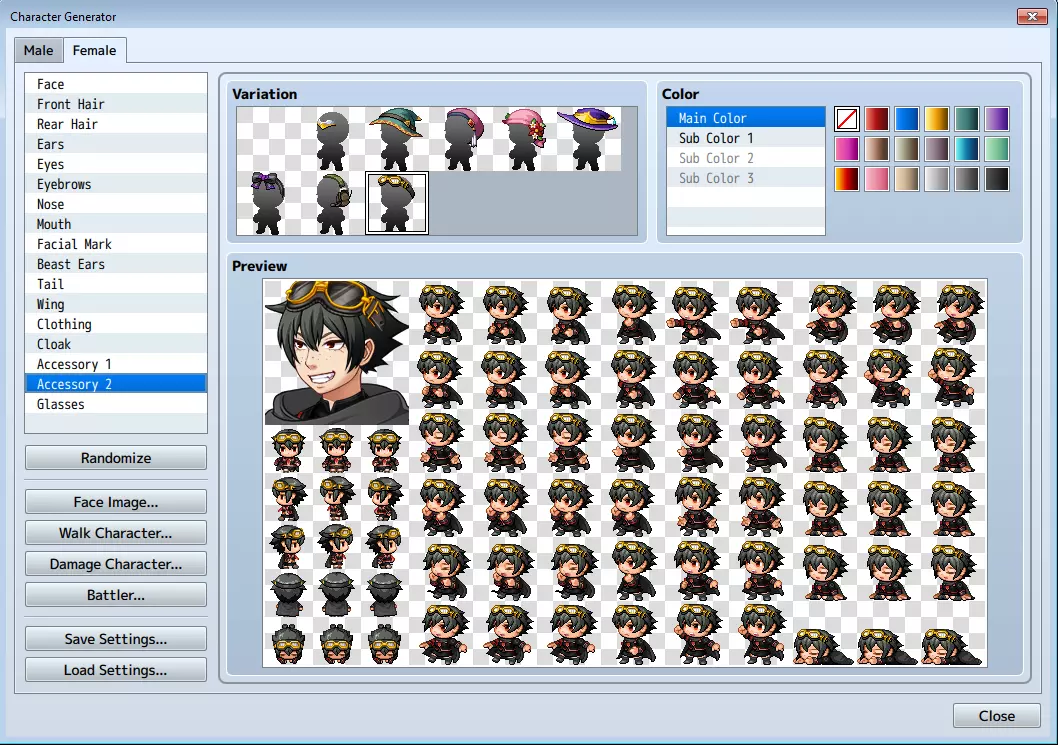
好了,我希望我已经把大部分内容都讲清楚了。虽然乍一看有很多文件名和文件夹目录,但一旦你掌握了窍门,这个系统其实相当简单。另外,如果你想让护目镜出现在【配饰1】标签页(虽然我不知道为什么要这么做),只需将文件名中所有的【AccB】实例重命名为【AccA】即可。 不管怎样,祝你在未来添加部件时好运。 注意!请记住,面部和侧视图图像可能需要根据具体部件进行轻微调整。侧视图形尤其敏感,特别是图像右下角角色跪姿的部分。