换一换
换一换 


In this guide I'll explain how you can use commands in your game to test stuff out, try techniques or simply have fun with. Introduction: Wanted to enjoy a Sandbox play-style? Than this guide is for you! In this Guide I'll Explain how to use commands and what they do! BEFORE USE: Before using these commands. Remember: after using these cheats the game can become boring after using cheats too much. Try to use the cheats mostly to test stuff out. If you aren't bothered much by this than use it. Please first try the game without cheats for a couple tries before trying them out. How to active cheats 1. Be sure to be inside of a save as you can only activate them there. Not the main menu. 2. Press "`" Key. That press Either A W D S to move in-game. This will make the debug menu appear. (On a AZERTY keyboard the Console Command menu is opened with '!' , So translate ` for !) 3. Press the ? on the bottom right of the menu. 4. Once you see a list. click on "Enable Cheats" 5. Once clicked a bug report will appear. Ignore this. 6. Press "`" again, and move ingame 7. Press "?" again 8. Success! You've unlocked the power of god, If he was limited. Quick PSA In this section We'll cover what cheat does what. A quick PSA: Remember cheating the game Isn't as the game is intended but I am not your parent so use as you please. Okay we have a lot of cheats. About 54. I am gonna split these up into Sections. Important: When you click a cheat, there will be a Type and a Quantity you'll probably need to full in like the resources like: "AddResourcesToBuilding res_cans 10" WHEN USING A COMMAND AND PRESSING ENTER BE SURE TO EXIST THE DEBUG MENU TO ACTUALLY USE YOUR COMMAND! (I had this mistake) AND RIGHT CLICK TO EXIT A CHEAT! [Building Cheats - Add Cheats] =BUILDING CHEATS= (First will appear as incomplete, but after right clicking it puts it all down.) -AdaptBuilding What it does: Instantly adapts a building to a shelter or a cookhouse. How to use: Left click on a building. Extra: Lets you build buildings you like homes and gathering places which u can't research as of now. -CreateFarmLand What it does: Builds Crop Field How to use: Select and click "bld_farm". Go out the debug mode and build Extra: Every field are 2 workers more stressing your pc. Just spawn food and your good. But can be used for visuals. -CreateGate What it does: Instantly Builds Gate . How to use: Select and select what type you want. Than exit debug menu, and then build. Extra: Act as watchtowers and are better cause these actually get instantly build. (can be use to cancel the spawn of enemies in their visual area. -CreateWall What it does: Instantly Builds Wall . How to use: Select and select what type you want. Than exit debug menu, and then build. Extra: Good use if you want to create a big space without enemies. =EVENTS= CompleteActiveMissions What it does: Completes all active missions. How to use: Select. Extra: Be sure to save before using. -EndMission What it does: Ends a mission. How to use: Select what mission. Extra: Be sure to end a active mission. -StartAction What it does: Starts a action. How to use: Select and select a event. Extra: Didn't understand it. But good little secret code to see what the devs have planned. -StartEvent What it does: Starts Events. How to use: Select and select a event . Extra: More secret Code hehe. -StartMission What it does: Starts Events. How to use: Select and select a mission. Extra: goodjob. -StartTransmission What it does: Starts a incoming transmission. How to use: Select and select a transmission. Extra: Be sure to have done the antenna mission and build one. =ADD CHEATS= -AddEventToPool What it does: ?? How to use: Select it Extra: BEWARE! My game crashed and after a second time it didn't but nothing happened. Use With Caution. -AddMoodModifier What it does: Adds a mood boost How to use: Select it and add a X times Extra: Gave me a Bug and didn't work -AddResearchProgressPoints What it does: Adds points to your current research How to use: Select and add the amount of points you want Extra: Be sure to have a active research Project -AddResourcesToBuilding What it does: Adds a certain resource to a building of your choosing How to use: Select a resource and a amount. press Enter. Exit Menu. Click on a building. Extra: Every click is 1X. SO for example u did 20. Pressing 2 times on a building gives it 40. (Be sure to click on a Owned building with a inventory. -AddResourcesToHq Same as above but that its your HQ so u don't have to select it. Extra: U can build multiple HQ's but this cheat only sends it to your first one! -AddScientificMaterials What it does: Adds books which are used for research How to use: Select and type a amount Extra: Yay, you are becoming smarter! -AddWorkersToHq What it does: Adds workers to the main HQ How to use: Select and type amount Extra: Beware, the more workers the more lag [Clear cheats - Debug cheats] =CLEAR CHEATS= (USE WITH CAUTION) -ClearNavData I have no clue what it does. When u click on it it automatically enables it. So yeah, don't just click. (Blackwolf: I think NavData is used for pathfinding but I am not 100% sure about this.) -ClearStockrooms What it does: Removes all items from all storage's How to use: Select Extra: Beware when using in a save, can really screw you up if you didn't save. (happened to me while testing lmao) =POWER CHEATS= -ScavengeAllBuildings What it does: It explores all buildings and shows the items in them like you already went there. How to use: Select. Extra: Map clutter, a lot of things on the screen. -SetDay What it does: Changes the day. How to use: Select and type the amount. Extra: Higher than 9999 causes a bug. (i found doomsday hehe) Also: After going higher than 9999 u can't change it back to day 56 for example. -SetHour What it does: Changes the time. How to use: Select and type amount. Extra: Didn't test but don't do 56:23 or something. -SetSoldierHp What it does: Changes the hp of a soldier. How to use: Select and type a amount. Extra: I assume this does it for all your squads. -ShowAllGroups What it does: Shows all squad. How to use: Select. Extra: Doesn't have much effect on my end. -ShowAllVehicles What it does: Shows all Vehicles How to use: Select. Extra: Doesn't have much effect on my end. -StartWeatherFog What it does: Fog appears How to use: Select and type true Extra: can cause a error -UnlockContent What it does: It unlocks stuff like the gathering stuff, hospital or even already unlockable buildings. How to use: Select and Select Content Extra: You'd be building useless buildings cause they have no function (BlackWolf: It also allows you to unlock production types such as 'wood to fertilizer'. as for the 'useless buildings' most of them don't have a use yet but some do, all tower types (like the wooden towers but able to hold more guards and have more HP), greenhouse (farm inside a house, production speed depends on workers assigned. produces 2 wheat (not sure if tech impacts it) and if staffed with a decent amount is already tens of times more time efficient than farms) and houses (superior shelters that are a bit more expensive, give more housing and a mood bonus 'people living in luxurious conditions'), are confirmed to have functionality. _____________ -UnlockResearchType What it does: Unlocks a research How to use: Select and select a Research Project Extra: Can cause missions like the antenna not to be able to complete cause u can't research it anymore. (BlackWolf: Cannot unlock 'medic(al)' and 'infection/infected (not sure about the name)' research trees. Fungi: Personally don't believe u can unlock any of the researches that aren't already unlocked through normal research) __________________________ =SPAWNING CHEATS= -CreateResourceCursor What it does: Spawns a resource of choosing on the ground where u click How to use: Select and select resource. Exit debug menu and spawn Extra: Outside of challenges i don't see much use for it cause u can spawn stuff in buildings. -SetSpawnPointVisualizationState What it does: I don't know How to use: Select and press true Extra: I assume this should show a marker for what you're spawning but it doesn't do much for me. -SpawnBigSquadAtCursor What it does: Spawns a selected vehicle with a 16 man squad How to use: Select and select vehicle. Exit debug menu and spawn in Extra: Won't spawn with any weapons -SpawnGroupAtCursor What it does: Spawns a group of npcs. How to use: Select, select a amount of units, select a weapon, and type 1. Extra: Don't spawn birds or armor. These create a bug. IMPORTANT: DON'T SPAWN THEM WITH SNIPERS!!!!! ONLY WHEN IT's YOUR OWN SQUAD!! EVERY TIME THEY SHOOT U GET A BUG!! -SpawnGroupInBuilding What it does: Spawns a group of npc's in a building How to use: Select, select a amount of units, select a weapon, and type 1. Extra: Don't spawn birds or armor. These create a bug. -SpawnImmigrants What it does: Spawns Immigrants in the map How to use: Select Extra: Didn't appear so i assume they spawn random -SpawnImmigrantsAccept What it does: Spawns Immigrants in the map. That are accepted to your community How to use: Select Extra: Didn't appear so i assume they spawn random -SpawnRandomSquad What it does: Spawns a player squad with How to use: Select Extra: Spawns in a random vehicles. They have ak's but when clicking on them the ak's are gone. -SpawnSquadAt What it does:Spawns a Squad on cords How to use: Select, type cords, type amount and select vehicle -SpawnSquadAtCursor What it does: Spawns a squad where your press How to use: Select and choose vehicles Extra: better option than above -SpawnSquadAtLatLon What it does: Spawns Squad on cords How to use: Select, type cords and select vehicle Extra: The cursor is better -SpawnVehicle What it does: Spawns a Vehicle How to use: Select a Vehicle, exit Debug mode and spawn in Extra: Some vehicles don't work and don't have a inventory. (no the tank isn't worth it) =REMOVE CHEATS= -DestroyResourceCursor What it does: Removes a dropped Item How to use: Select, Exit Debug Menu and click Extra: Only works on items. Not buildings or raw materials like trees and brick piles -KillAllGroups What it does: KILLS THEM ALL How to use: Select EXTRA: SAVESAVESAVE!!! -KillWorker What it does: Kills a random worker How to use: Select Extra: Kills a random worker and can cause a hole in your work force -RemoveMoodModifier What it does: Removes morale by % How to use: Select with a amount Extra: Doesn't seem to work -RemoveResourcesFromHq What it does: Removes a certain recourse after choosing one How to use: Select and select the recourse Extra: Assuming this only works on main HQ =DEBUG= (Non cheat kind) - i won't put effort in these cause they're basically settings. -ChangeLanguage You know what it means. Need a line of code that I don't know. Sorry -HideFPS It hides your FPS -SaveGame Saves your game -SetFpsLimit Sets a Fps Limit ... -SetResolution This is in your settings lol -SetTimeSpeed This is literally your F1 F2 and F3 keys Ending -After trying all these cheats my current save is totally having a heart attack hahaha -With some cheats and typing "what they do" i feel like that kid that got asked "what does a Wind blower do" and answers "Something that blows air". Some commands were just obvious lmao Alright, Hopefully you had a use to this guide. It took my evening to make it so if u can spare a like I'd appreciate it! If i can just add my opinion and i think others can agree: This game is what Project Zomboid misses (which isn't bad, each game their own thing). This game is a one of a kind and there is so much potential.
如何使用控制台命令(更新时间:2024年1月13日)

2026-02-20 04:00:08

导读
这是一篇2024年1月13日更新的游戏控制台命令使用指南,介绍了游戏作弊控制台的开启步骤,还详细讲解了建筑、事件、资源添加、清除、能力、生成、移除等多类控制台命令的功能与使用方法,同时提醒玩家适度使用作弊功能。


评论
共0条评论

如何选择自己的道路
你可能会注意到,每次启动游戏时,你都不会得到那个……实际上我从没玩过这个游戏……事实上我甚至不知道其他路线是什么。 居然没有荷兰语?好吧,我的意思是,就像其他两…
2026-03-20 04:000赞 · 0评论

《重返德军总部》作弊指南
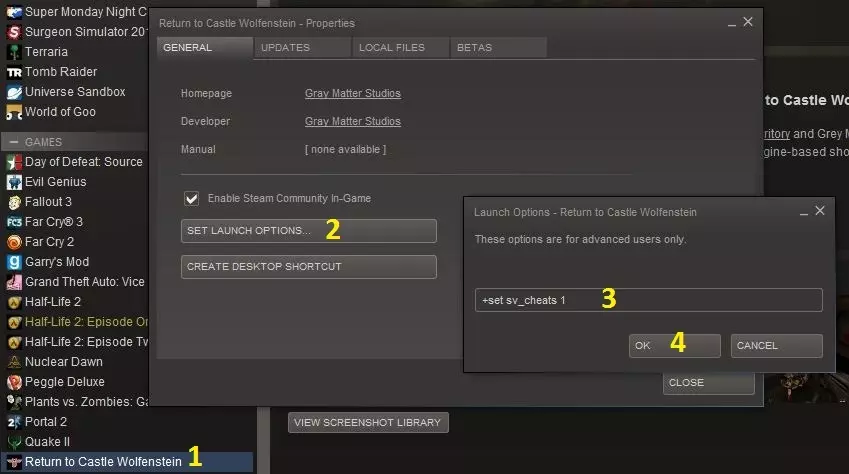
所有可用作弊码和控制台命令的完整列表。 首先,在开始使用作弊功能前,你需要在游戏中启用作弊模式。在Steam中添加启动选项是最简单的方法。
2026-03-21 16:000赞 · 0评论
波尔卡(简单难度)(基本等于作弊)
警告!本指南的内容本质上属于作弊行为。如果你只是为了获取成就,那么可以继续阅读;但如果你希望按游戏的预期方式体验游戏,那么本文不适合你。 操作方法: 此技巧非常…
2026-03-19 22:000赞 · 0评论
ZOMBI 2015 - 物品ID及武器删除(物品作弊)[德语说明][删除物品][2022]
所有物品ID的简单列表。 如何删除我的初始装备??? 说明 使用CE(CheatEngine)可以通过ID将物品添加到相应的 inventory 栏位中。 关于…
2026-04-01 01:000赞 · 0评论
基础指南:展示如何输入作弊码和跳过关卡
此信息已在已发布的作弊指南中提及,但我认为提供一份关于如何使用无敌模式作弊和跳过关卡(本指南中跳过的是“slezz level”关卡)的图文指南可能会有所帮助。…
2026-03-20 19:010赞 · 0评论
《骑士shift》作弊码
最近刚开始玩这款游戏,但它确实有些年头了,玩起来有点无聊和累人。 本来只想为自己做个指南,但又觉得分享出来或许能帮到其他人,所以就有了这篇内容。 可用的作弊码 …
2026-03-18 16:000赞 · 0评论
如何修改存档文件(作弊)(已更新至3.1版本)
《Suzerain》存档文件修改指南 修改Sordland和Rizia DLC存档文件需了解的最重要事项汇总,以及相关通用技巧。 如何修改《Suzerain》的…
2026-03-26 10:000赞 · 0评论

如何开启《屏幕作弊》
本指南将教你如何启动《屏幕作弊》(真实有效,绝非标题党,100%管用,千真万确) 如何打开《屏幕作弊》 点击【开始游戏】按钮
2026-03-21 19:000赞 · 0评论

控制台命令
你好!本指南将介绍所有控制台命令(所有命令均不影响成就,例如通过命令获得100k时,仍会正常解锁成就): industrial - 升至28级,并解锁爆炸后的剧…
2026-02-20 16:001赞 · 0评论
控制台命令(已更新天赋)
如何启用控制台以及部分基础指令(如金钱、技能点等)的使用方法。 启用控制台 简要步骤: 1. 进入菜单中的设置 2. 选择热键选项 3. 向下滚动至额外功能(位…
2026-02-14 19:000赞 · 0评论
暂无更多
最新更新
- 《无感染区》更新#38修复公告 1. 修复了巴士总部容量问题 2. 服务器更新 — 《无感染区》修复公告 1. 调整了车队模式下巴士总部的容量,从初始设置后的60提升至300。 2. 更新了服务器设置。 3. 更新了分析事件相关内容。 4. 修…
- 《无感染区》重大更新#6预览 - 全新优先级系统、区域警报、熔铁炉 — 《无感染区》大型更新#6内容公告 各位幸存者们,大家好! 我们很高兴为大家带来《无感染区》大型更新#6的另一批新特性。如果您错过了之前的公告,我们最近新增了爆炸…
- 《无感染区》更新公告#37 - 修复内容 1. 树木采集系统平衡调整 2. 新增服务器 3. 商队问题修复 — 《无感染区》修复更新公告 1. 新增新加坡服务器。下载新地图时,游戏会自动检测并切换至最佳服务器。 2. 为以车队模式开始的游戏中的载具增加了初始资源。 3. …
- 200天 — 第200天基本情况总结以及初期需要做什么才能撑到第200天 第200天——一切如何? 我在第200天的一些个人见解 首先,不是我想这样,而是因为市民太多会让我的…
- 《无感染区》Bug修复更新 #36 - 自由视角、建筑拆分修复、内存泄漏修复 — 各位幸存者们,大家好! 应广大玩家的需求,我们已开始试验自由视角控制台命令。尽管该功能尚处于高度试验阶段,但我们仍将其加入了当前版本。欢迎大家体验并反馈使用感受…
- Globetrotter Achievement — 我在2024年11月7日解锁了该成就,本指南将帮助你也解锁它。 Great Success! 2025年5月12日更新:已由开发团队修复。 如何解锁成就
- 我是传奇 — 你是否曾想过获得类似电影《我是传奇》中的成就,也就是仅靠一名幸存者存活12天?以下是我的做法: 1. 选择纽约市(哈哈) 2. 将所有人编成小队,让剩余人力开始…
- 如何提升游戏性能? — 如果你想提升游戏的性能和稳定性,可以尝试以下解决方案: 调整设置 尝试降低图形设置,因为默认设置可能无法达到你期望的帧率。
- 藏身处与巢穴使用指南 — 对于许多玩家来说,藏身处和据点目前有点难对付。以下是应对方法: 藏身处是土匪的生成点。它和你的建筑一样有生命值,并且里面始终至少有一个4人土匪小队。要对付它,你…
- 终极重建指南 — 那么,你已经在狭窄封闭的地堡中坚持到安全信号响起了吗?恭喜!这份专利指南将为你提供所有*重建社会所需的基础知识、信息和指导,助你踏上这段危险却意义重大的旅程! …