换一换
换一换 




《Barony》V3.3.4+新版JSON格式数据文件指南。创建怪物变体并通过易于修改的文本文件自定义游戏体验! 全新关卡生成模组工具! 欢迎!本教程将介绍使用JSON格式文件结构的全新随机生成模组工具。 使用JSON文件进行模组制作,你只需通过文本文件即可丰富随机生成内容,在文本编辑器中点击“保存”后,游戏内就能立即看到效果。与我们早期的一些工具相比,这是一个进步! 为配合本指南,还创建了一个名为“The Mines”Tweaks的创意工坊模组,以便体验和了解我们全新的JSON模组功能。关于JSON格式文件语法的解释或帮助,有许多有用的在线网站可供查阅,也有工具可测试文本格式是否正确。 从现在开始,我们将直接深入《巴罗尼》的模组制作,假设你已基本了解JSON的要点(其实它并不难!)。 =============================================================== 使用的新数据文件 当首次启动《巴罗尼》v3.3.4版本后,在Steam安装目录文件夹内,你会看到一个新的“/data/”文件夹——本教程中我们将主要在此文件夹内操作。 v3.3.4版本支持数据文件夹中的以下新文件: “/data/monstercurve.”“json”文件用于告知游戏在哪些关卡组生成哪些怪物,无需依赖《巴罗尼》预设的怪物生成机制。例如,你可以在其中指定山羊人在新的 tileset(地图 tileset)中生成,并且该山羊人可以有10种你精心设计的独特装备和属性配置变体可供选择。 “/data/gameplaymodifiers.json”文件用于设置一些常规的游戏性选项,比如全局经验值/金币倍率、玩家最大速度、经验值共享范围,以及一些尚未需要单独json文件的杂项地图生成选项。调整这些选项非常有趣! 名为“/data/custom-monsters/”的文件夹用于存放自定义怪物的json文件。 “/data/monstercurve.”json文件将使用"/data/custom-monsters/"目录下的文件名进行引用,例如"goatman_sword.json"、"goatman_magic.json"等。这可以适配任意数量的怪物变体!《Barony》V3.3.4版本还附带了控制台命令,可导出一些空白模板作为起点,以及一些工坊模组中使用的示例JSON文件和怪物,你可以对其进行重命名或复制。在本教程中,我们将通过控制台命令创建自己的内容。
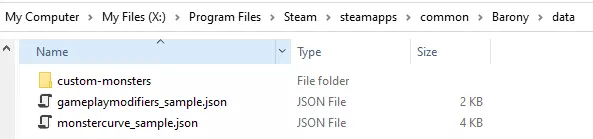
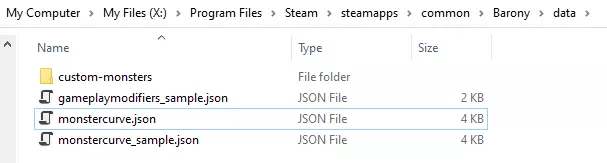
自定义怪物曲线 - monstercurve.json 第一部分 首先,我们来查看预制文件“data/monstercurve_sample.json”内的文件内容。本节底部可以找到完整的文件片段。 复制“monstercurve_sample.json”并将其重命名为“monstercurve.json”,这样《巴罗尼》就能识别该游戏文件。或者,你可以使用控制台命令生成一个新的模板: /jsonexportmonstercurve
monstercurve.json File Contents{ "version": 1, "levels": { "The Mines": { "fixed_monsters": [ { "name": "rat", "variants": { "default": 1 } }, ... ... "random_generation_monsters": [ { "name": "rat", "weighted_chance": 4, "dungeon_depth_minimum": 0, "dungeon_depth_maximum": 99, "variants": { "default": 1 } }, ... At the top of each .json file is a "version" key, for now this will always be 1 but any future updates may require a new version number. Inside the "levels" object is where each of the monster generation "curves" live. You can pick and choose which levels to edit - only the map names specified in the "levels" object are modded, so the Labyrinth, Ruins etc tilesets are not modified with this file. Within "The Mines" are 2 monster generation parts, "fixed_monsters":[] and "random_generation_monsters":[] "fixed_monsters":[] Fixed monsters are specific editor monster spawns within the dungeons pre-made rooms. Think of the Spider cage within the mines tileset or the Goblin-infested shop within the Swamp. The snippet above modifies what properties a Rat can spawn with. The "variants": {} property determines what stats/inventory loadouts to use. To add Rat variants, create monster .json files within the data/custom-monsters folder and add them to the "variants" property. The number next to each variant entry represents the weighted chance to replace each Rat on the map. Adding all the weighted chances together gives the total number of possible selections. The weighted chance is how relatively often each entry will be chosen. If the numbers are all the same, each entry has the same % chance to be picked. For example, if we change the variants to the below snippet: "variants": { "default": 10, "rat_custom_strong": 10, "rat_custom_fast": 5 } The "default" variant has a 10 out of 25 (40%) chance to be picked, "rat_custom_strong" has a 10 out of 25 (40%) chance to be picked, and "rat_custom_fast" has a 5 out of 25 (20%) chance to be picked. Using "default" as the variant name will use the default in-game Rat loadout. We now need to create custom Rat loadouts for the files "data/custom-monsters/rat_custom_strong.json" and "data/custom-monsters/rat_custom_fast.json" =============================================================== Next Section - "random_generation_monsters" We're out of text space for this section, so let's move on to the next section to cover the random generation properties! =============================================================== Full monstercurve_sample.json file snippet { "version": 1, "levels": { "The Mines": { "fixed_monsters": [ { "name": "rat", "variants": { "default": 1 } }, { "name": "skeleton", "variants": { "default": 1 } }, { "name": "spider", "variants": { "default": 1 } }, { "name": "troll", "variants": { "default": 1 } } ], "random_generation_monsters": [ { "name": "rat", "weighted_chance": 4, "dungeon_depth_minimum": 0, "dungeon_depth_maximum": 99, "variants": { "default": 1 } }, { "name": "skeleton", "weighted_chance": 4, "dungeon_depth_minimum": 0, "dungeon_depth_maximum": 99, "variants": { "default": 1 } }, { "name": "spider", "weighted_chance": 1, "dungeon_depth_minimum": 2, "dungeon_depth_maximum": 99, "variants": { "default": 1 } }, { "name": "troll", "weighted_chance": 1, "dungeon_depth_minimum": 2, "dungeon_depth_maximum": 99, "variants": { "default": 1 } } ] }, "The Swamp": { "random_generation_monsters": [ { "name": "spider", "weighted_chance": 2, "dungeon_depth_minimum": 0, "dungeon_depth_maximum": 99, "variants": { "default": 1 } }, { "name": "goblin", "weighted_chance": 3, "dungeon_depth_minimum": 0, "dungeon_depth_maximum": 99, "variants": { "default": 1 } }, { "name": "slime", "weighted_chance": 3, "dungeon_depth_minimum": 0, "dungeon_depth_maximum": 99, "variants": { "default": 1 } }, { "name": "ghoul", "weighted_chance": 2, "dungeon_depth_minimum": 0, "dungeon_depth_maximum": 99, "variants": { "default": 1 } } ] }, "My level": { "random_generation_monsters": [ { "name": "demon", "weighted_chance": 1, "dungeon_depth_minimum": 0, "dungeon_depth_maximum": 99, "variants": { "default": 1 } } ] } } } Customizing Monster Curves - monstercurve.json Part 2 "random_generation_monsters":[]Random generation monsters are randomly spread out in the world whenever maps like the Mines are generated. The Mines are typically home to Rats, Skeletons, Spiders and Trolls - using this property allows us to add or remove monsters types spawning in the world as we wish! If you created a new tileset you would add "random_generation_monsters" properties to pick the monsters you wanted to see in the world. Previously you had to pick a pre-existing set of monsters. Let's take a look at the below snippet, the properties are similar to "fixed_monsters" "random_generation_monsters": [ { "name": "rat", "weighted_chance": 4, "dungeon_depth_minimum": 0, "dungeon_depth_maximum": 99, "variants": { "default": 1 } }, { "name": "skeleton", "weighted_chance": 4, "dungeon_depth_minimum": 0, "dungeon_depth_maximum": 99, "variants": { "default": 1 } }, ... On map generation, a random monster is selected from the "random_generation_monsters" property. We specify the "name" of the monster and it's "weighted_chance". In this snippet the Rat and Skeleton both have a weighted chance of 4 - so if we only had these 2 monsters each one would be picked 50% of the time, 4 chances out of a total of 8. "dungeon_depth_minimum" and "dungeon_depth_maximum" can be used to block monsters spawning if the dungeon floor is outside the range. Maybe you don't want to see Rats past level 1 of The Mines, set the "dungeon_depth_maximum" to 1 to make sure floors 2,3,4 have no randomly generated rats. "variants" can also be set the same as the "fixed_monsters" in the previous section. Before moving on, lets add the following variant details for Skeleton and Rats and hit save on our monstercurve.json "random_generation_monsters": [ { "name": "rat", "weighted_chance": 4, "dungeon_depth_minimum": 0, "dungeon_depth_maximum": 99, "variants": { "default": 10, "rat_custom_strong": 10, "rat_custom_fast": 5 } }, { "name": "skeleton", "weighted_chance": 4, "dungeon_depth_minimum": 0, "dungeon_depth_maximum": 99, "variants": { "default": 5, "super_strong_skeleton": 5 } }, ... =============================================================== Advanced Notes A monster can appear more than once in this "random_generation_monsters" list! An interesting use for variants and dungeon depth properties: "random_generation_monsters": [ { "name": "skeleton", "weighted_chance": 4, "dungeon_depth_minimum": 0, "dungeon_depth_maximum": 2, "variants": { "default": 1 } }, { "name": "skeleton", "weighted_chance": 4, "dungeon_depth_minimum": 3, "dungeon_depth_maximum": 4, "variants": { "super_strong_skeleton": 1 } }, ... At dungeon level 1 or 2 only default skeletons appear - whereas levels 3 and 4 will spawn your custom super strong skeleton! How Weighted Chance changes if monsters do not fit into the dungeon depth properties In the below snippet, Spiders and Trolls do not spawn on level 1. Their "weighted_chance" is ignored for the total calculation, so the resulting probability becomes: The Mines dungeon level 1: Rat 4 out of 8 (50%) Skeleton 4 out of 8 (50%) The Mines dungeon level 2,3,4: Rat 4 out of 10 (40%) Skeleton 4 out of 10 (40%) Spider 1 out of 10 (10%) Troll 1 out of 10 (10%) "random_generation_monsters": [ { "name": "rat", "weighted_chance": 4, "dungeon_depth_minimum": 0, "dungeon_depth_maximum": 99, "variants": { "default": 1 } }, { "name": "skeleton", "weighted_chance": 4, "dungeon_depth_minimum": 0, "dungeon_depth_maximum": 99, "variants": { "default": 1 } }, { "name": "spider", "weighted_chance": 1, "dungeon_depth_minimum": 2, "dungeon_depth_maximum": 99, "variants": { "default": 1 } }, { "name": "troll", "weighted_chance": 1, "dungeon_depth_minimum": 2, "dungeon_depth_maximum": 99, "variants": { "default": 1 } } ] Monster Loadouts - Basics In this section we'll cover creating monster .json files to refer to in your custom Monster Curve. In the previous sections we talked about adding "rat_custom_strong.json", "rat_custom_fast.json" and "super_strong_skeleton.json" - so let's make those here! =============================================================== Generating Default Monster JSON filesYou'll want to start with a basic monster template for our Rat and Skeleton - we can get Barony to generate the layouts for these files for us. Launch Barony and run the console commands once loaded into the start map: /jsonexportmonster rat /jsonexportmonster rat /jsonexportmonster skeleton

这会在您的Barony/data/custom-monsters/文件夹中生成以下文件: monster_rat_export0.json monster_rat_export1.json monster_skeleton_export0.json
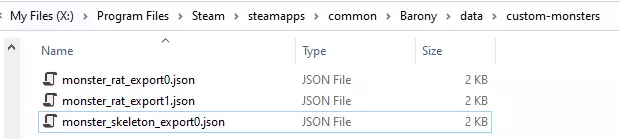
将这些文件重命名为【rat_custom_strong.json】、【rat_custom_fast.json】和【super_strong_skeleton.json】。控制台命令会为你提供默认属性、熟练度以及部分默认参数。文件名末尾的数字会自动更改,以避免覆盖任何现有文件。
请注意,以这种方式导出怪物不会提供任何装备或物品! 怪物JSON文件的替代生成方法:我们还可以在游戏世界中直接注视怪物时使用以下控制台命令:/jsonexportfromcursor
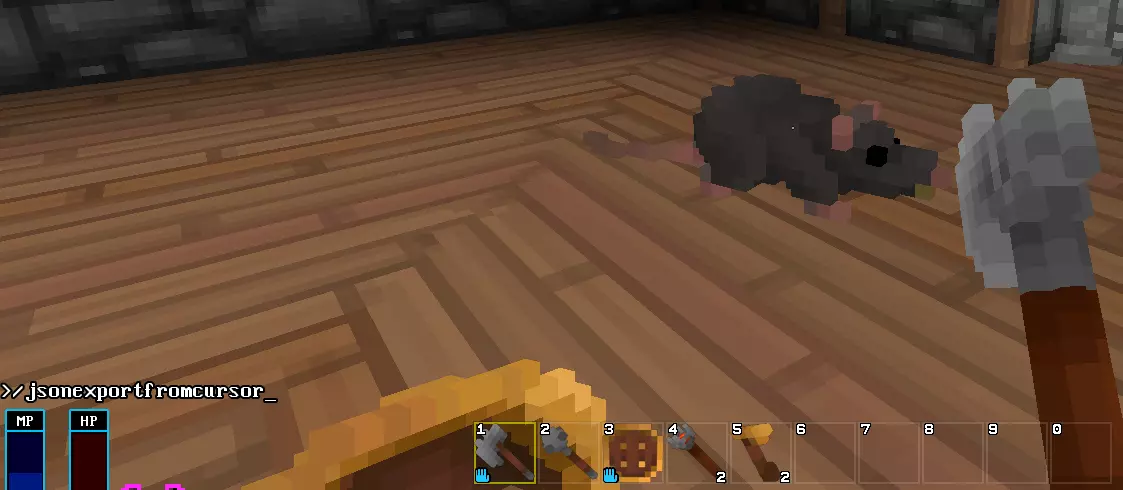
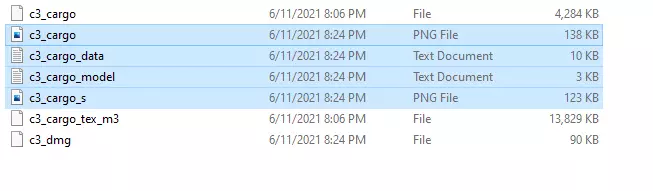
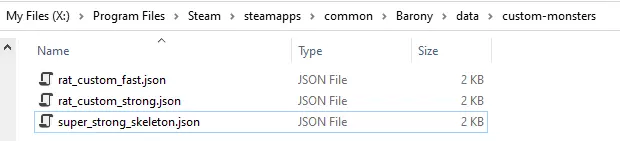
This will generate JSON file displaying everything the monster is wearing and it's inventory items. =============================================================== Monster JSON file structure Once exported, most monster properties do not need to be removed. The only areas where you need to add data is "equipped_items", "inventory_items" and "followers". Now if we open "rat_custom_strong.json" we should see the below snippet (some parts omitted): { "version": 1, "stats": { "name": "", "type": "rat", "sex": 0, "appearance": 32164, "HP": 30, "MAXHP": 30, "MP": 10, "MAXMP": 10, "STR": 0, "DEX": 2, "CON": 1, "INT": -2, "PER": 0, "CHR": -1, "EXP": 0, "LVL": 1, "GOLD": 0 }, "misc_stats": { "RANDOM_STR": 0, "RANDOM_DEX": 0, ... "RANDOM_LVL": 0, "RANDOM_GOLD": 0 }, "proficiencies": { "Tinkering": 0, "Stealth": 0, "Trading": 0, "Appraise": 0, "Swimming": 0, "Leader": 0, ... }, "equipped_items": {}, "inventory_items": [], "properties": { ... }, "followers": { "num_followers": 0, "follower_variants": {} } =============================================================== Editing Basic Monster Stats Let's make our "rat_custom_strong" stronger than a normal Rat! We can modify any of the stats however we like, some basic examples: To increase ATK damage by +5, set "STR" to 5 To increase the level (and XP awarded on kill) modify "LVL" to 7 To give the STR stat a random added range, edit the "RANDOM_STR" to 3. This will give the Rat STR randomly from 5 to 8. To give the Rat a custom name, change the "name" value from "" to "strong rat" To give the Rat more HP, modify "HP" and "MAXHP" to 50. To drop 10-50 gold on kill, set "GOLD" to 10 and "RANDOM_GOLD" to 40.Our changes will look like: { "version": 1, "stats": { "name": "strong rat", "type": "rat", "sex": 0, "appearance": 32164, "HP": 50, "MAXHP": 50, "MP": 10, "MAXMP": 10, "STR": 5, "DEX": 2, "CON": 1, "INT": -2, "PER": 0, "CHR": -1, "EXP": 0, "LVL": 7, "GOLD": 10 }, "misc_stats": { "RANDOM_STR": 3, "RANDOM_DEX": 0, "RANDOM_CON": 0, "RANDOM_INT": 0, "RANDOM_PER": 0, "RANDOM_CHR": 0, "RANDOM_MAXHP": 0, "RANDOM_HP": 0, "RANDOM_MAXMP": 0, "RANDOM_MP": 0, "RANDOM_LVL": 0, "RANDOM_GOLD": 40 }, For the other "rat_custom_fast.json" file, we can increase the "DEX" by 10 to increase the movement speed of the monster, and change the "name" to "fast rat": { "version": 1, "stats": { "name": "fast rat", "type": "rat", "sex": 0, "appearance": 28277, "HP": 30, "MAXHP": 30, "MP": 10, "MAXMP": 10, "STR": 0, "DEX": 12, "CON": 1, "INT": -2, "PER": 0, "CHR": -1, "EXP": 0, "LVL": 1, "GOLD": 0 }, ... Make sure to save both Rat JSON files before moving on. Next we will cover monster items for the Skeleton! Monster Loadouts - Equipment Items As the rat is a simple monster without equipment, we only needed to modify it's base stats in the basics section. In this section, we'll cover modifying our super_strong_skeleton.json with equipment and inventory items! To start, open our super_strong_skeleton.json file and set the monster's "name" to "super strong skeleton" and give it 10 STR: { "version": 1, "stats": { "name": "super strong skeleton", "type": "skeleton", "sex": 1, "appearance": 8658, "HP": 40, "MAXHP": 40, "MP": 30, "MAXMP": 30, "STR": 10, "DEX": -1, "CON": 1, "INT": -1, "PER": 2, "CHR": -3, "EXP": 0, "LVL": 2, "GOLD": 0 }, ... } Small note - the "appearance" tag is used only for human monster skin color, it does not matter for other creatures and will be a random number. If your appearance is different - that's OK. =============================================================== Generating Item Objects To start, we're going to be adding in item JSON objects inside the "equipped_items":{} and "inventory_items":[]. An example item JSON object looks like: { "type": "steel_sword", "status": "excellent", "beatitude": 1, "count": 1, "appearance": 22338, "identified": false, "spawn_percent_chance": 100, "drop_percent_chance": 100, "slot_weighted_chance": 1 } You can copy this as a sample, or use the console command /jsonexportfromcursor from earlier sections to export a monster in the world with it's worn equipment. "type": which item to use. The exact item name is the same as displayed in the editor, or can be found from the itemNameStrings variable in our code repository https://github.com/TurningWheel/Barony/blob/master/src/entity_shared.cpp "status": set to "broken", "decrepit", "worn", "serviceable" or "excellent" "beatitude": the items "blessing". Set to 0 for +0 item, otherwise positive and negative numbers work "count": how many of the item. Usually set to 1 except for stacks of potions or throwing items. "appearance": a random number that defines what some items look like such as spellbook color. A number from 0 to 10 is usually all the variants. Set to "random" if you are unsure or if an item does not have variation in appearance. "identified": set to true or false, most monster items in the game are unidentified. "spawn_percent_chance": value from 0 to 100, the percent chance that this item should spawn on the monster. "drop_percent_chance": value from 0 to 100, the percent chance that this item drops on the ground once the monster is killed. Normally all monsters always drop their items. "slot_weighted_chance": Weighted chance if multiple items share the same slot. Advanced - will be covered in a later section. =============================================================== Adding Equipment Inside our super_strong_skeleton.json file, we're going to add a Steel Sword into the Weapon slot. We change the generated JSON from "equipped_items": {}, to "equipped_items": { "weapon": { "type": "steel_sword", "status": "excellent", "beatitude": 2, "count": 1, "appearance": "random", "identified": false, "spawn_percent_chance": 100, "drop_percent_chance": 100, "slot_weighted_chance": 1 } }, Here we've specified the "weapon" equipment slot to contain an "Excellent +2 Steel Sword" with 100% chance. Let's add an Steel Shield as well, inside "equipped_items" add a comma after the weapon with a "Worn -1 Steel Shield" object with a 50% drop rate: "equipped_items": { "weapon": { "type": "steel_sword", "status": "excellent", "beatitude": 2, "count": 1, "appearance": "random", "identified": false, "spawn_percent_chance": 100, "drop_percent_chance": 100, "slot_weighted_chance": 1 }, "shield": { "type": "steel_shield", "status": "worn", "beatitude": -1, "count": 1, "appearance": "random", "identified": false, "spawn_percent_chance": 100, "drop_percent_chance": 50, "slot_weighted_chance": 1 } }, The available equipment slot names to use are below. You do not need to add entries for every slot, in this case we only use the weapon and shield slots. "weapon": {}, "shield": {}, "helmet": {}, "breastplate": {}, "gloves": {}, "shoes": {}, "cloak": {}, "ring": {}, "amulet": {}, "mask": {} Next let's load our changes in-game! Testing Our Changes In-Game Let's take a break and see our changes so far in-game. "monstercurve.json" is automatically reloaded every level and will also reload any monster files. Make sure your custom-monsters directory has our 3 monster files:
现在开始游戏,启用作弊功能,然后使用控制台命令/maxout2给自己提升一些等级和装备,确保我们不会死亡!
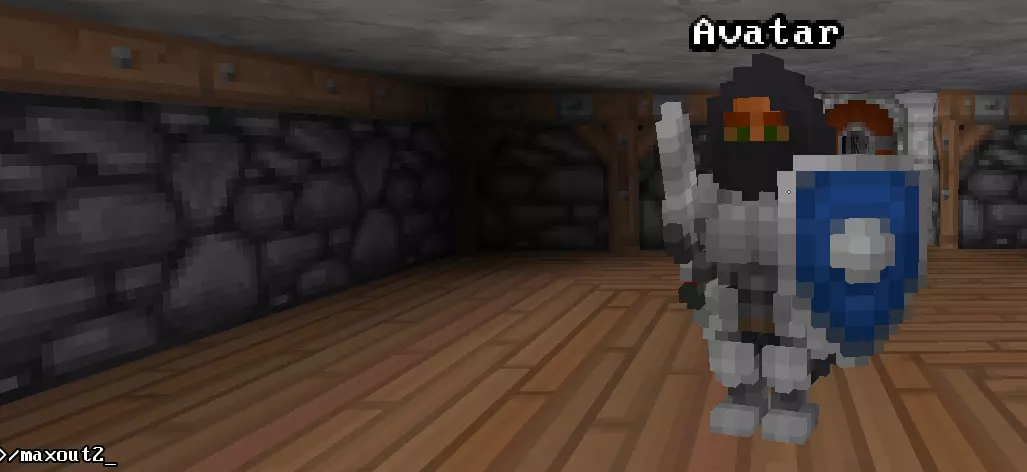
现在在地下城1层的矿场区域移动时,会随机生成我们的自定义生物!
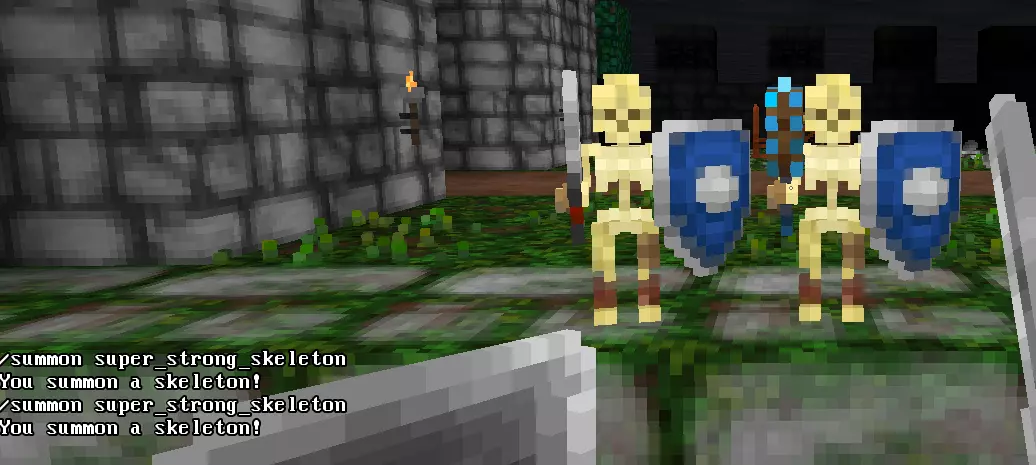
使用控制台命令从JSON生成怪物:使用常规的/summon命令时,用JSON文件名代替怪物名称——例如/summon super_strong_skeleton
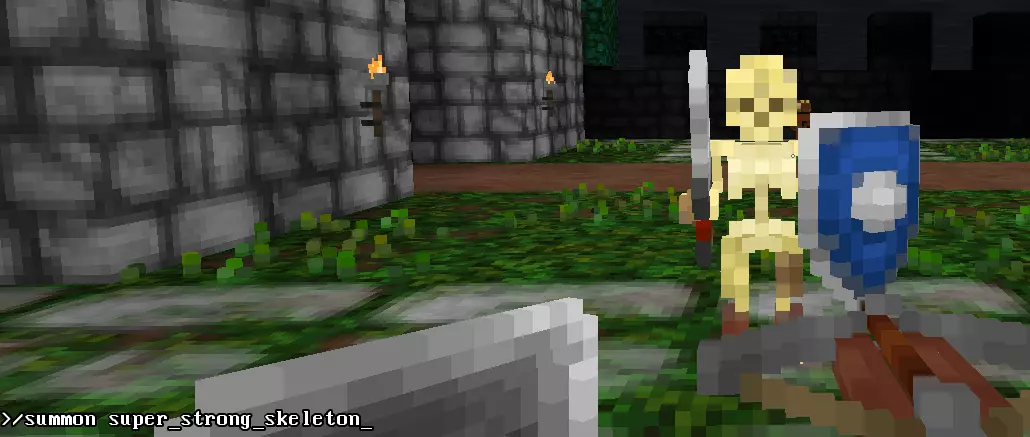
接下来要做什么? 现在我们已经实现了一些基本的怪物曲线,接下来让我们介绍骨架的物品栏、追随者以及其他一些属性。 你可能还注意到自定义骨架仍在生成头盔,这是正常现象,因为我们只指定了“武器”和“盾牌”装备栏。这部分内容将在“高级属性”章节中介绍。 怪物装备配置 - 物品栏物品和权重概率 在本节中,请重新打开“super_strong_skeleton.json”并跳转到“inventory_items”:[]属性。添加库存物品 默认库存物品为空JSON“数组”,由方括号表示:"inventory_items": []。我们没有已装备物品那样的槽位名称,因此需将物品对象添加到JSON数组中,并用逗号分隔:"inventory_items": [ { "type": "gem_luck", "status": "excellent", "beatitude": 0, "count": 1, "appearance": "random", "identified": false, "spawn_percent_chance": 100, "drop_percent_chance": 100, "slot_weighted_chance": 1 }, { "type": "hat_fez", "status": "serviceable", "beatitude": 1, "count": 1, "appearance": "random", "identified": false, "spawn_percent_chance": 100, "drop_percent_chance": 100, "slot_weighted_chance": 1 }, { "type": "spellbook_lightning", "status": "decrepit", "beatitude": 2, "count": 1, "appearance": 1, "identified": false,["生成概率"]:100,["掉落概率"]:100,["槽位权重概率"]:1}],这3个随机物品( fez、幸运石、闪电法术书 )在每次击杀我们的自定义骷髅时都会掉落( 同时还会掉落钢剑,以及50%概率掉落钢盾 )。点击保存,然后使用/summon super_strong_skeleton重新召唤骷髅,即可在其死亡时看到这3个物品掉落。
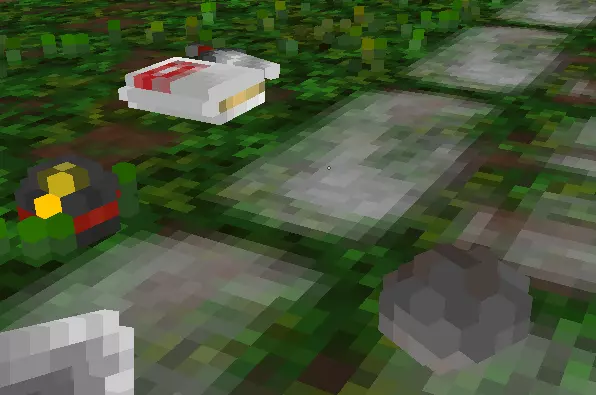
高级物品栏物品放置 我们可以在骷髅的物品栏中添加3个物品,但如果想让游戏选择 fez 帽或幸运石宝石呢? 我们可以通过在数组中放置 JSON 数组来实现——在“inventory_items”的 [] 括号内再添加一组 [] 括号。变更内容如下: "inventory_items": [ [ { "type": "幸运宝石", "status": "完美", "beatitude": 0, "count": 1, "appearance": "随机", "identified": false, "spawn_percent_chance": 100, "drop_percent_chance": 100, "slot_weighted_chance": 1 }, { "type": " fez 帽", "status": "可用", "beatitude": 1, "count": 1, "appearance": "随机", "identified": false, "spawn_percent_chance": 100, "drop_percent_chance": 100, "slot_weighted_chance": 1 } ], { "type": "闪电法术书", "status": "破旧", "beatitude": 2, "count": 1, "appearance": 1, "identified": false, "spawn_percent_chance": 100, "drop_percent_chance": 100, "slot_weighted_chance": 1 } ] 现在只会掉落2件物品,有50%概率掉落 fez 帽和闪电法术书,或幸运宝石和闪电法术书。
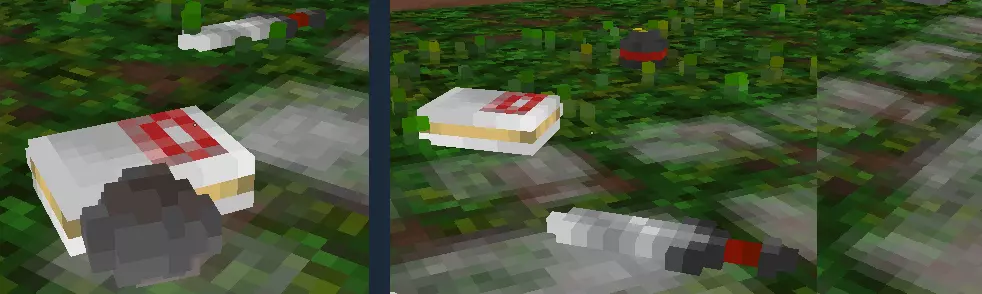
加权物品栏物品放置 当您使用JSON数组设置物品槽位时,可通过【slot_weighted_chance】变量来改变物品被选中的概率。如果我们将幸运石的权重 chance 修改为10, fez 帽设为5,代码如下:"inventory_items": [ [ { "type": "gem_luck", "status": "excellent", "beatitude": 0, "count": 1, "appearance": "random", "identified": false, "spawn_percent_chance": 100, "drop_percent_chance": 100, "slot_weighted_chance": 10 }, { "type": "hat_fez", "status": "serviceable", "beatitude": 1, "count": 1, "appearance": "random", "identified": false, "spawn_percent_chance": 100, "drop_percent_chance": 100, "slot_weighted_chance": 5 } ], { "type": "spellbook_lightning", "status": "decrepit", "beatitude": 2, "count": 1, "appearance": 1, "identified": false, "spawn_percent_chance": 100, "drop_percent_chance": 100, "slot_weighted_chance": 1 } ], 因此现在 fez 帽的生成概率为5/15(33%),而幸运石的生成概率为10/15(66%)。 怪物装备配置 - 带数组的装备物品 正如我们在上一节中看到的,多个物品可以共享 inventory slots【物品栏槽位】。 加权装备物品放置 我们还可以为装备使用JSON数组,通过单个JSON文件为super_strong_skeleton.json【超级强壮骷髅】提供多种武器。例如,假设我们希望骷髅有60%的几率挥舞钢剑,40%的几率挥舞水晶锤:“equipped_items”:{“weapon”:[{“type”:“steel_sword”,“status”:“excellent”,“beatitude”:2,“count”:1,“appearance”:“random”,“identified”:false,“spawn_percent_chance”:100,“drop_percent_chance”:100,“slot_weighted_chance”:6},{“type”:“crystal_mace”,“status”:“excellent”,“beatitude”:2,“count”:1,“appearance”:“random”,“identified”:false,“spawn_percent_chance”:100,“drop_percent_chance”:100,“slot_weighted_chance”:4}],“shield”:{“type”:“steel_shield”,“status”:“worn”,“beatitude”:-1,“count”:1,“appearance”:“random”,“identified”:false,“spawn_percent_chance”:100,“drop_percent_chance”:50,“slot_weighted_chance”:1}},现在重新召唤我们的骷髅按预期生成了两种不同的类型:
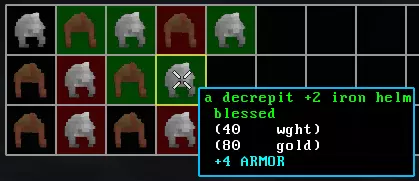
在物品属性中使用数组 为物品轻松添加随机性的另一种方法是为物品属性本身使用JSON数组。 以下物品属性可以是数组: 类型 状态 祝福 数量 外观 作为参考,《Barony》对物品类型有加权概率,但物品的祝福/状态是随机的且无加权——每个选项都有相同的发生可能性。以骷髅头盔的生成为例: 50%概率不生成头盔 10%概率生成皮革头盔,祝福值为-1或+0,状态为破损 40%概率生成铁头盔,祝福值为-1或+0,状态为破损 以下是JSON格式的呈现(无物品时可将"type"设为"empty"): "equipped_items": { "helmet": [ { "type": "empty", "spawn_percent_chance": 100, "slot_weighted_chance": 5 }, { "type": "leather_helm", "status": "decrepit", "beatitude": [-1, 0], "count": 1, "appearance": "random", "identified": false, "spawn_percent_chance": 100, "drop_percent_chance": 100, "slot_weighted_chance": 1 }, { "type": "iron_helm", "status": "decrepit", "beatitude": [-1, 0], "count": 1, "appearance": "random", "identified": false, "spawn_percent_chance": 100, "drop_percent_chance": 100, "slot_weighted_chance": 6 } ], ...添加此属性后获得的战利品显示,祝福确实会在-1到0之间随机变化。
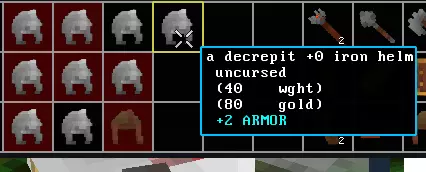
另一个语法示例:如果你希望在仅使用1个槽位的情况下所有内容都随机均等(某些已磨损的装备如头盔仅掉落1个数量): "helmet": { "type": ["empty", "iron_helm", "leather_helm"], "status": ["破旧", "可用", "完好"], "beatitude": [-1, 0, 1, 2], "count": [1, 2, 3, 4], "appearance": [0, 1, 2], "identified": false, "spawn_percent_chance": 100, "drop_percent_chance": 100, "slot_weighted_chance": 1 }, ...
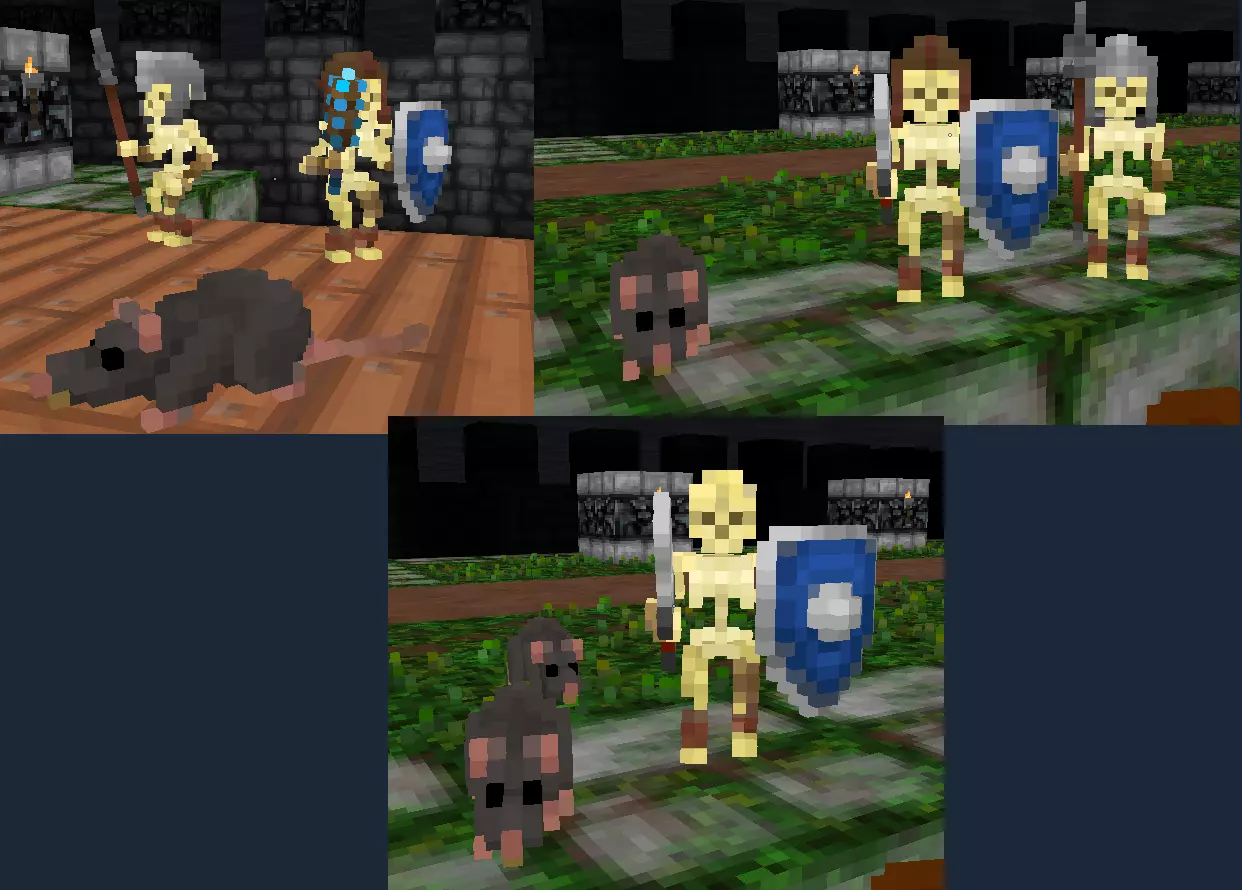
Monster Loadouts - Advanced Properties "properties": {} One of the sections within a monster JSON file is the "properties" - here we can set some unique options for our monsters to spice them up. A lot of these are simple true/false flags. The default monster properties are generated as follows: "properties": { "monster_name_always_display_as_generic_species": false, "populate_empty_equipped_items_with_default": true, "populate_default_inventory": true, "disable_miniboss_chance": false, "force_player_recruitable": false, "force_player_friendly": false, "force_player_enemy": false, "disable_item_drops": false, "xp_award_percent": 100, "enable_casting_inventory_spellbooks": false, "spellbook_cast_cooldown": 250 }, Properties Reference "monster_name_always_display_as_generic_species": Default false. If a monster is named, the game messages player with the grammar "You hit Funny Bones". If your monster name is a description like "super strong skeleton", setting this to true will use the grammar "You hit the super strong skeleton" "populate_empty_equipped_items_with_default": Default true. If true - not specifying items to go into an equipment slot such as "weapon" or "shield" in the monster JSON will cause Barony to attempt to generate normal items for the monster's equipment slot. E.g A bare-handed skeleton will get an Iron Sword or Iron Spear Set this to false to only use the JSON defined items, and leave empty slots as-is. "populate_default_inventory": Default true. If true, Barony generates normal monster inventory items, such as cheese/meat for Rats, fish for Gnomes etc. Set to false to not generate any default inventory items. Some monsters that use special spells such as Insectoids + Acid Spray spell may still obtain their spell regardless of this setting. "disable_miniboss_chance": Default false. If false, the monster defined in JSON can spawn as a miniboss monster with altered equipment and stats such as Funny Bones. Set to true to disable miniboss chances for this monster spawn. "force_player_recruitable": Default false. If set to true, a player can recruit this monster regardless of race. "force_player_friendly": Default false. If set to true, this monster is friendly but not necessarily recruitable to players regardless of race. "force_player_enemy": Default false. If set to true, this monster is always an enemy to players regardless of race, and will attack on sight. "disable_item_drops": Default false. Set to true to prevent all of the monsters items dropping on death. "xp_award_percent": Default 100. The percentage of normal XP to award when killing this monster. Can be from 0 percent to a really high number. Default XP is around 10-20 XP if player is the same level as the monster. E.g Setting to 10 percent will award 1-2 XP "enable_casting_inventory_spellbooks": Default false. If enabled, a spellbook in the monster's inventory can be used to occasionally cast from instead of attacking with weapons (like the Insectoid's Spray Acid or Incubus Steal Weapon spells). Note this is a rough generic AI behavior that is not guaranteed to be polished for all monsters - animations for non-humanoids may be non-existent. "spellbook_cast_cooldown": Default 250. Only used with "enable_casting_inventory_spellbooks". This value is how many ticks (50 ticks per second) the monster waits before casting from a spellbook instead of normal attacks. Value should not be lower than 50 to 100 otherwise timing can be inconsistent for casting. Can also be as high as desired. Fixes/Changes For Our Generated MonstersAs mentioned earlier - we saw our "super_strong_skeleton.json" spawned in with a Helmet in the beginning of the tutorial despite us not setting anything for that slot. We can force the Skeleton to not spawn normal Helmets with "populate_empty_equipped_items_with_default" set to false. Our "rat_custom_fast.json" and "rat_custom_strong.json" will still drop meat/cheese, setting "populate_default_inventory" to false disables that if desired. Battle messages using our monster's names e.g "You hit super strong skeleton" is incorrect grammar. Set "monster_name_always_display_as_generic_species" to true so the battle messages display ""You hit the super strong skeleton" Algernon or Funny Bones may spawn instead of our monsters at the default 2% chance, set "disable_miniboss_chance" to true to solve this So for all of our monsters, we can touch up the properties to: "properties": { "monster_name_always_display_as_generic_species": true, "populate_empty_equipped_items_with_default": false, "populate_default_inventory": false, "disable_miniboss_chance": true, "force_player_recruitable": false, "force_player_friendly": false, "force_player_enemy": false, "disable_item_drops": false, "xp_award_percent": 100, "enable_casting_inventory_spellbooks": false, "spellbook_cast_cooldown": 250 }, Monster Loadouts - Adding Followers Using the "followers":{} Monster Property Inside all generated monster JSON, there is the blank follower property: "followers": { "num_followers": 0, "follower_variants": {} } "num_followers": The quantity of followers to generate (e.g value of 2 will always spawn 2) "follower_variants": {} Uses the same weighted chance variant structure as "monstercurve.json" For our super_strong_skeleton.json Skeleton, we can give it some followers with the following: "followers": { "num_followers": 2, "follower_variants": { "default": 1, "rat_custom_fast": 2, "rat_custom_strong": 2 } } This will generate 2 followers, with the chances: 20% "default" which is the default monster generation of the leader - so a regular Skeleton 40% using our "rat_custom_fast.json" file 40% using our "rat_custom_strong.json" file Resummoning your skeleton using the /summon super_strong_skeleton command will result in some random follower configurations!
Monster Loadouts - Shopkeepers Shopkeepers have 1 additional JSON field that lets us control what types of Shopkeepers to generate. Everything else is the same as other monsters otherwise. When you export a shopkeeper using the console command /jsonexportmonster shopkeeper you will see the below snippet: "shopkeeper_properties": { "store_type_chances": { "equipment": 1, "hats": 1, "jewelry": 1, "books": 1, "apothecary": 1, "staffs": 1, "food": 1, "hardware": 1, "hunting": 1, "general": 1 }, "generate_default_shop_items": true, "num_generated_items_min": 10, "num_generated_items_max": 15, "generated_item_blessing_max": 0 }, ... "store_type_chances": The weighted chance for each Shopkeeper store "type". This affects what groups of items you are permitted to sell back to a Shopkeeper. By default all chances are 1, so even chance. You may set these to 0 to eliminate certain shops from the possibilities. "generate_default_shop_items": Default true. If set to false, this Shopkeeper will not auto generate items from a list and only offer items manually placed inside "inventory_items". "num_generated_items_min/max": The minimum/maximum number of items to generate. The default Barony Shopkeepers generate between 10 and 15 items. Does nothing if "generate_default_shop_items" is false. "generated_item_blessing_max": Default 0. Barony adds increasing random blessings to pieces of useful equipment at dungeon levels 18+ and 25+ with a value of 2 and 3 respectively. For non-equipment like food or tools, the status of the item is increased instead if this is > 0. You can set this yourself to a number such as 2 to randomly get +0/+1/+2 items in random generation. Does nothing if "generate_default_shop_items" is false. Summary: Placing inventory items inside the Shopkeeper JSON will offer those items to sell You can filter out shop types you don't want to see, or set 1 store type as 100%. If you wanted 100% custom shops, create as many JSON files as your want for each store type so you can control what players can sell - or make them all general stores! Inside "monstercurve.json", set your Shopkeeper JSON files in the "fixed_monsters" variants. Example if you wanted 80% default Shopkeepers, 20% for one of 2 special shopkeepers:"levels": { "The Mines": { "fixed_monsters": [ { "name": "shopkeeper", "variants": { "default": 8, "shopkeeper_with_blessed_stuff": 1, "shopkeeper_with_cursed_stuff": 1 } }, ... Monster Loadouts - Our Final JSON Results Just for reference, here is the final result of all the changes covered in the monster section: rat_custom_strong.json{ "version": 1, "stats": { "name": "strong rat", "type": "rat", "sex": 0, "appearance": 32164, "HP": 50, "MAXHP": 50, "MP": 10, "MAXMP": 10, "STR": 5, "DEX": 2, "CON": 1, "INT": -2, "PER": 0, "CHR": -1, "EXP": 0, "LVL": 7, "GOLD": 10 }, "misc_stats": { "RANDOM_STR": 3, "RANDOM_DEX": 0, "RANDOM_CON": 0, "RANDOM_INT": 0, "RANDOM_PER": 0, "RANDOM_CHR": 0, "RANDOM_MAXHP": 0, "RANDOM_HP": 0, "RANDOM_MAXMP": 0, "RANDOM_MP": 0, "RANDOM_LVL": 0, "RANDOM_GOLD": 40 }, "proficiencies": { "Tinkering": 0, "Stealth": 0, "Trading": 0, "Appraise": 0, "Swimming": 0, "Leader": 0, "Casting": 0, "Magic": 0, "Ranged": 0, "Sword": 0, "Mace": 0, "Axe": 0, "Polearm": 0, "Shield": 0, "Unarmed": 0, "Alchemy": 0 }, "equipped_items": {}, "inventory_items": [], "properties": { "monster_name_always_display_as_generic_species": true, "populate_empty_equipped_items_with_default": false, "populate_default_inventory": false, "disable_miniboss_chance": true, "force_player_recruitable": false, "force_player_friendly": false, "force_player_enemy": false, "disable_item_drops": false, "xp_award_percent": 100, "enable_casting_inventory_spellbooks": false, "spellbook_cast_cooldown": 250 }, "followers": { "num_followers": 0, "follower_variants": {} } } rat_custom_fast.json{ "version": 1, "stats": { "name": "fast rat", "type": "rat", "sex": 0, "appearance": 28277, "HP": 30, "MAXHP": 30, "MP": 10, "MAXMP": 10, "STR": 0, "DEX": 12, "CON": 1, "INT": -2, "PER": 0, "CHR": -1, "EXP": 0, "LVL": 1, "GOLD": 0 }, "misc_stats": { "RANDOM_STR": 0, "RANDOM_DEX": 0, "RANDOM_CON": 0, "RANDOM_INT": 0, "RANDOM_PER": 0, "RANDOM_CHR": 0, "RANDOM_MAXHP": 0, "RANDOM_HP": 0, "RANDOM_MAXMP": 0, "RANDOM_MP": 0, "RANDOM_LVL": 0, "RANDOM_GOLD": 0 }, "proficiencies": { "Tinkering": 0, "Stealth": 0, "Trading": 0, "Appraise": 0, "Swimming": 0, "Leader": 0, "Casting": 0, "Magic": 0, "Ranged": 0, "Sword": 0, "Mace": 0, "Axe": 0, "Polearm": 0, "Shield": 0, "Unarmed": 0, "Alchemy": 0 }, "equipped_items": {}, "inventory_items": [], "properties": { "monster_name_always_display_as_generic_species": true, "populate_empty_equipped_items_with_default": false, "populate_default_inventory": false, "disable_miniboss_chance": true, "force_player_recruitable": false, "force_player_friendly": false, "force_player_enemy": false, "disable_item_drops": false, "xp_award_percent": 100, "enable_casting_inventory_spellbooks": false, "spellbook_cast_cooldown": 250 }, "followers": { "num_followers": 0, "follower_variants": {} } } super_strong_skeleton.json{ "version": 1, "stats": { "name": "super strong skeleton", "type": "skeleton", "sex": 1, "appearance": 8658, "HP": 40, "MAXHP": 40, "MP": 30, "MAXMP": 30, "STR": 10, "DEX": -1, "CON": 1, "INT": -1, "PER": 2, "CHR": -3, "EXP": 0, "LVL": 2, "GOLD": 0 }, "misc_stats": { "RANDOM_STR": 0, "RANDOM_DEX": 0, "RANDOM_CON": 0, "RANDOM_INT": 0, "RANDOM_PER": 0, "RANDOM_CHR": 0, "RANDOM_MAXHP": 0, "RANDOM_HP": 0, "RANDOM_MAXMP": 0, "RANDOM_MP": 0, "RANDOM_LVL": 0, "RANDOM_GOLD": 0 }, "proficiencies": { "Tinkering": 0, "Stealth": 0, "Trading": 0, "Appraise": 0, "Swimming": 0, "Leader": 0, "Casting": 0, "Magic": 0, "Ranged": 35, "Sword": 35, "Mace": 50, "Axe": 45, "Polearm": 25, "Shield": 35, "Unarmed": 0, "Alchemy": 0 }, "equipped_items": { "helmet": { "type": ["empty", "iron_helm", "leather_helm"], "status": ["decrepit", "serviceable", "excellent"], "beatitude": [-1, 0, 1, 2], "count": [1, 2, 3, 4], "appearance": [0, 1, 2], "identified": false, "spawn_percent_chance": 100, "drop_percent_chance": 100, "slot_weighted_chance": 1 }, "weapon": [ { "type": "steel_sword", "status": "excellent", "beatitude": 2, "count": 1, "appearance": "random", "identified": false, "spawn_percent_chance": 100, "drop_percent_chance": 100, "slot_weighted_chance": 6 }, { "type": "crystal_mace", "status": "excellent", "beatitude": 2, "count": 1, "appearance": "random", "identified": false, "spawn_percent_chance": 100, "drop_percent_chance": 100, "slot_weighted_chance": 4 } ], "shield": { "type": "steel_shield", "status": "worn", "beatitude": -1, "count": 1, "appearance": "random", "identified": false, "spawn_percent_chance": 100, "drop_percent_chance": 50 } }, "inventory_items": [ [ { "type": "gem_luck", "status": "excellent", "beatitude": 0, "count": 1, "appearance": "random", "identified": false, "spawn_percent_chance": 100, "drop_percent_chance": 100, "slot_weighted_chance": 5 }, { "type": "hat_fez", "status": "serviceable", "beatitude": 1, "count": 1, "appearance": "random", "identified": false, "spawn_percent_chance": 100, "drop_percent_chance": 100, "slot_weighted_chance": 5 } ], { "type": "spellbook_lightning", "status": "decrepit", "beatitude": 2, "count": 1, "appearance": 1, "identified": false, "spawn_percent_chance": 100, "drop_percent_chance": 0 } ], "properties": { "monster_name_always_display_as_generic_species": true, "populate_empty_equipped_items_with_default": false, "populate_default_inventory": false, "disable_miniboss_chance": true, "force_player_recruitable": false, "force_player_friendly": false, "force_player_enemy": false, "disable_item_drops": false, "xp_award_percent": 100, "enable_casting_inventory_spellbooks": false, "spellbook_cast_cooldown": 250 }, "followers": { "num_followers": 2, "follower_variants": { "default": 1, "rat_custom_fast": 2, "rat_custom_strong": 2 } } } Gameplay Modifiers Overview - gameplaymodifiers.json The final new JSON file format we'll cover in this guide is "gameplaymodifiers.json". A bit of a mixed bag, there's some gameplay and leftover map generation that needed a JSON home. To export a fresh copy from within Barony, run the console command: /jsonexportgameplaymodifiers to get a "gameplaymodifiers_export0.json" inside your Barony/data/ folder. Open it up and let's go over the properties.

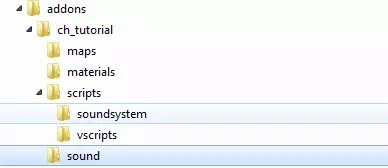
Player-based changes: At the top you'll see: { "version": 1, "xp_share_range": 256, "global_xp_award_percent": 100, "global_gold_drop_scale_percent": 100, "player_share_minimap_progress": false, "player_speed_weight_impact_percent": 100, "player_speed_max": 18.0, ... "xp_share_range": Default 256 (16 tiles at 16 units per tile.). The radius that other players and allies share XP from killing monsters. You can modify this to some large number like 10000 to always share XP, or set it to 0 to disable sharing. "global_xp_award_percent":. Default 100%. Monsters can have their own XP awards individually set, or you can use this to modify every XP award on kill with 1 setting. You can set this smaller to reduce player over-levelling in your maps. Warning - applies to monsters as well, so setting this to something like 10000% can yield... interesting results. "global_gold_drop_scale_percent":. Default 100%. Like the above setting, but for gold drops on death. Set to 0 to remove all gold dropping on death. "player_share_minimap_progress": Default false. Enable to share minimap progress with your friends in the dungeon. Players must carry a light source or be in lit areas for other players to fill in the map at your location (Technical limitation - remote map raytracing requires light to process how far into the fog is visible and where walls are. Each local client emits their own light source that other players cannot see.) "player_speed_weight_impact_percent": Default 100%. How much carry weight affects player speed - a value of 0% will always move at max speed for the player's DEX stat. A value of 200% will act as if you're carrying twice as much, and require 2x the STR stat to maintain max speed. "player_speed_max": Default 18.0 units. Ensure this is set to a decimal number. The max speed units a player can travel, given the player's current DEX, weight and STR. Lowering this reduces player maximum speed, but your speed "curve" remains the same. For reference, early level speeds are around 1-5 units, level 10-20 stats is around 5-15 units, and end-game slowly reaching up to 18.0. Map Based Changes: At the top are some JSON arrays for dungeon floor numbers and some various settings: { ... "minotaur_force_disable_on_floors": { "normal_floors": [], "secret_floors": [] }, "minotaur_force_enable_on_floors": { "normal_floors": [], "secret_floors": [] }, "disable_herx_messages_on_floors": { "normal_floors": [], "secret_floors": [] }, "disable_minimap_on_floors": { "normal_floors": [], "secret_floors": [] }, ... "minotaur_force_disable_on_floors": Disables minotaur spawns on generated floors. "minotaur_force_enable_on_floors": Forces minotaur spawns on generated floors. "disable_herx_messages_on_floors": Disables Herx's pre-level babbling on fixed or generated floors. "disable_minimap_on_floors": Disables the HUD minimap on fixed or generated floors. Navigate with your senses! To add data into any of these, enter the range of dungeon floors you wish the property to be applied to. Example to disable the minimap on all Mines floors, as well as the Gnomish mines on secret floor 3: "disable_minimap_on_floors": { "normal_floors": [1,2,3,4], "secret_floors": [3] }, More Map Generation: Here you can change some random-generation properties for tilesets, such as what traps can spawn and which floors the minotaur/darkness/shopkeepers/npcs spawn on. Add your own tileset names to this list to apply generation rules for them. In the generated example below, "The Mines" and "The Swamp" reflect how Barony handles these areas in terms of percentages. Similar to above, enter the floor numbers in the JSON array [1,2,3,4] ... "map_generation": { "The Mines": { "trap_generation_types": [ "boulders" ], "minotaur_floors": [ 2, 3 ], "minotaur_floor_percent": 50, "dark_floors": [ 1, 2, 3, 4 ], "dark_floor_percent": 25, "shop_floors": [ 2, 3, 4 ], "shop_floor_percent": 50, "npc_floors": [ 2, 3, 4 ], "npc_spawn_chance": 10 }, "The Swamp": { "trap_generation_types": [ "boulders", "arrows" ], "minotaur_floors": [ 7, 8 ], "minotaur_floor_percent": 50, "dark_floors": [ 6, 7, 8, 9 ], "dark_floor_percent": 25, "shop_floors": [ 6, 7, 8, 9 ], "shop_floor_percent": 50, "npc_floors": [ 6, 7, 8, 9 ], "npc_spawn_chance": 10 } } } Using each one of these properties override default Barony behaviours. For example, if "trap_generation_types" is left empty, no trap types will spawn. trap_generation_types: What trap types to randomly generate (does not remove traps from pre-built rooms). Available trap strings: "boulders", "arrows", "spikes", "spelltrap_vertical". Make sure to include the quotation marks and commas between entries. "npc_floors": which floors Humans/Automations spawn on. Note these NPC spawns replace a potential hostile monster. "npc_spawn_chance": Default 10%, setting this to 0% eliminates NPCs, 100% will only randomly spawn NPCs (but pre-built rooms with monsters still have monsters inside them). "minotaur_floors": which floor the minotaur can potentially spawn on. "minotaur_floor_percent": the percentage 0-100% the minotaur tries to spawn each level. The Shop/dark floors follow the minotaur property explanation. Also worth noting - any of the properties in "gameplaymodifiers.json" can be removed to leave it up to the default Barony game to decide. So if all you want to edit is the Shopkeeper and NPC chances in The Swamp, feel free to delete the other properties, i.e: { "version": 1, "map_generation": { "The Swamp": { "shop_floors": [ 6, 7, 8, 9 ], "shop_floor_percent": 50, "npc_floors": [ 6, 7, 8, 9 ], "npc_spawn_chance": 10 } } } Uploading to the Workshop Standard practice for uploading to the workshop - create a new folder to upload in your Barony steam install "mods" folder (my folder name is "myjsonmod"). Create the directory "data" and place your preview image next to it:
在/data/文件夹内,放入你想要上传的自定义monstercurve.json和gameplaymodifiers.json文件。你无需同时放入两个文件,若仅需调整游戏设置,可只上传gameplaymodifiers;若仅修改了怪物生成,可只上传monstercurve。
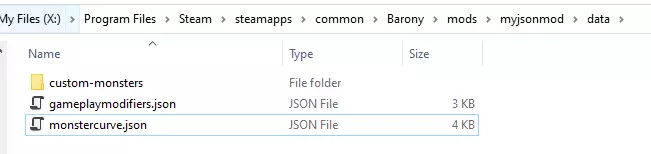
然后,如果你有任何自定义怪物要添加,请创建一个【custom-monsters】文件夹并加入你设计的怪物!
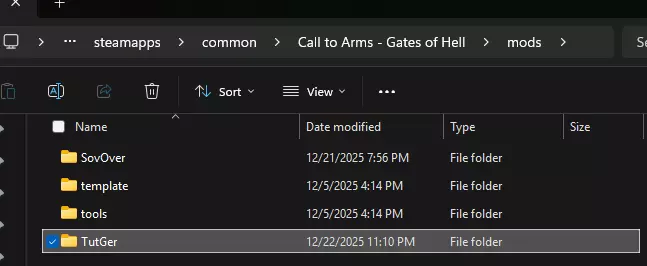
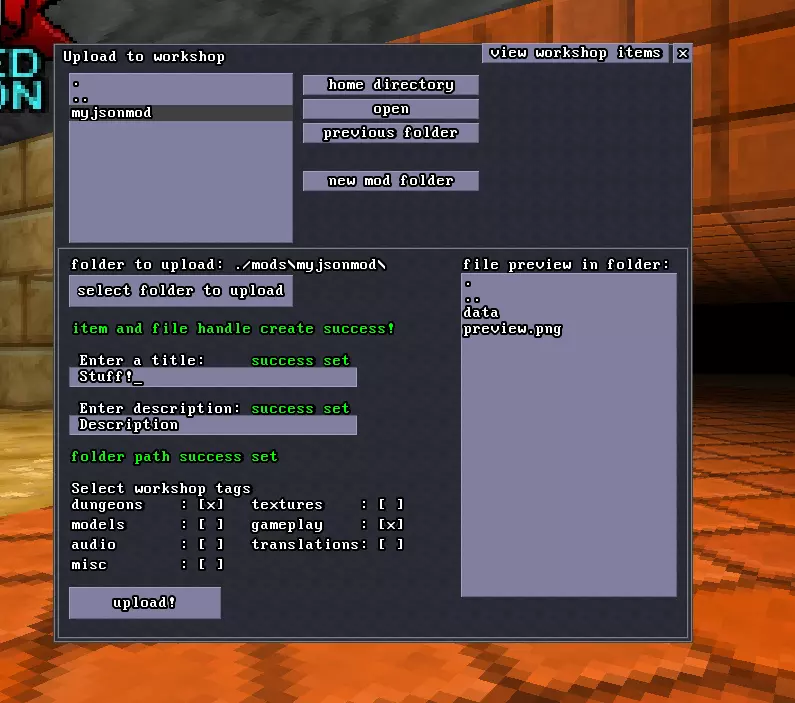
打开《巴罗尼》-> 创意工坊 -> 上传创意工坊内容 -> 导航至/mods/ -> 点击您的文件夹名称 -> 选择要上传的文件夹
总结与故障排除 本指南到此结束,希望能对您有所帮助! 如果遇到问题,可尝试以下步骤: 1. 使用在线工具确保JSON格式正确。 2. 对于怪物JSON文件,验证能否通过JSON文件名召唤怪物,例如对于名为skeleton_custom.json的文件,使用/summon skeleton_custom指令进行召唤。 3. 如果文件表现不符合预期,请上传文件以获取帮助。