武装突袭 重铸者







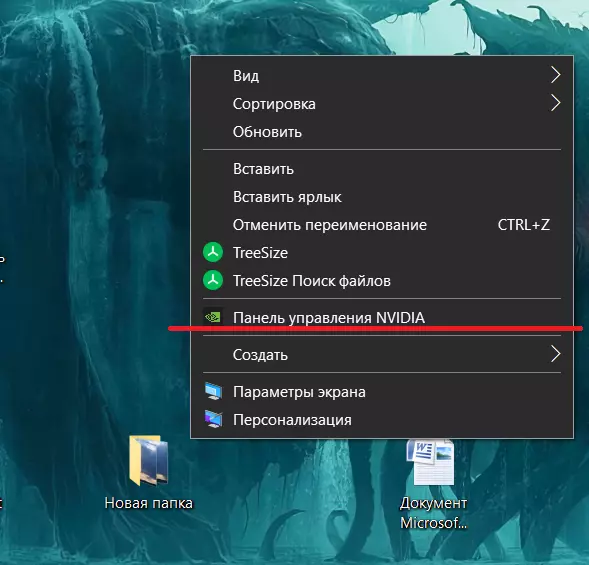
1. Windows设置(以降低负载) 1. 关闭覆盖层 它们经常导致冲突: Xbox游戏栏 Nvidia覆盖层(GeForce Experience) Steam覆盖层(可以保留,但最好关闭) Discord覆盖层 2. 启用硬件加速GPU调度 路径: 设置→系统→显示→图形→更改图形设置 启用硬件加速GPU调度。 3.设置最高性能配置 在英伟达控制面板中: 【电源管理模式】→ 首选最高性能模式 【低延迟模式】→ 开启 【线程优化】→ 开启 关闭所有不必要的程序 尤其是: 谷歌浏览器 电报 杀毒软件扫描 OBS(如果不进行直播) 游戏内设置(最重要)(可选) 《武装突袭: reforger》更注重稳定性(就像你的生活一样),而非帧率。需要保持平衡。降低内存和CPU占用 1. 设置: 视野距离:1500–2500(崩溃的主要原因是数值过高) 物体距离:1200–2000 阴影质量:中等 地形质量:中等 云:低(非常占用资源) 粒子效果:中等 2. 显存 确保游戏不会出现显存溢出: 纹理:高 纹理过滤:高 但不要设置为超高——这会导致崩溃。 3. 物理和渲染 动态模糊:关闭 抗锯齿:TAA低或中等 仅在低帧率时开启DLSS/FSR(有时不稳定)系统检查(这也很重要)(以防万一) 1. 内存检查 运行Windows内存诊断工具——如果存在错误,会出现随机崩溃。 2. 磁盘检查 如果游戏安装在HDD上→将其移至SSD,否则在加载地图时可能会出现崩溃。 3. 温度 CPU或GPU过热是《武装突袭:Reforger》频繁崩溃的常见原因。 检查: CPU < 85°C GPU < 78°C 4. 游戏文件 1. 在Steam中→属性→本地文件→验证游戏文件的完整性 《武装突袭:Reforger》在更新后经常会损坏自身文件。 2删除游戏缓存 位置:文档\我的游戏\Arma Reforger 删除该文件夹——设置将会重置,但通常能解决崩溃问题。感谢大家。 希望能帮到有需要的人解决或缓解问题。 当然,我不能保证这个方法一定有效,但对我来说确实有点改善,尽管我的电脑配置不算老旧。 游戏引擎还不太完善,但又想玩,所以就写了这份指南,希望能帮到和我一样的玩家。 另外,如果你的内存不足8-12GB,要注意远景渲染距离可能会导致频繁闪退,所以建议首先降低这个设置。 祝大家一切顺利,游戏愉快!








Gamepad Controls below.[/i] 引用自 author: Mouse and Keyboard Common Perform ActionY FocusRight Mouse Button (Hold) Focus while DrivingRight Mouse Button (Hold) FreelookLeft Alt Toggle FreelookLeft Alt (Double Tap) Toggle PerspectiveNum Enter / Backspace ChatEnter Show Player ListP TalkT (Hold) Talk Over RadioCaps Lock (Hold) Talk (Toggle)T / Caps Lock (Double Tap) Select Active RadioG Equipment Open InventoryTab Quick SlotTab (Hold) Use ItemR Toggle SightsRight Mouse Button BinocularsB CompassK / K (Hold) FlashlightL / L (Hold) MapM WristwatchO / O (Hold) Character Move ForwardW Move BackwardS Strafe LeftA Strafe RightD SprintLeft Shift Toggle SprintLeft Shift (Double Tap) Adjust Movement SpeedMouse Scroll JumpSpacebar Adjust StanceLeft Ctrl + Mouse Scroll Crouch or StandX ProneZ Lean LeftQ Lean RightE Toggle Lean LeftQ (Double Tap) Toggle Lean RightE (Double Tap) Adjust Leaning LeftQ Adjust Leaning RightE Point with Finger BrieflyC Point with Finger Briefly ContinouslyC (Hold) Vehicle AccelearateW Brake/ReverseS Steer LeftA Steer RightD Full ThrottleLeft Shift Toggle Full ThrottleLeft Shift (Double Tap) Exit VehicleX HandbrakeSpacebar Persistent HandbrakeSpacebar (Double Tap) Start EngineR (Hold) Stop EngineR Gear Shift UpE Gear Shift DownQ Sound HornMiddle Mouse Button LightsL Weapon FireLeft Mouse Button ThrowLeft Mouse Button Melee AttackMiddle Mouse Button ReloadR Cycle Fire ModesV Toggle Weapon MuzzleV (Hold) Toggle Weapon SafetyDel Lower WeaponLeft Ctrl (Double Tap) Toggle SightsRight Mouse Button Sight Range UpPage Up Sight Range DownPage Down Sight Range Up While AimingPage Up Sight Range Down While AimingPage Down Zoom In+ Zoom Out– Toggle IlluminationLeft Alt + Middle Mouse Button Turret Elevation UpW Elevation DownS Traverse LeftA Traverse RightD FireLeft Mouse Button ReloadR Next WeaponV Toggle SightsRight Mouse Button Camera Move ForwardW Move BackwardS Move LeftA Move RightD Move UpQ Move DownZ Move Towards or Away From CursorMouse Wheel Rotation ModifierRight Mouse Button Rotate Down/UpNum 8 or 2 Rotate Left/RightNum 6 or 4 Adjust SpeedMouse Wheel Reset Adjusted SpeedMiddle Mouse Button Temporary Speed BoostLeft Shift Teleport Under CursorF Teleport to PlayerHome Teleport Player Under CursorSpacebar Toggle FlashlightL Show/Hide User InterfaceH Focus on CursorR Reser FocusLeft Ctrl + R Attach to TargetB Save Current Camera to Slot 1Left Ctrl | F1 Save Current Camera to Slot 2Left Ctrl | F2 Save Current Camera to Slot 3Left Ctrl | F3 Save Current Camera to Slot 4Left Ctrl | F4 Save Current Camera to Slot 5Left Ctrl | F5 Save Current Camera to Slot 6Left Ctrl | F6 Save Current Camera to Slot 7Left Ctrl | F7 Save Current Camera to Slot 8Left Ctrl | F8 Save Current Camera to Slot 9Left Ctrl | F9 Save Current Camera to Slot 10Left Ctrl | F10 Load Camera From Slot 1F1 Load Camera From Slot 2F2 Load Camera From Slot 3F3 Load Camera From Slot 4F4 Load Camera From Slot 5F5 Load Camera From Slot 6F6 Load Camera From Slot 7F7 Load Camera From Slot 8F8 Load Camera From Slot 9F9 Load Camera From Slot 10F10 Game Master Toggle Game Master InterfaceY (Hold) Ping Position Under CursorY Cast LightningG (Double Tap) Open Scenario PropertiesV Place PlayerSpacebar Take Temporary Control of AIC Open Entity BrowserTab Select All Entities in ViewCtrl + A Open Context MenuRight Mouse Button Delete EntityDel Destroy EntityEnd Move Camera to NotificationE Toggle MapM Show/Hide User InterfaceI Previous Mode( Next Mode) Save Current Selection to Slot 1Left Ctrl | 1 Save Current Selection to Slot 2Left Ctrl | 2 Save Current Selection to Slot 3Left Ctrl | 3 Save Current Selection to Slot 4Left Ctrl | 4 Save Current Selection to Slot 5Left Ctrl | 5 Save Current Selection to Slot 6Left Ctrl | 6 Save Current Selection to Slot 7Left Ctrl | 7 Save Current Selection to Slot 8Left Ctrl | 8 Save Current Selection to Slot 9Left Ctrl | 9 Save Current Selection to Slot 10Left Ctrl | 0 Load Selection From Slot 11 Load Selection From Slot 22 Load Selection From Slot 33 Load Selection From Slot 44 Load Selection From Slot 55 Load Selection From Slot 66 Load Selection From Slot 77 Load Selection From Slot 88 Load Selection From Slot 99 Load Selection From Slot 100 Gamepad Controls[/b] Perform ActionY FocusLT Focus While DrivingR3 FreelookRight Analog Stick Toggle PerspectiveR3 (Double) ChatY + LB Show Player ListMenu Button + RB Select Direct/Radio TalkLB (Hold) | B Select Active RadioLB (Hold) | X Equipment Open InventoryView Button Quick SlotsView Button (Hold) Use ItemX Toggle SightsLT Sights (Hold)LT (Hold) Character MovementLeft Analog Stick SprintL3 Toggle SprintL3 JumpA Adjust StanceRB + Right Analog Stick Up or Down Crouch or StandB ProneB (Hold) Adjust LeaningRB | Right Analog Stick Left or Right Point With Finger BrieflyRB + D-Pad Right Point With Finger Briefly ContinuouslyRB + D-Pad Right (Hold) Vehicle AccelerateRT Brake/ReverseLT Full ThrottleRT Exit VehicleB HandbrakeA Persistent HandbrakeRB + A Start EngineRB + Y (Hold) Stop EngineRB + Y Sound HornL3 LightsX Weapon FireRT ThrowRT Melee AttackLB + RB ReloadX Cycle Fire ModesRB Toggle Weapon MuzzleRB + Y Toggle Weapon SafetyRB + B Lower WeaponRB + A Toggle SightsLT Sights (Hold)LT (Hold) Toggle IlluminationRB + D-Pad Up Turret FireRT ReloadX Next WeaponRB Toggle SightsLT Sights (Hold)LT (Hold) Camera RotationRight Analog Stick Toggle Permanent Speed BoostL3 Teleport Under CursorR3 Teleport to PlayerR3 (Hold) Toggle FlashlightRB + R3 Focus on CursorA Reset FocusA (Hold) Attach to TargetRB + R3 (Hold) Game Master Toggle Game Master InterfaceMenu Button + LB Ping Position Under CursorRB + D-Pad Left Open Scenario PropertiesView Button (Hold) Place PlayerA (Hold) Open Entity BrowserView Button Open Context MenuX (Hold) Move Camera to NotificationRB + R3 Toggle MapMenu Button (Hold) Show/Hide User InterfaceRB + D-Pad Up Check out my Channel on YouTube for Arma Reforged videos coming soon https://www.youtube.com/channel/UCU2xOXdFcldtw5UqoZ1qu_Q/featured




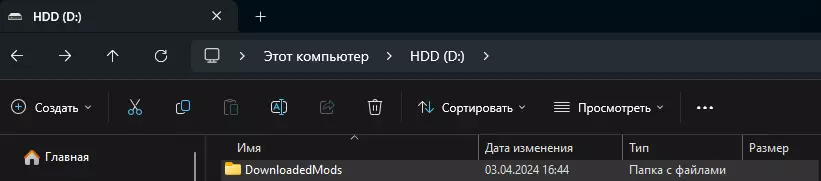
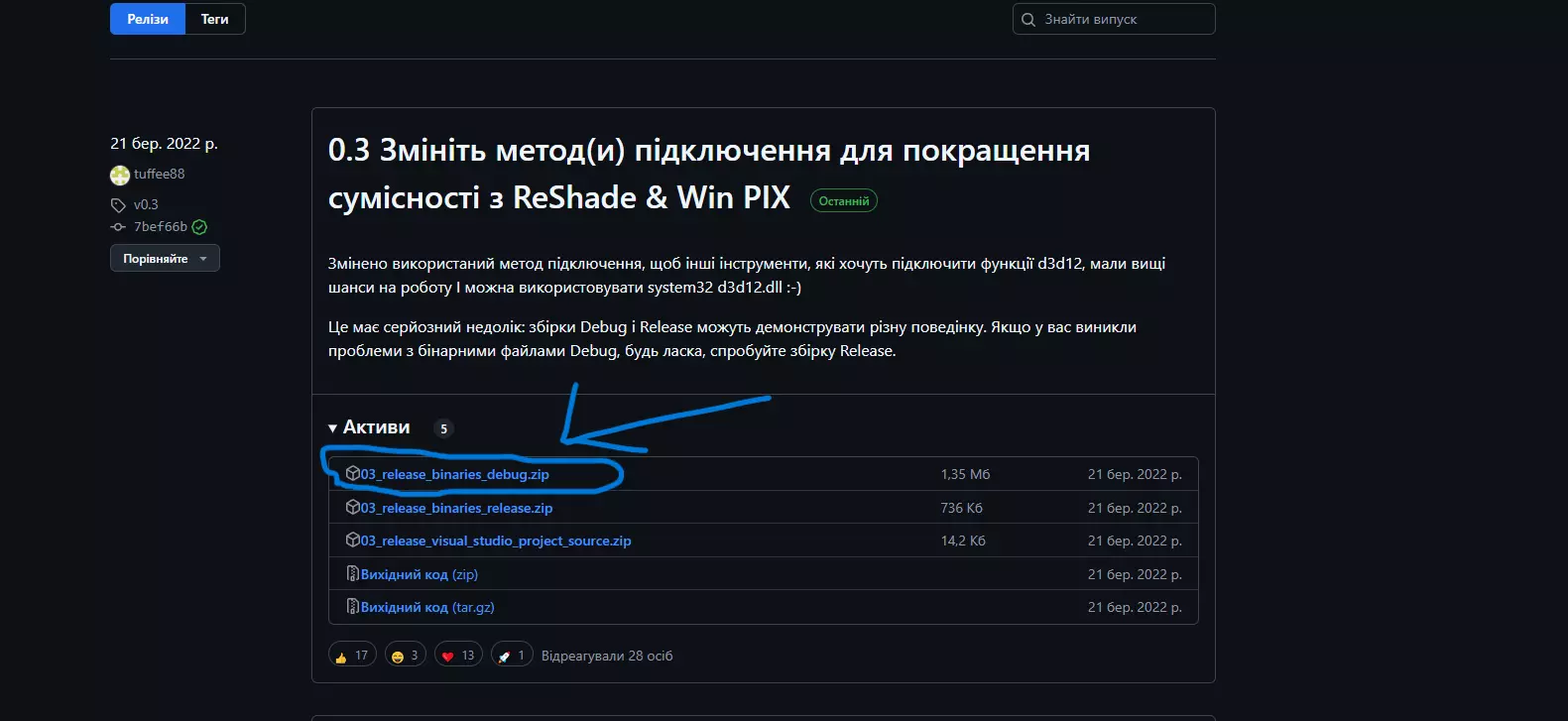
部分玩家遇到了安装模组时出现错误的问题。 我个人有效的修复方法如下: 1. 下载ZAPRET 2. 打开两个文本文档并分别粘贴以下内容: - 在“list-general”中粘贴3个IP: 104.18.26.129 37.19.202.45 104.18.26.44 - 在“ipset-cloudflare”中粘贴: 104.18.26.129/22 37.19.202.45/22 104.18.26.44/22 3. 保存后,运行“general (ALT)”或其他类似的“ALT”文件,然后下载模组。 祝游戏顺利!